Report on Planned Hours by Role by Project | Adobe Higher Education
Skip to main content
MichaelSMN
Level 3
March 4, 2025
Beantwortet

Report on Planned Hours by Role by Project

  • March 4, 2025
  • 1 Antwort
  • 754 Ansichten

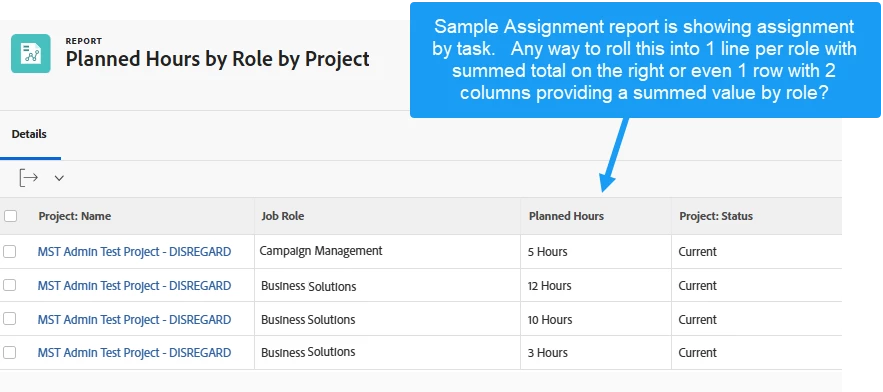
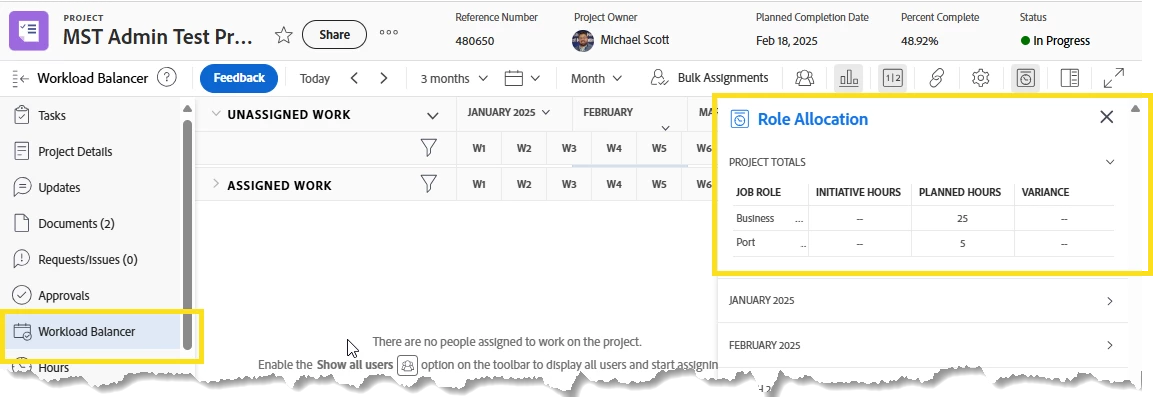
I am looking for a way to report on Planned Hours by Role by Project.   Essentially, looking for a way to report on the Role Allocation on the projects.  We were able to create task level reports that have the planned totals by task which we can manually roll up in excel, or even located the information in an assignment report however was not able to figure out how to roll up the totals and provide like 1 row by project.


Beste Antwort von KierstenKollins

@michaelsmn 


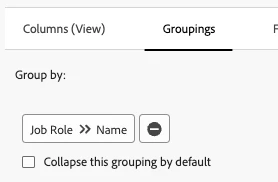
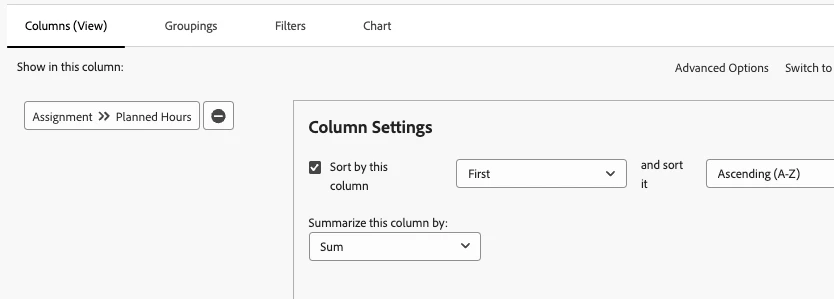
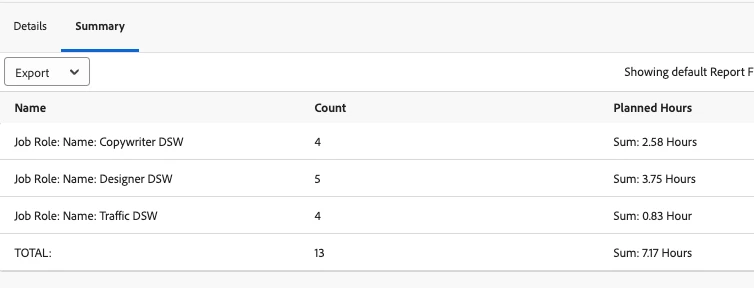
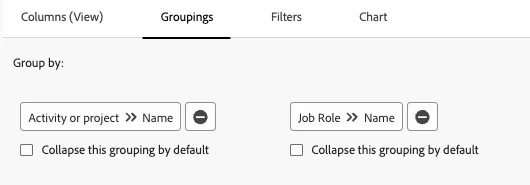
If you add a grouping for the Job Role Name then you can sum the Planned Hours column. Then have the report load to the Summary Tab by default under the report options. This will display one line item for each role that is totaled up for planned hours.


  Grouping:


Planned Hours Summed:


Report Output:


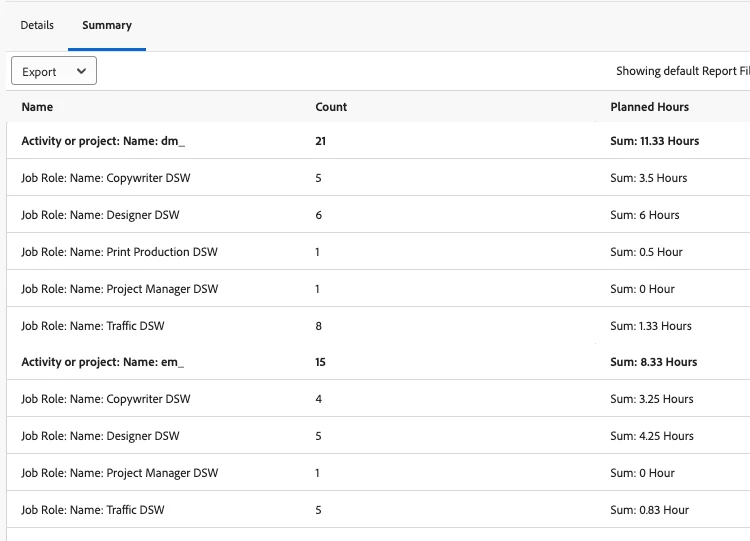
If you add another grouping and have the Project Name be the 1st grouping, you can group them by the projects you want to pull in with the roles underneath.


 Double grouping:

1 Antwort

KierstenKollins
Community Advisor
Community Advisor
March 4, 2025

@michaelsmn 


If you add a grouping for the Job Role Name then you can sum the Planned Hours column. Then have the report load to the Summary Tab by default under the report options. This will display one line item for each role that is totaled up for planned hours.


  Grouping:


Planned Hours Summed:


Report Output:


If you add another grouping and have the Project Name be the 1st grouping, you can group them by the projects you want to pull in with the roles underneath.


 Double grouping:

MichaelSMN
Level 3
March 5, 2025

Thank you, this helps a lot. 

KierstenKollins
Community Advisor
Community Advisor
March 5, 2025

You're welcome!