Report for rogue users "unnassigning" and "reassigning" their tasks?
I'm looking for a report that will show me when users are going rogue and unnassigning themselves from a task they've been assigned by a PM and then reassigning that task to another (equal) member of their team.
in the task updates (system updates) it will look like this:
[User A] requested that [User B] work on this Aug 5, 2021 11:20 am
[User A] unassigned [User A] Aug 5, 2021 11:20 am
I understand I can lock down the tasks so people cannot reassign them, but sometimes it is warranted and legitimate....
Reasons this is a problem:
- Inefficient -- This turns into a game of "hot potato"... Users keep reassigning stuff, and we lose days of no work being done. PM team spends a lot of time balancing the workload/deadlines.
- Abuse -- Some users will agree to taking on more work then they can actually handle, while other users are "coasting" by. Besides being unfair, the overload increases the changes of errors in the work.
- Lost time --
What I need is a report that I can monitor to see how often people are reassigning stuff. I can then use that data to make the case with their manager(s) explaining the issues it's causing downstream. By actively monitoring it I can enforce the policy that "you cannot reassign tasks"
What i've tried in reporting: pulling the system updates, stuff like "unassigned" or "work on this ." Reporting won't pull this data -- or i can't figure out how to.... I'm wondering if there's something in Text mode or something that could be a solution?
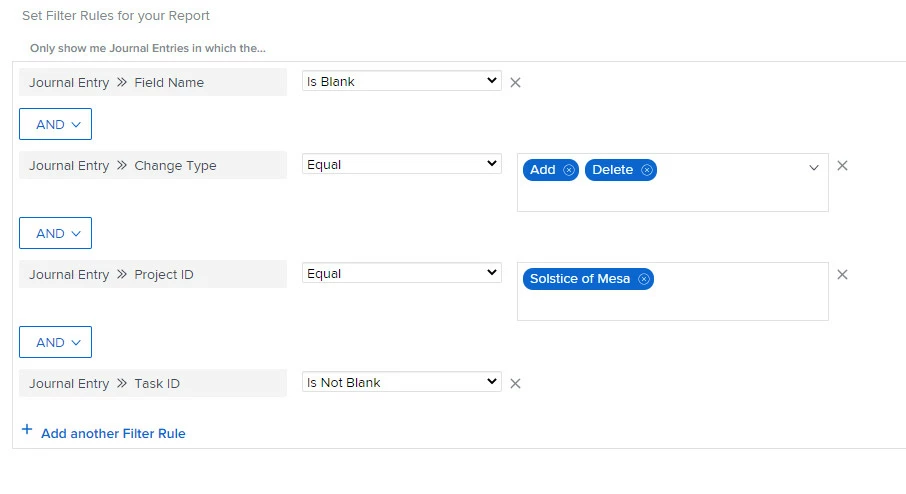 Then I added these columns:
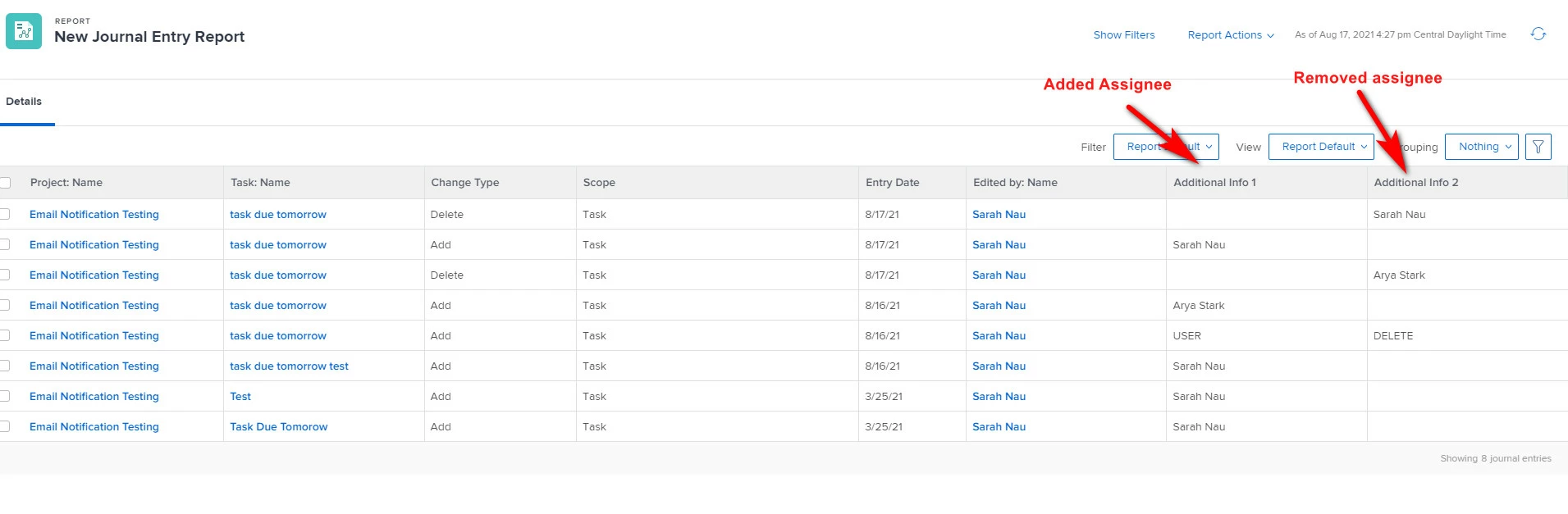 However, when I ran this on a larger project, there was a lot of noise so you will need to figure out some more filters, but I hope this helps get you going!