Reference a Task's Baseline Completion Date in Custom Form Calculated Field | Community
Skip to main content
September 8, 2023
Question

Reference a Task's Baseline Completion Date in Custom Form Calculated Field

  • September 8, 2023
  • 3 replies
  • 970 views

Hi all, I am desperate for help here. 

I am trying to compare the Baseline Completion Date for the Task called "In House" (See image attached) to a Custom Date called "Due Date" in a Custom Form Calculated Field. I have no issue referencing the "Due Date", but I have no idea how to reference the Baseline Completion Date for a specific task. Is this even possible? 
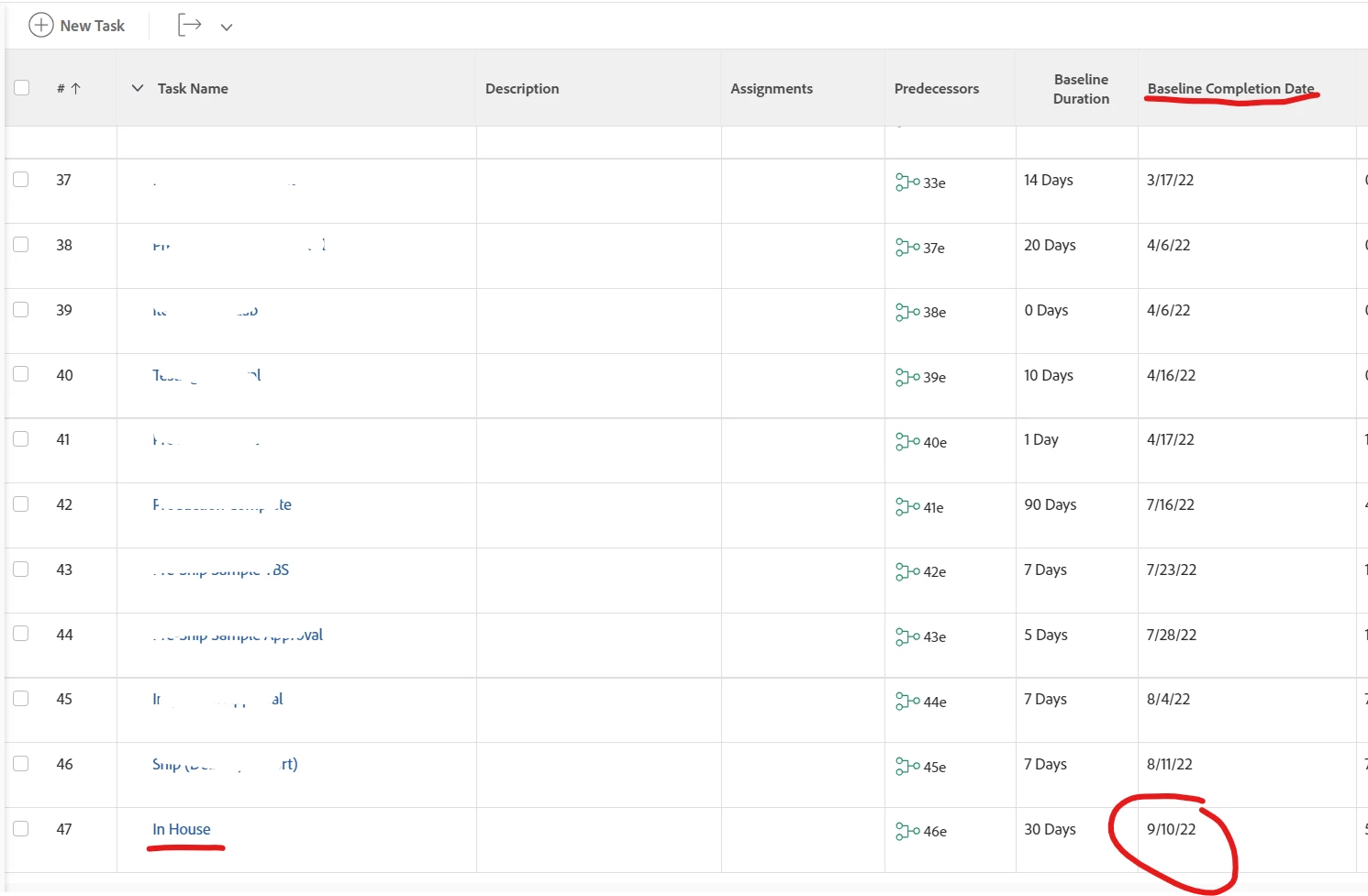
Ideally, I want a calculated field expression that will compare the two dates and return either "On Time" or "Late". Something like: IF({BaselineCompletionDate.IN HOUSE} < {DueDate}, "On Time", "Late"})


Please help! Thank you!!


- Oliver

This post is no longer active and is closed to new replies. Need help? Start a new post to ask your question.

3 replies

KristenS_WF
Level 6
September 11, 2023

I'm not seeing a way to reference the baseline in a custom form calculated field--the baseline object is not listed in the calculation editor for a task-based custom form (and I don't see a baseline-task-based custom form option).


It is possible to build a baseline task report and include a comparison field:

displayname=Comparison textmode=true valueexpression=IF({plannedCompletionDate}<{task}.{DE:TEST DUE DATE},"On Time","Late") valueformat=HTML

In this example, the TEST DUE DATE custom field is part of a task-based custom form.   


skyehansen
Community Advisor
September 11, 2023

for a calculated field, have you tried referencing your baseline using the following syntax?

{defaultBaselineTask}.{DE:your custom field name}


Doug_Den_Hoed__AtAppStore
Community Advisor
Community Advisor
September 11, 2023


Hi @oliver01,


To confirm @kristens_wf's assertion, custom data is not captured as part of Workfront's native Create Baseline functionality (which is one of the reasons we created our Baseline+ solution, which can capture custom data).


That said, since you are taking Baselines -- and assuming that your "Due Date" custom parameter represents what the In House planned completion date was at the time the default baseline was taken -- I suggest you add a calculated parameter (e.g. "Current Planned Completion vs Default Baseline") on a custom form attached to the In House task using this formula: 


IF({defaultBaselineTask}.{plannedCompletionDate} < {plannedCompletionDate},"Late","On Time")


Speaking of which...as @cynthiaboon recently mentioned, this Baseline Drift thread might be of interest to you, and at the next Strategic Admin Chat on September 18th I'll be offering of my favorite recommendations regarding capturing and tracking baselines. 


Regards,

Doug


