"Invalid Parameter: Search Parameter value" view locked to error and won't revert | Community
Skip to main content
January 11, 2023
Solved

"Invalid Parameter: Search Parameter value" view locked to error and won't revert

  • January 11, 2023
  • 2 replies
  • 1644 views

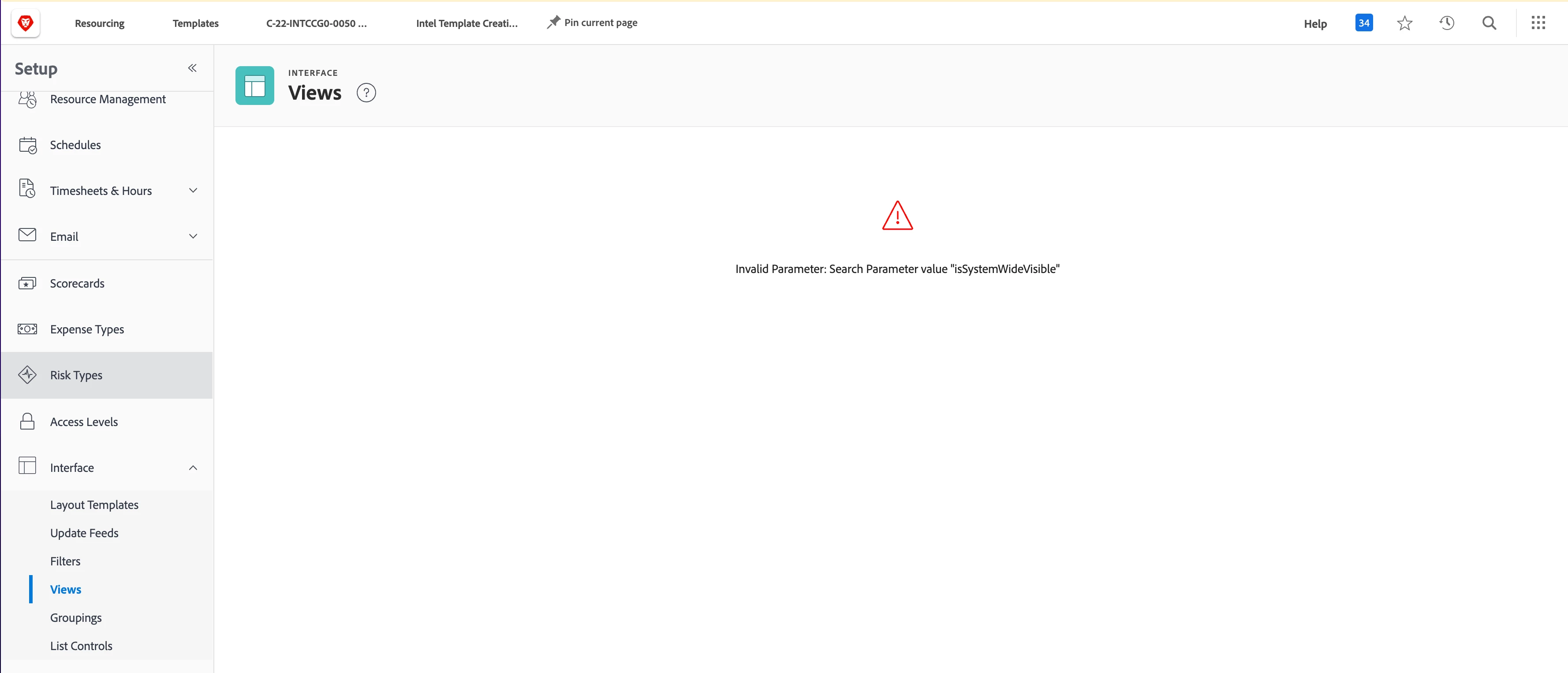
In settings > Interface > Views and clicked to sort by items that were visible system wide.  Workfront popped me to a view that just says: Invalid Parameter: Search Parameter value "isSystemWideVisible". with the warning exclamation point icon, and won't let me revert to the standard view or change anything.  Does anyone know how to get back to my original view?
 

This post is no longer active and is closed to new replies. Need help? Start a new post to ask your question.
Best answer by skyehansen

You can do a /resetUser to get yourself out of that mess 

(https://<your domain>.my.workfront.com/resetUser) 


More info on that here: https://experienceleague.adobe.com/docs/workfront/using/administration-and-setup/add-users/create-manage-users/reset-a-users-preferences.html?lang=en


ideally you would also report it to the helpdesk so that no one else gets stuck in there.

2 replies

lgaertner
Level 9
January 12, 2023

Hello Carrie,


I have just tried to recreate the behaviour and on my instance I do not get this error message, when setting this parameter.

Did you already try to empty your browser cache and reload the page? Sometimes it could already be enough to completely reload a website and ignore the local browser cache. This can be done by holding down the Shift key in Chrome / Firefox to reload the website.


Regards

Lars

January 12, 2023

Thanks Lars,

I did try to clear the cache, tried a private browser, tried other browsers and other computers, and tried the shift key hold down.


Still seeing that parameter error.

skyehansen
Community Advisor
skyehansenCommunity AdvisorAccepted solution
January 12, 2023

You can do a /resetUser to get yourself out of that mess 

(https://<your domain>.my.workfront.com/resetUser) 


More info on that here: https://experienceleague.adobe.com/docs/workfront/using/administration-and-setup/add-users/create-manage-users/reset-a-users-preferences.html?lang=en


ideally you would also report it to the helpdesk so that no one else gets stuck in there.

Level 2
February 2, 2023

Although that appears to be a good response, be aware that this reset will reset all your user's preferences back to default settings.  Is there no way around this?  I can't simply reset only "My" view?
We have many users that wouldn't understand why it reset and we don't want to have to send out a communication to all users about this.


The two options below are:

This will reset all your user's preferences back to default settings.

This will reset the custom tabs on all tab sets that can be customized by layout templates

Level 2
February 2, 2023

LOL I think you have misunderstood (or I may have misunderstood what you're thinking)? This will reset YOUR user preferences back to default settings. Specifically, the user you are logged in as.


It will not affect multiple users. Hopefully that was the misunderstanding!!


Perfect!  Thanks for confirming!