Queue Topic Reporting
Hi all, so this Queue Topic report is one of my favorite reports to use and also to share with my key stakeholders. It helps me see all of the queue topics in my system and what the configuration behind them is. Prompts are awesome as well, which help provide pre-defined settings for the stakeholders to use for understanding configurations and for building reports. This is what you get as output:
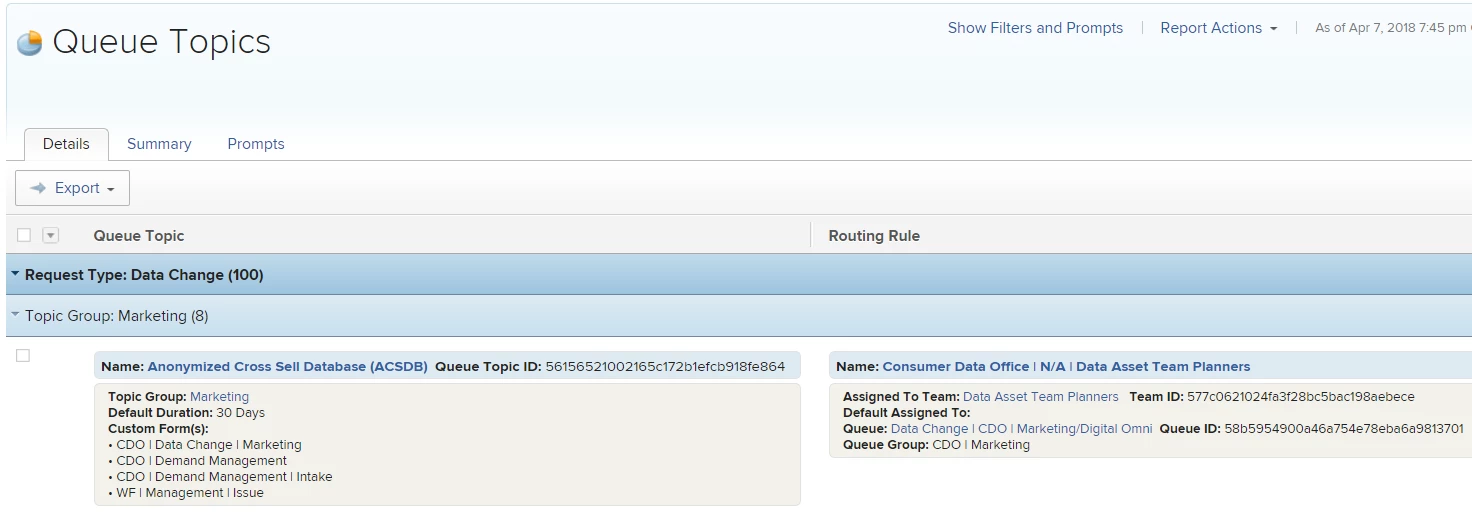
Anyhow, here's the procedure for setting one up. I'm curious to hear how others are managing queue topics. Do you have other reports that you use?
- Create a new "Queue Topic" Report
- Add a New Column
- Delete all of the default columns in the "Columns (View)" interface
- Switch to Text Mode on the remaining "Column"
- Add first column text block
- Add a New Column
- Add second column text block
- Switch to Grouping Tab
- Switch to Text Mode & Add the following:
group.0.displayname=Request Type
group.0.textmode=true
group.0.valuefield=queueDef:project:name
group.0.valueformat=string
group.1.displayname=Topic Group
group.1.linkedname=direct
group.1.namekey=name
group.1.valuefield=parentTopicGroup:name
group.1.valueformat=string
textmode=true
10. Save & Close
First Column
column.0.displayname=Queue Topic
column.0.sharecol=true
column.0.textmode=true
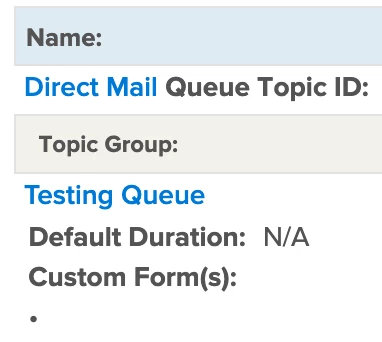
column.0.value=<div style="border-color:#e2e2e2; border-style:solid; border-width:1px; background-color:#deebf2; border-radius:5px; margin-top: 3px; padding-left:5px; padding-top:4px; padding-bottom:4px; font-size:13px;"><strong>Name:
column.0.valueformat=HTML
column.0.width=1
column.1.link.linkproperty.0.name=ID
column.1.link.linkproperty.0.valuefield=ID
column.1.link.linkproperty.0.valueformat=val
column.1.link.lookup=link.view
column.1.link.valuefield=val(objCode)
column.1.listsort=HTML(name)
column.1.namekey=name
column.1.querysort=name
column.1.sharecol=true
column.1.sortOrder=2
column.1.sortType=asc
column.1.textmode=true
column.1.valuefield=name
column.1.valueformat=HTML
column.2.sharecol=true
column.2.textmode=true
column.2.value= Queue Topic ID: </strong>
column.2.valueformat=HTML
column.2.width=1
column.3.linkedname=direct
column.3.namekey=ID
column.3.querysort=ID
column.3.sharecol=true
column.3.sortOrder=1
column.3.textmode=true
column.3.valuefield=ID
column.3.valueformat=HTML
column.4.sharecol=true
column.4.textmode=true
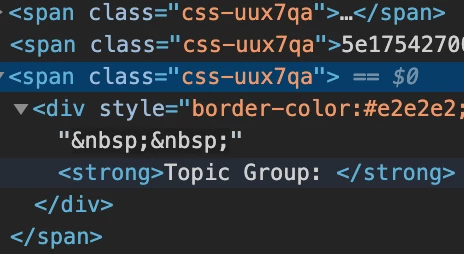
column.4.value=</div><div style="border-color:#e2e2e2; border-style:solid; border-width:1px; background-color:#f2f1ea; border-radius:5px; margin-top: 3px; padding-left:5px; padding-top:4px; padding-bottom:4px; font-size:12px;"></strong> <strong>Topic Group: </strong>
column.4.valueformat=HTML
column.4.width=1
column.5.namekey=queue.topicgroup
column.5.querysort=parentTopicGroup:name
column.5.sharecol=true
column.5.textmode=true
column.5.valuefield=parentTopicGroup:name
column.5.valueformat=HTML
column.6.sharecol=true
column.6.textmode=true
column.6.value=<br> <strong>Default Duration: </strong>
column.6.valueformat=HTML
column.6.width=1
column.7.displayname=Duration
column.7.linkedname=direct
column.7.namekey=defaultDurationMinutes
column.7.querysort=defaultDurationMinutes
column.7.sharecol=true
column.7.textmode=true
column.7.valueexpression=IF(ISBLANK({defaultDurationMinutes}),"N/A",CONCAT({defaultDurationMinutes}/60/8," Days"))
column.7.valueformat=HTML
column.8.sharecol=true
column.8.textmode=true
column.8.value=<br><strong> Custom Form(s): </strong><br> •
column.8.valueformat=HTML
column.8.width=1
column.9.listdelimiter= <br> •
column.9.listmethod=nested(objectCategories).lists
column.9.textmode=true
column.9.type=iterate
column.9.valueexpression={category}.{name}
column.9.valueformat=HTML
Second Column
column.10.displayname=Routing Rule
column.10.sharecol=true
column.10.textmode=true
column.10.value=<div style="border-color:#e2e2e2; border-style:solid; border-width:1px; background-color:#deebf2; border-radius:5px; margin-top: 3px; padding-left:5px; padding-top:4px; padding-bottom:4px; font-size:13px;"><strong><strong>Name:
column.10.valueformat=HTML
column.10.width=1
column.11.linkedname=defaultRoute
column.11.namekey=view.relatedcolumn
column.11.namekeyargkey.0=defaultRoute
column.11.namekeyargkey.1=name
column.11.querysort=defaultRoute:name
column.11.sharecol=true
column.11.textmode=true
column.11.valuefield=defaultRoute:name
column.11.valueformat=HTML
column.12.sharecol=true
column.12.textmode=true
column.12.value=</strong></div><div style="border-color:#e2e2e2; border-style:solid; border-width:1px; background-color:#f2f1ea; border-radius:5px; margin-top: 3px; padding-left:5px; padding-top:4px; padding-bottom:4px; font-size:12px;"></strong> <strong>Assigned To Team: </strong>
column.12.valueformat=HTML
column.12.width=1
column.13.linkedname=defaultRoute
column.13.namekey=view.relatedcolumn
column.13.namekeyargkey.0=defaultRoute
column.13.namekeyargkey.1=name
column.13.querysort=defaultRoute:defaultTeam:name
column.13.sharecol=true
column.13.textmode=true
column.13.valuefield=defaultRoute:defaultTeam:name
column.13.valueformat=HTML
column.14.sharecol=true
column.14.textmode=true
column.14.value= <strong>Team ID: </strong>
column.14.valueformat=HTML
column.14.width=1
column.15.displayname=Route to Team
column.15.linkedname=defaultRoute
column.15.namekey=view.relatedcolumn
column.15.namekeyargkey.0=defaultRoute
column.15.namekeyargkey.1=ID
column.15.querysort=defaultRoute:defaultTeam:ID
column.15.sharecol=true
column.15.textmode=true
column.15.valuefield=defaultRoute:defaultTeam:ID
column.15.valueformat=HTML
column.16.sharecol=true
column.16.textmode=true
column.16.value=<br> <strong>Default Assigned To: </strong>
column.16.valueformat=HTML
column.16.width=1
column.17.displayname=Default Assigned To
column.17.linkedname=defaultRoute
column.17.namekey=view.relatedcolumn
column.17.namekeyargkey.0=defaultRoute
column.17.namekeyargkey.1=defaultAssignedToID
column.17.querysort=defaultRoute:defaultAssignedTo:name
column.17.sharecol=true
column.17.textmode=true
column.17.valuefield=defaultRoute:defaultAssignedTo:name
column.17.valueformat=HTML
column.18.sharecol=true
column.18.textmode=true
column.18.value=<br> <strong>Queue: </strong>
column.18.valueformat=HTML
column.18.width=1
column.19.link.linkproperty.0.name=ID
column.19.link.linkproperty.0.valuefield=defaultRoute:defaultProject:ID
column.19.link.linkproperty.0.valueformat=string
column.19.link.lookup=link.view
column.19.link.value=nested(defaultRoute).nested(defaultProject).val(objCode)
column.19.listsort=nested(defaultRoute).nested(defaultProject).HTML(name)
column.19.namekey=default.project
column.19.sharecol=true
column.19.textmode=true
column.19.valuefield=defaultRoute:defaultProject:name
column.19.valueformat=HTML
column.19.width=120
column.20.sharecol=true
column.20.textmode=true
column.20.value= <strong>Queue ID: </strong>
column.20.valueformat=HTML
column.20.width=1
column.21.displayname=Route to Project ID
column.21.listsort=nested(defaultRoute).nested(defaultProject).HTML(name)
column.21.namekey=default.project
column.21.sharecol=true
column.21.textmode=true
column.21.valuefield=defaultRoute:defaultProject:ID
column.21.valueformat=HTML
column.21.width=120
column.22.sharecol=true
column.22.textmode=true
column.22.value=<br> <strong>Queue Group: </strong>
column.22.valueformat=HTML
column.22.width=1
column.23.namekey=default.project.group.name
column.23.textmode=true
column.23.valuefield=defaultRoute:defaultProject:group:name
column.23.valueformat=HTML
column.23.width=120