Pulling a Specific Job Role via Text Mode | Community
Skip to main content
Level 2
August 24, 2022
Solved

Pulling a Specific Job Role via Text Mode

  • August 24, 2022
  • 3 replies
  • 3593 views

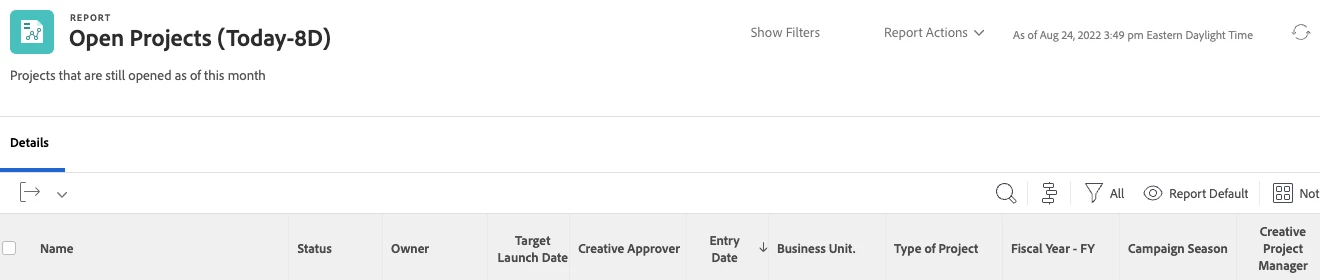
I need help pulling a specific information for a column for one of our job roles. What would I use as a text mode in order to pull "Creative Project Manager" job role from our database? I am pulling a project report to know which PM's are on which project without having to go into each project. 
This post is no longer active and is closed to new replies. Need help? Start a new post to ask your question.
Best answer by Richard_Le_

Primary


Try this instead:


displayname=PM's On This Project
listdelimiter=<br>
listmethod=nested(projectUsers).lists
textmode=true
type=iterate
valueexpression=IF({user}.{roleID}="INSERT ROLE ID HERE",{user}.{name})
valueformat=HTML

That should work. 

3 replies

Level 5
August 24, 2022

How is the PM indicated on your projects, via a custom field or are they the owner?  If they're on a task on the project then you may be able to use assignments.

Level 2
August 24, 2022

They are not the owners of the project but they are one of many assigned to multiple tasks.

Level 5
August 24, 2022

You will probably need a task report and show a column for assignments.  Then you can filter via Assignment Roles > ID to narrow it down to Creative Project Manager.

Level 2
August 24, 2022

Will I still be able to pull all of the fields in the picture? 


Level 5
August 24, 2022

You should be able to get to all project fields from a task report.

Community Advisor
August 24, 2022

Hi,


You will be able to achieve this with the following text mode:


listdelimiter=<br>
valueexpression=IF(CONTAINS(“Creative Project Manager”,{user}.{role}.{name}),{user}.{name})
listmethod=nested(projectUsers).lists
valueformat=HTML
displayname=PM's On This Project
textmode=true
type=iterate

Using the above code, Workfront will return any members of the project team (i.e., anyone assigned to tasks, the owner, or sponsor) who have Creative Project Manager as their primary role.


Best Regards,

Rich. 


Level 2
August 24, 2022

I tried this and the column is still showing blank, even though when I click into the jobs, there are users listed as Creative Project Manager. So I am not sure why it is not pulling their name. 

LanggCass
Level 2
February 9, 2023

You're very welcome, glad I could help.


Hi Richard,


Do you know what would be the expression if I wanted to filter a Typeahead Field (User) but I only want it to display Users with the Access Level: Project Manager?