Project % Complete showing 0% when half of tasks marked Complete/100% | Community
Skip to main content
Level 4
October 15, 2018
Question

Project % Complete showing 0% when half of tasks marked Complete/100%

  • October 15, 2018
  • 11 replies
  • 1860 views

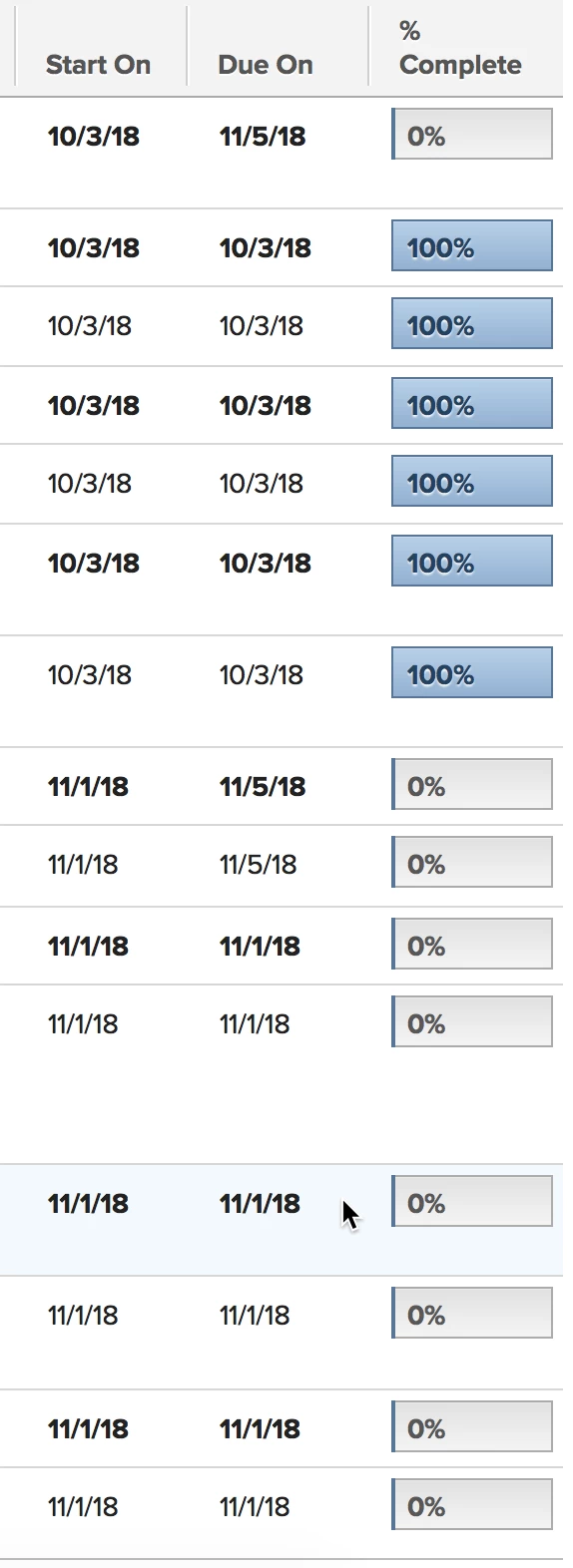
Has anyone run into a situation where you've completed a larger number of tasks within a project but, at the project lst level, the % Complete still shows 0%? Chris Watson KVH Industries, Inc.

This post is no longer active and is closed to new replies. Need help? Start a new post to ask your question.

11 replies

cwatsonAuthor
Level 4
October 17, 2018

That solved it. The issue was that the first 4-5 tasks all were happening on the same day so we had them set for 0 days duration with the planned hours set as we were using predecessors but didn't want each task to look like it was a full day. Changing the durations for 0 days to some portion of hours then caused the completion percentage to update as we do have our Setup > Preferences > Projects to calculate progress based on duration. It's been so long since I set up our implementation that I completely forgot that option was there.

Thanks, everyone, for helping figure this out! I appreciate it.