OS Notifications | Community
Skip to main content
Level 2
June 2, 2023
Solved

OS Notifications

  • June 2, 2023
  • 1 reply
  • 879 views

How do I get badges/alerts/pushes in my OS (Mac/Windows) when I have received a notification within Workfront?

This post is no longer active and is closed to new replies. Need help? Start a new post to ask your question.
Best answer by William--

Workfront doesn't support OS or browser notifications. It may in the future. 

For now, you might consider connecting your Workfront account to Slack or Teams, then relying on those apps to provide OS-level notifications.

https://experienceleague.adobe.com/docs/workfront/using/adobe-workfront-integrations/workfront-for-slack/configure-workfront-for-slack.html?lang=en


https://experienceleague.adobe.com/docs/workfront/using/adobe-workfront-integrations/workfront-for-microsoft-teams/access-workfront-from-ms-teams.html?lang=en


1 reply

William--
Community Advisor
William--Community AdvisorAccepted solution
Community Advisor
June 3, 2023

Workfront doesn't support OS or browser notifications. It may in the future. 

For now, you might consider connecting your Workfront account to Slack or Teams, then relying on those apps to provide OS-level notifications.

https://experienceleague.adobe.com/docs/workfront/using/adobe-workfront-integrations/workfront-for-slack/configure-workfront-for-slack.html?lang=en


https://experienceleague.adobe.com/docs/workfront/using/adobe-workfront-integrations/workfront-for-microsoft-teams/access-workfront-from-ms-teams.html?lang=en


If you like my content, please take a moment to view and vote on my Idea Requests: https://tinyurl.com/4rbpr7hf
SeanSykesAuthor
Level 2
June 5, 2023

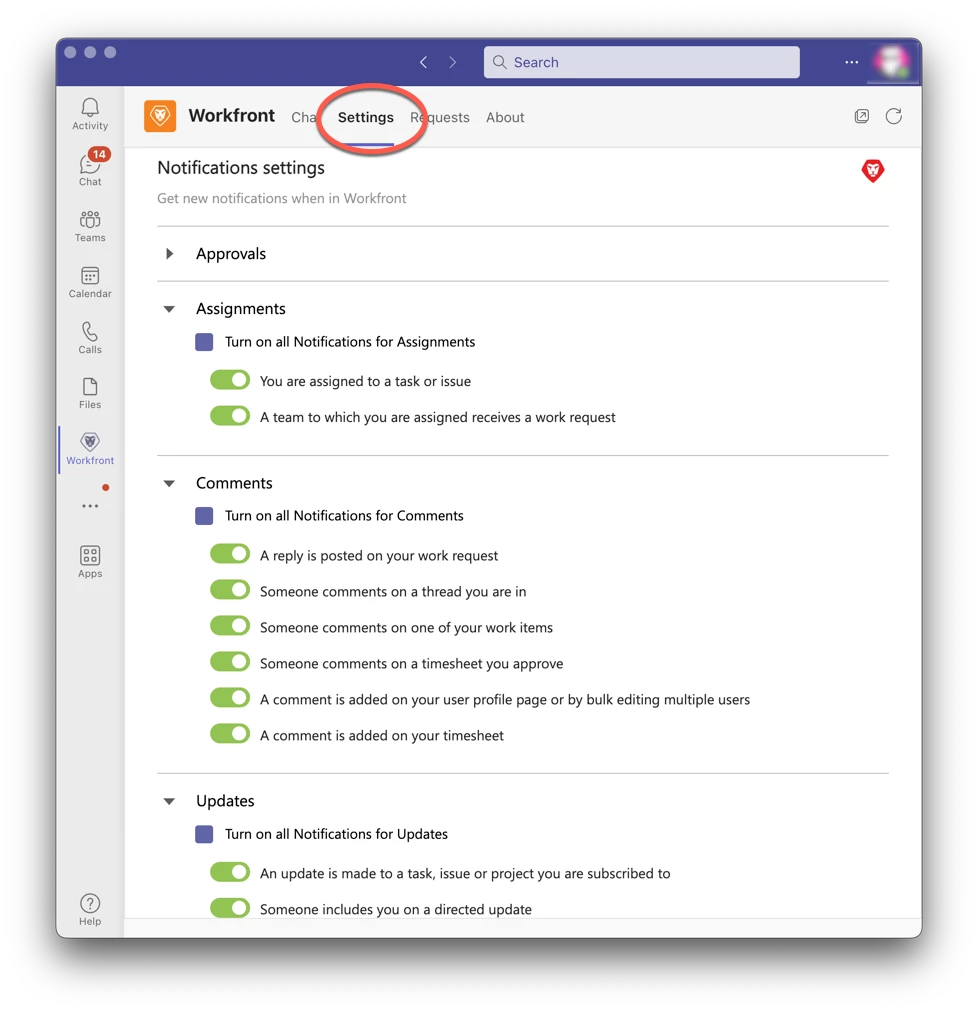
We use Teams. Maybe I missed it but it seems that you can only view WF items in Teams. Nothing about setting up notifications.

William--
Community Advisor
Community Advisor
June 5, 2023

You may need to adjust the extension's notification settings. I also suggest confirming that Teams notifications are enabled in the OS. Notifications will not happen if you are the user triggering the notification event. E.g., assigning yourself to a task will not trigger the notification, but someone else assigning you to a task will.


And, you may need to log out/log in more than once. Not sure why that is but I had to do it 3 times before my Teams notifications started to kick in.

If you like my content, please take a moment to view and vote on my Idea Requests: https://tinyurl.com/4rbpr7hf