New Queue Topic Not Showing Up For Admin | Community
Skip to main content
July 14, 2023
Solved

New Queue Topic Not Showing Up For Admin

  • July 14, 2023
  • 2 replies
  • 753 views

I am a System Administrator, in my Request Project, there are Topic Groups and Routing Rules as well as Queue Topics. I can see the option to create a New Routing Rule and a New Topic Group.


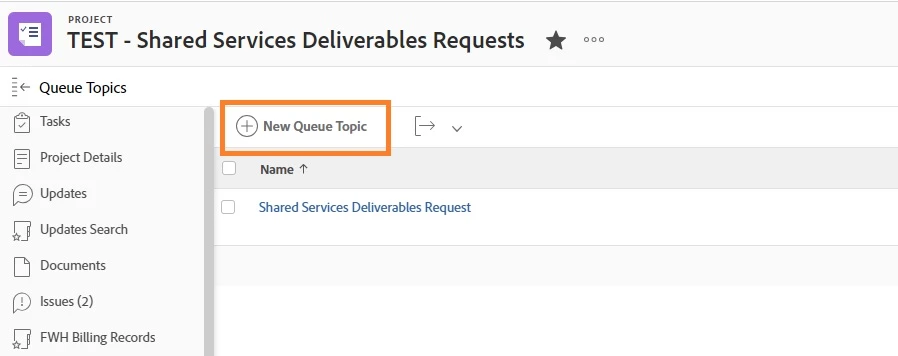
But when I click on Queue Topics I see 16 Queue Topics but no Option to create a New Queue Topic?


Any idea what is happening? Is there a limit on Queue Topics? I need to create new Queue Topics...


Thanks for you help!
This post is no longer active and is closed to new replies. Need help? Start a new post to ask your question.
Best answer by Heather_Kulbacki

Sounds like you're missing the button to create a new queue topic? There's no limitation on queue topics that I know of and I've had some request queues that had way more than 16 queue topics.

I would start with clearing cache and cookies, because... you know... that's the first thing Support will ask if you submit a ticket 🙂

And if  that doesn't work, go ahead and submit a support ticket.


2 replies

Kundanism
July 14, 2023

Hi,

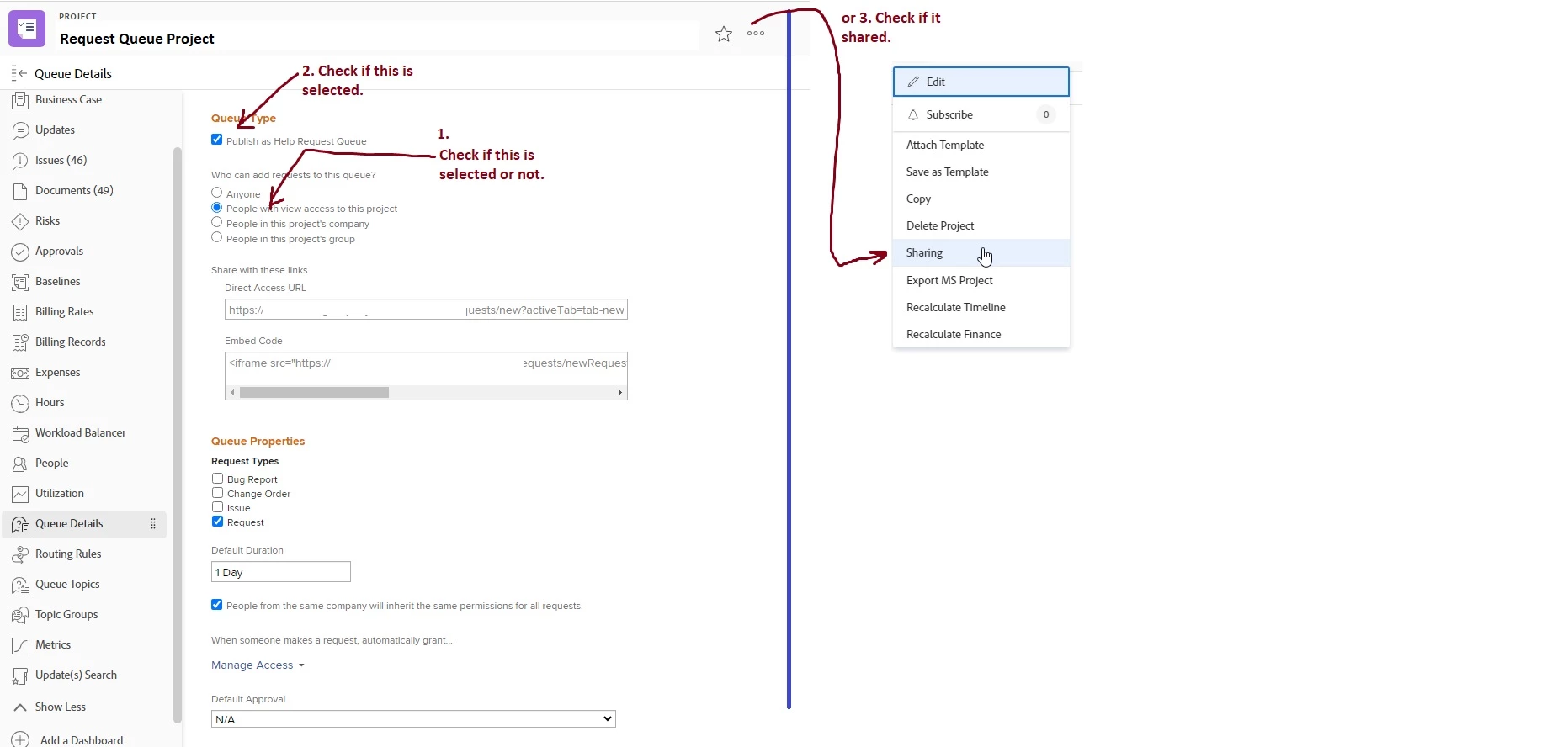
Please check few options as highlighted here...

Regards,

Heather_Kulbacki
Community Advisor
Heather_KulbackiCommunity AdvisorAccepted solution
Community Advisor
July 14, 2023

Sounds like you're missing the button to create a new queue topic? There's no limitation on queue topics that I know of and I've had some request queues that had way more than 16 queue topics.

I would start with clearing cache and cookies, because... you know... that's the first thing Support will ask if you submit a ticket 🙂

And if  that doesn't work, go ahead and submit a support ticket.


markvAuthor
July 14, 2023

Good to know, thank you. I didn't do either and after signing in this morning the button is there.