New Home - Proof Approvals Missing Deadline Time | Community
Skip to main content
KierstenKollins
Community Advisor
Community Advisor
March 20, 2024
Solved

New Home - Proof Approvals Missing Deadline Time

  • March 20, 2024
  • 2 replies
  • 1205 views

I am looking at the New Home to move our users over but have a concern that Proof Approvals do not show the deadline for the proof stage.


Our users heavily rely on being able to see the deadline as some teams can have 20+ new proofs daily to review and use this space like a checklist to run through all their proofs based on the deadline timestamp.


Is anyone able to provide how they are working through this if your users used to rely on the deadline being visible on Home? Does anyone know if this is on the roadmap to be added?


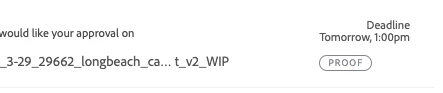
Legacy Home: Deadline Provided
 

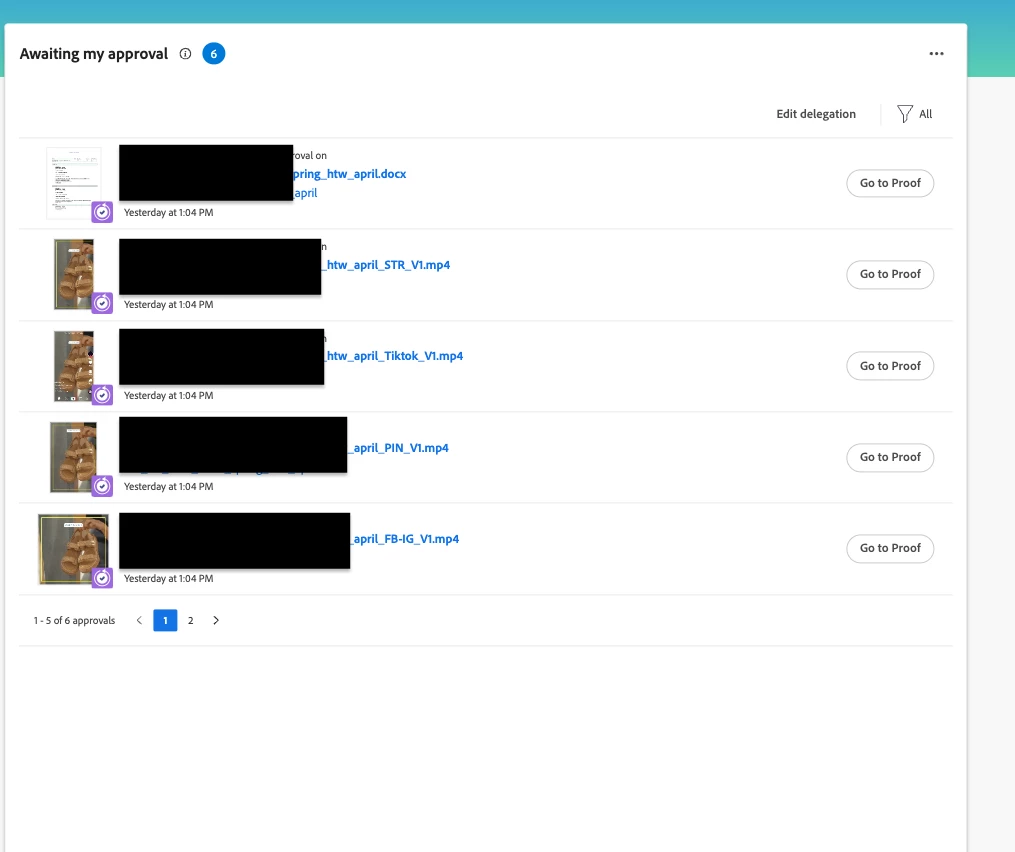
New Home: No deadline
Best answer by jerflo

Should be available to you now.  Example attached. 

2 replies

LeslieSpier
Adobe Employee
Adobe Employee
April 17, 2024

Hey @kierstenkollins ! I know they rolled out some new widgets for document approvals with this last release. I haven't heard (so honestly am not sure) if they're integrating Proof deadlines but with everything moving towards document approvals, that may be your answer later this year. Unfortunately, that doesn't help much with moving to the New Home now, but thought I'd at least mention to keep in the back of your mind this year. 

KierstenKollins
Community Advisor
Community Advisor
October 17, 2024

Hi @jerflo


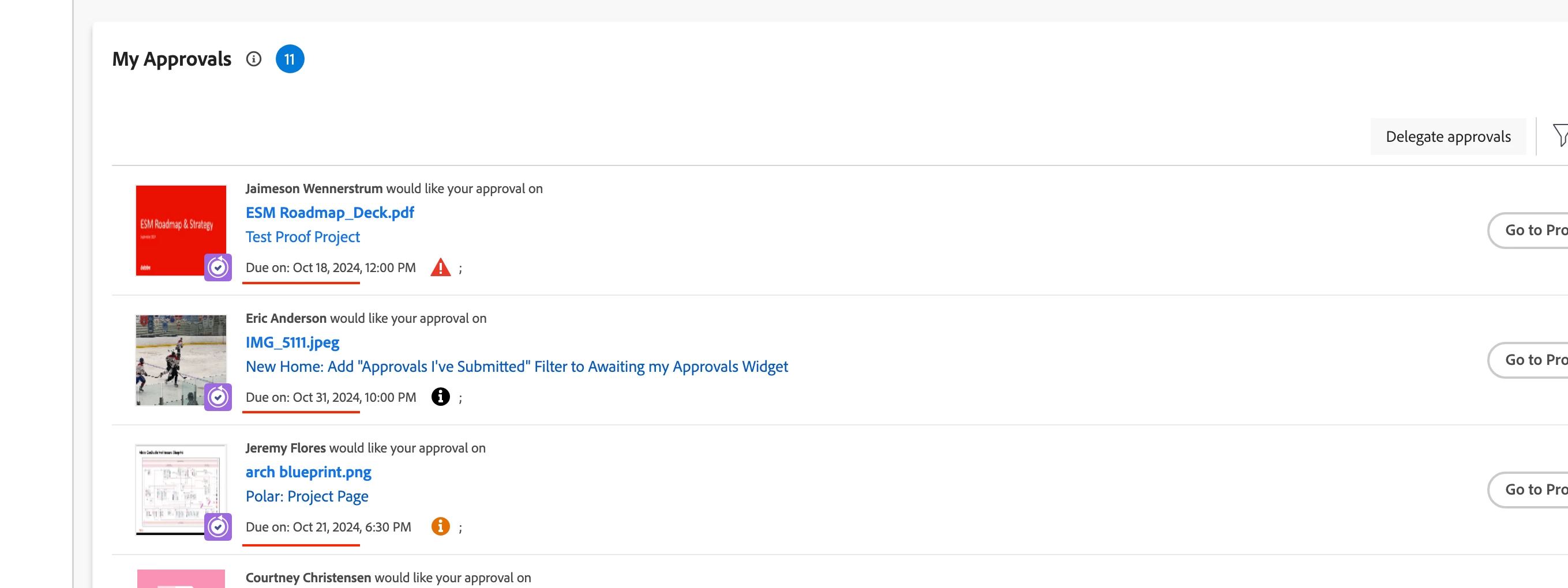
I noticed in the preview today that the deadline for a proof is now appearing in the My Approvals widget. Is this an enhancement that is coming in the near future?


Preview:


Thank you!

jerflo
Adobe Employee
jerfloAdobe EmployeeAccepted solution
Adobe Employee
October 18, 2024

Should be available to you now.  Example attached. 

jbarron
Adobe Employee
Adobe Employee
August 16, 2025

Is there any way to show the deadline for the individual stage and not the overall deadline of the entire proof? If my deadline for the first stage is earlier than the deadline for the last stage, on the My Approvals widget it only shows the deadline as the same date as the last stage and not the correct deadline for my approval (first stage deadline date). The email notification is correct but the My Approvals widget is not.


Thanks @lawrencees that is good feedback and would suggest you submit this as an issue given the discrepancy of the email notification vs. the widget.