Milestone Report for Multiple Projects | Community
Skip to main content
CRShort81
February 20, 2024
Solved

Milestone Report for Multiple Projects

  • February 20, 2024
  • 3 replies
  • 2546 views

Hi there. Forgive me if this is answered elsewhere. 


I'm looking to create a Report that shows the End Date of tasks designated for a specific milestone path for all Active and On Hold projects for a given Portfolio. 


So in my specific example, I have 10 projects active and on hold, and each of them have about 25 tasks. Of those tasks, 7 tasks are attributed to milestones on (what we've called) the "Standard Milestones" path, and I would wanna only show those 7 (end) dates. 


Thinking of my output, the projects would populate as separate rows on the report, and the columns along the top would each be one of the milestones, with each column as one milestone (so 7 columns total). And then, the data would be the date per project.


How would I build this?

Best answer by Sujatha_TS

hi there, 

Yes we can get to that report, here are the steps you might need to consider. 

click on reports > create new Project report

FILTERS

go to filters to add > project status equals/ equates with current & onhold 

if you are looking for speacific projects in project group ? make sure to add this filter > project>>group ID -- equals -- your group id 

queue >> is public -- equals -- none

COLUMNS

Come to columns area to make sure you are adding project name > Start Date > Due Date > percent complete > updates > and any other fields.

Save and close to create a report. 

Look for "milestone" under view option (next to filter/ group option) and you should be able to see the report you are looking for. 


If you found this helpful, please mark correct to help others : )

regards, Sujatha


3 replies

skyehansen
Community Advisor
Community Advisor
February 20, 2024

I'm not sure if I've missed something in your question so let me just come out and ask: is there something wrong with the milestone view? It seems to me this does what you wish.


https://experienceleague.adobe.com/docs/workfront/using/reporting/reports/report-elements/use-milestone-view.html?lang=en 

Sujatha_TSAccepted solution
February 20, 2024

hi there, 

Yes we can get to that report, here are the steps you might need to consider. 

click on reports > create new Project report

FILTERS

go to filters to add > project status equals/ equates with current & onhold 

if you are looking for speacific projects in project group ? make sure to add this filter > project>>group ID -- equals -- your group id 

queue >> is public -- equals -- none

COLUMNS

Come to columns area to make sure you are adding project name > Start Date > Due Date > percent complete > updates > and any other fields.

Save and close to create a report. 

Look for "milestone" under view option (next to filter/ group option) and you should be able to see the report you are looking for. 


If you found this helpful, please mark correct to help others : )

regards, Sujatha


CRShort81
CRShort81Author
February 21, 2024

Thanks, I think this best fits my needs 🙂 Appreciate your thoughtful reply!

KristenS_WF
February 20, 2024

We rely heavily on milestones for certain project types.  Unfortunately, I find there are major limitations for the milestone view in Workfront:

  1. You cannot include additional project-level fields.
  2. The formatting can be confusing for users (e.g., seeing a completed task that's shaded red).
  3. The big one--you can't export the view.

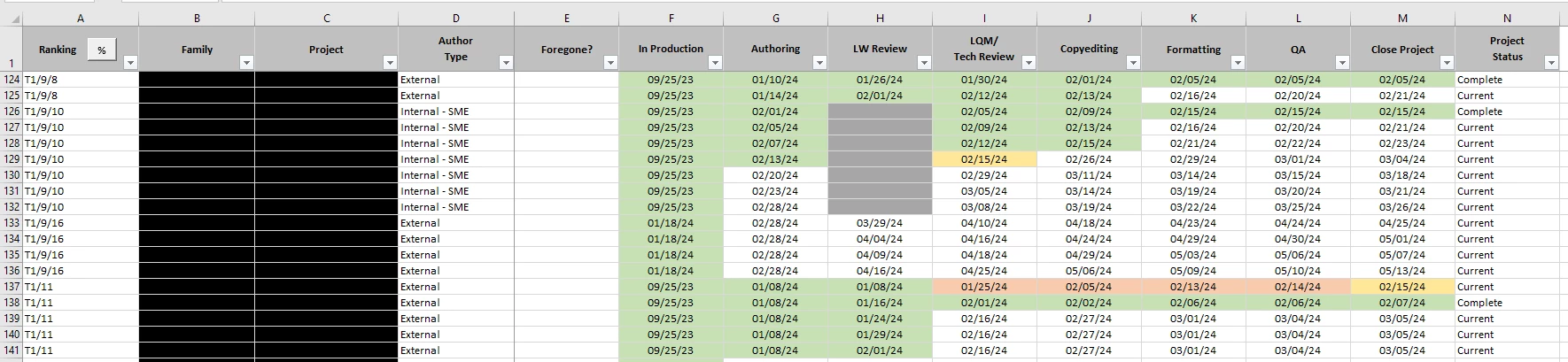
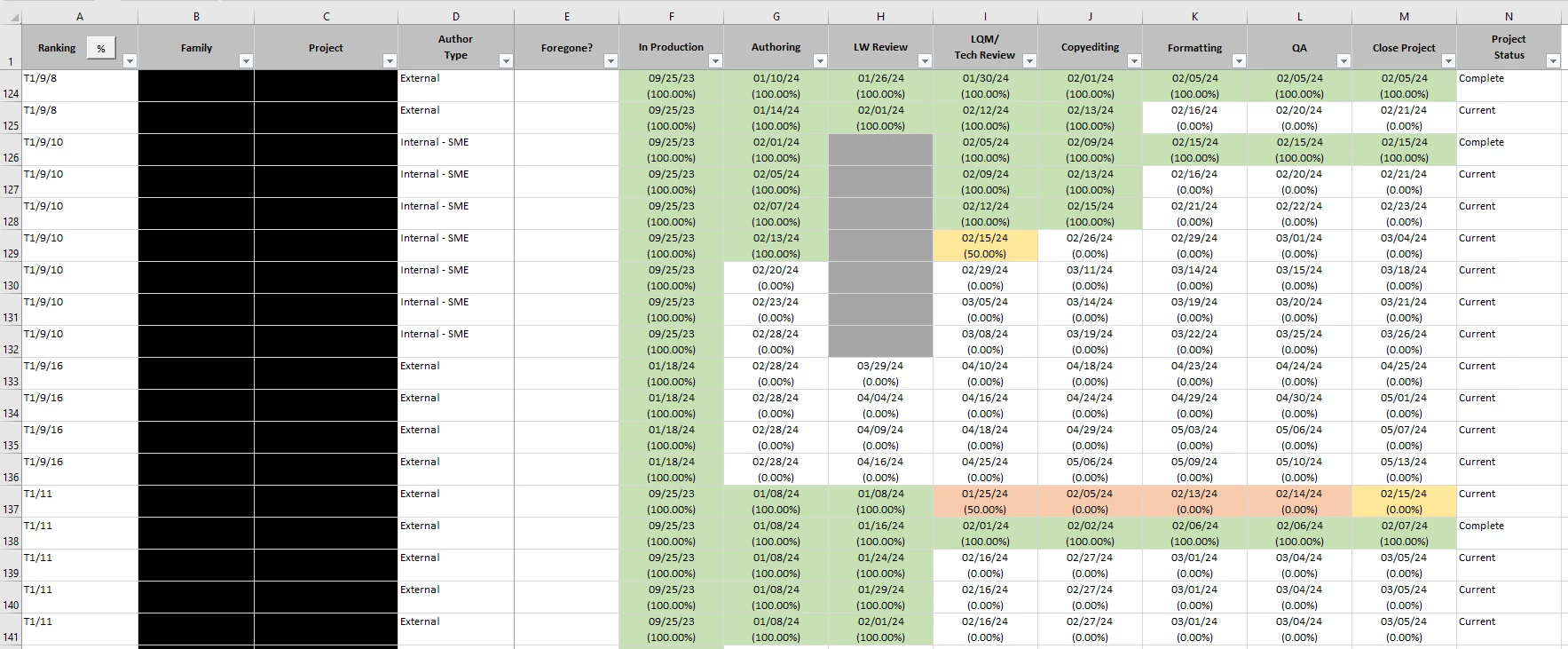
We ended up creating an MS Access tool that processes the data from WF into a more digestible form.  We export WF task reports with the raw data (basic task info--milestone name, planned due date, completion percentage; additional project fields) and import them into the tool.  The tool essentially creates a crosstab query and spits out a formatted report (green=complete; yellow=incomplete/due the day the report is run; red=incomplete/overdue).  Here's an example:


Doug_Den_Hoed__AtAppStore
Community Advisor
Community Advisor
February 20, 2024


Very pragmatic @kristens_wf -- thanks for sharing.


I also invite those interested in a richer (and exportable to pdf, Excel, Word, PowerPoint, etc.) Gantt experience in real-time from within Workfront to consider our within our broader Calendaring solutions.


Regards,

Doug

July 22, 2025

Hi, I am just finding this post. Can you share if there is similar topic coming this year. Thanks!