label a task as AM or PM based on planned completion date/time | Community
Skip to main content
flieckster
Level 2
March 15, 2023
Solved

label a task as AM or PM based on planned completion date/time

  • March 15, 2023
  • 1 reply
  • 1128 views

hello, wondering if someone can help me with this. have a project report that is pulling in task level data, and id like to either display the date and time (currently only shows date) or read the time, and if if its before noon add an AM tag, if after noon add a PM tag. 


here is the code i have so far. 


displayname=Current Task
listdelimiter=
listmethod=nested(tasks).lists
textmode=true
type=iterate
usewidths=true
valueexpression=IF({numberOfChildren}=0,IF({canStart},IF(ISBLANK({actualCompletionDate}),CONCAT({plannedCompletionDate},{plannedCompletionTime},": (",{name}," | ", {assignedTo}, " :",{status},")"))))
valueformat=HTML
width=200

This post is no longer active and is closed to new replies. Need help? Start a new post to ask your question.
Best answer by Heather_Kulbacki

wow that did it! it does pull back 24 hour time, really i'm just looking to take the info and evaluate the hour and display AM or PM. i was trying to come up with some like below where if its before noon it would display AM but after display PM, but i'm not sure i'm close on that or if its totally wrong. 


displayname=Current Task
listdelimiter=
listmethod=nested(tasks).lists
textmode=true
type=iterate
usewidths=true
valueexpression=IF({numberOfChildren}=0,IF({canStart},IF(ISBLANK({actualCompletionDate}),CONCAT({plannedCompletionDate}," ",IF(HOUR({plannedCompletionDate}>12,"AM","PM")),": (",{name}," | ", {assignedTo}, " :",{status},")"))))
valueformat=HTML
width=200


OK, I'm weird. I love a good nested IF statement challenge!

I tested this, looks like one of your parens just needs to move. Instead of 2 parens after the "PM" move one back before the <12. I also think your > needs to change to <


valueexpression=IF({numberOfChildren}=0,IF({canStart},IF(ISBLANK({actualCompletionDate}),CONCAT({plannedCompletionDate}," ",IF(HOUR({plannedCompletionDate})<12,"AM","PM"),": (",{name}," | ", {assignedTo}, " :",{status},")"))))

1 reply

Madalyn_Destafney
Community Advisor
Community Advisor
March 15, 2023

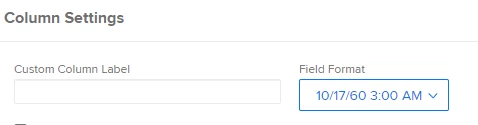
Hi there! Date fields in a report can show just date, or date + time. Go into the date column of your report > advanced options > there are field formats you can choose from. Is this what you're looking for?


If this helped you, please mark correct to help others : )
flieckster
Level 2
March 15, 2023

@madalyn_destafney Hi! ideally yes that would work, but this is a project report with task level data, so to get the task level data i need to use text mode to pull in the information. i assume that "{plannedCompletionDate}" has date/time in it, but i don't know how to display it as date and time, just date at the moment. 

Heather_Kulbacki
Community Advisor
Community Advisor
March 16, 2023

hey @heather_kulbacki thanks for writing back! i tried that actually, and it works great if i'm just calling the date, but in my value expression i'm calling for other fields, so it doesn't seem to work. is there a way to have multiple value expressions so i'm just formatting the date and not any other fields?


Gah! I forgot, you're doing a concat, not a calculation returning just a date/time.


Here's my next attempt:

valueexpression=IF({numberOfChildren}=0,IF({canStart},IF(ISBLANK({actualCompletionDate}),CONCAT({plannedCompletionDate}," ",HOUR({plannedCompletionDate}),":",MINUTE({plannedCompletionDate}),": (",{name}," | ", {assignedTo}, " :",{status},")"))))


So after the date, you'll pull in the hour from the planned completion date field, followed by a colon, then the minute of the planned completion date field, then the rest as you had it.