kick-start error with no specifics--projects still created | Community
Skip to main content
Level 2
January 24, 2023
Solved

kick-start error with no specifics--projects still created

  • January 24, 2023
  • 2 replies
  • 1225 views

I'm trying to load 400+ projects via kick-start.  After running the kick-start, I received the following error:
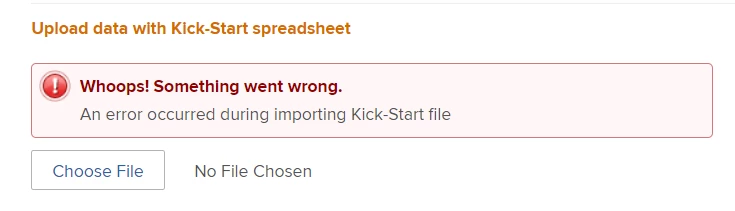


Usually when I have a kick-start error, WF specifies the offending field.  I tried the kick-start a second time and received the same error.  After a few minutes, I decided to run a test kick-start (with only a few records) to make sure nothing was wrong with my spreadsheet.  My Projects module suddenly refreshed, and I found that apparently both original kick-starts had actually completed--I had over 800 new records.  I wanted to delete the new records and start fresh, and that took a longer-than-normal time (I ran a speed test--I'm getting over 400 Mbps both up and down, so that's not the problem).  I was able to kick-start my test file without issue, but again the full file throws an error (it's been 10-15 minutes, and I still haven't seen the new records).  I've run other kick-starts with a similar number of records, so I don't think that's the issue either.


Has anyone encountered this error with kick-starts?  Is anyone else having overall WF performance issues today?  I don't see any alerts for system outages/issues.  And of course when I navigate to Support, I get a message stating that I'm not a "support entitled user" (never mind that I'm a System Admin and have submitted tickets before).

This post is no longer active and is closed to new replies. Need help? Start a new post to ask your question.
Best answer by angielawrence

We do a lot. Our consultant told me it's just a little hiccup/Workfront nuance. Typically when we get that message, if we go into our Project list they usually have uploaded. Basically if it gives us an error message that is non-specific in that it doesn't call out a specific field, I always have users double check to see if it imported anywhere.

2 replies

angielawrence
angielawrenceAccepted solution
Level 4
January 24, 2023

We do a lot. Our consultant told me it's just a little hiccup/Workfront nuance. Typically when we get that message, if we go into our Project list they usually have uploaded. Basically if it gives us an error message that is non-specific in that it doesn't call out a specific field, I always have users double check to see if it imported anywhere.

angielawrence
Level 4
January 24, 2023

The other thing to try is if there is a LOT of data, sometimes Workfront is stingy. It is supposed to have I think 2k limit, but sometimes I have teams split their intake into 2 uploads if it keeps throwing errors.

KristenSwAuthor
Level 2
January 25, 2023

Thanks--good to know it's not just us.  I was able to get a success confirmation message with 40 records but 50 and above throws the error (something I've never seen before).  Obviously, with 400+ records, that's not great.  Additionally, even if I'm able to see that new records are added despite the error message, it doesn't particularly make me confident that the records uploaded fully.


Between that and the issues we've been seeing the last few days (pages sometimes slow to load; records slow to delete; etc.), there's clearly an issue with our instance.


Level 5
January 25, 2023

As far as your not a support entitled user.  See if you have a dropdown at the upper left corner.  We have to choose our Workfront Adobe profile to submit a ticket.  Our Creative Cloud instance is under a different profile.

KristenS_WF
Level 6
January 25, 2023

It only had one option under the dropdown, but I ended up signing out and signing back in with the same email address used in WF.  That worked (the sign-in page keeps defaulting to the address associated with Creative Cloud).