
Is this a phishing email | Community
Skip to main content
JJF72
Level 2
December 18, 2024
Solved

Is this a phishing email

  • December 18, 2024
  • 1 reply
  • 5478 views

Several colleagues using Workfornt have received an email that claims to come from  Adobe with the email address message@adobe.com.

The messages claim that:

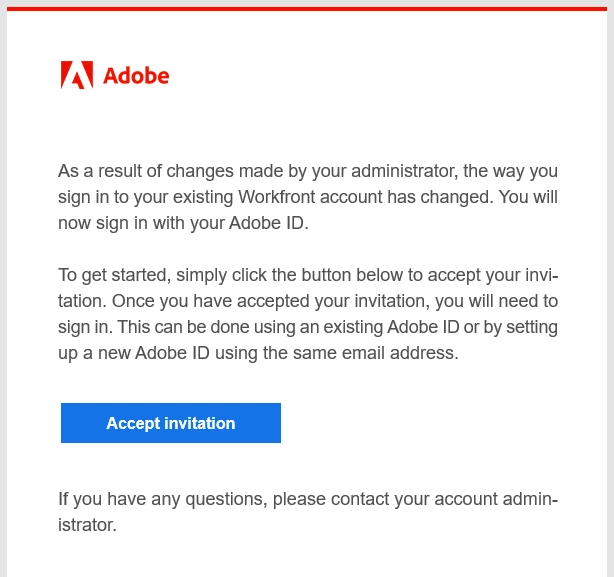
"As a result of changes made by your administrator, the way you sign in to your existing Workfront account has changed. You will now sign in with your Adobe ID.

To get started, simply click the button below to accept your invitation. Once you have accepted your invitation, you will need to sign in. This can be done using an existing Adobe ID or by setting up a new Adobe ID using the same email address."

There is then a button "Accept Invitation".

On right clicking the button, the URL it directs to starts with https://ims-na1.adobelogin.com/ims/authorize/v1 and the URL continues with other information.  


Is this a phishing email ?

This post is no longer active and is closed to new replies. Need help? Start a new post to ask your question.
Best answer by Kurt_Jones

JJF72, this is a legit email.  The folks that manage your Workfront environment have likely been migrated to the Adobe Admin console where they will not create user accounts.  All the Workfront instances across Adobe are required to move behind the admin console.  Most companies also have single-signon setup with the Adobe environment.  Once the switch occurs when users go to your Workfront URL they will be presented with an Adobe login page that will ask for their email address (usually their corp email address), when they input that it will connect with your company's SSO setup to authenticate the user and they will pop into Workfront as usual.  The big change with this is users seeing the Adobe login page and needing to input email address which is change from the old way.

1 reply

Kurt_Jones
Community Advisor
Kurt_JonesCommunity AdvisorAccepted solution
Community Advisor
December 18, 2024

JJF72, this is a legit email.  The folks that manage your Workfront environment have likely been migrated to the Adobe Admin console where they will not create user accounts.  All the Workfront instances across Adobe are required to move behind the admin console.  Most companies also have single-signon setup with the Adobe environment.  Once the switch occurs when users go to your Workfront URL they will be presented with an Adobe login page that will ask for their email address (usually their corp email address), when they input that it will connect with your company's SSO setup to authenticate the user and they will pop into Workfront as usual.  The big change with this is users seeing the Adobe login page and needing to input email address which is change from the old way.