Indenting a Task to Create a SubTask. | Community
Skip to main content
May 12, 2016
Question

Indenting a Task to Create a SubTask.

  • May 12, 2016
  • 11 replies
  • 2742 views
We have a couple of users cannot indent tasks to make subtasks on any projects, even projects they own. The indent button never appears. Also, these same users cannot drag tasks to other positions in the project. I've checked their permissions, roles, etc and other with the same setup don't have the issue. Has anyone seen this before? Thx.
This post is no longer active and is closed to new replies. Need help? Start a new post to ask your question.

11 replies

May 12, 2016
I have seen it before, make sure they are sorting by the number column: [cid:image003.jpg@01D1AC56.36C39F90]
May 12, 2016
Wow! That did it. You're the best.
May 12, 2016
Awww yeah ! In Reply to Christopher Elrod:
Wow! That did it. You're the best.
-Nate Bagley --- Workfront Community Manager - Work Smart, Work Happy Message me directly at:
imgrund
Adobe Employee
Adobe Employee
May 16, 2016
FYI, if a user tells you they do not have the Add Task option at the bottom of the project plan to inline add a task, it is the same reason. They are not sorting by task number. (This is seriously the number one issue I get in my internal Help Desk Queue) ;)
February 28, 2019

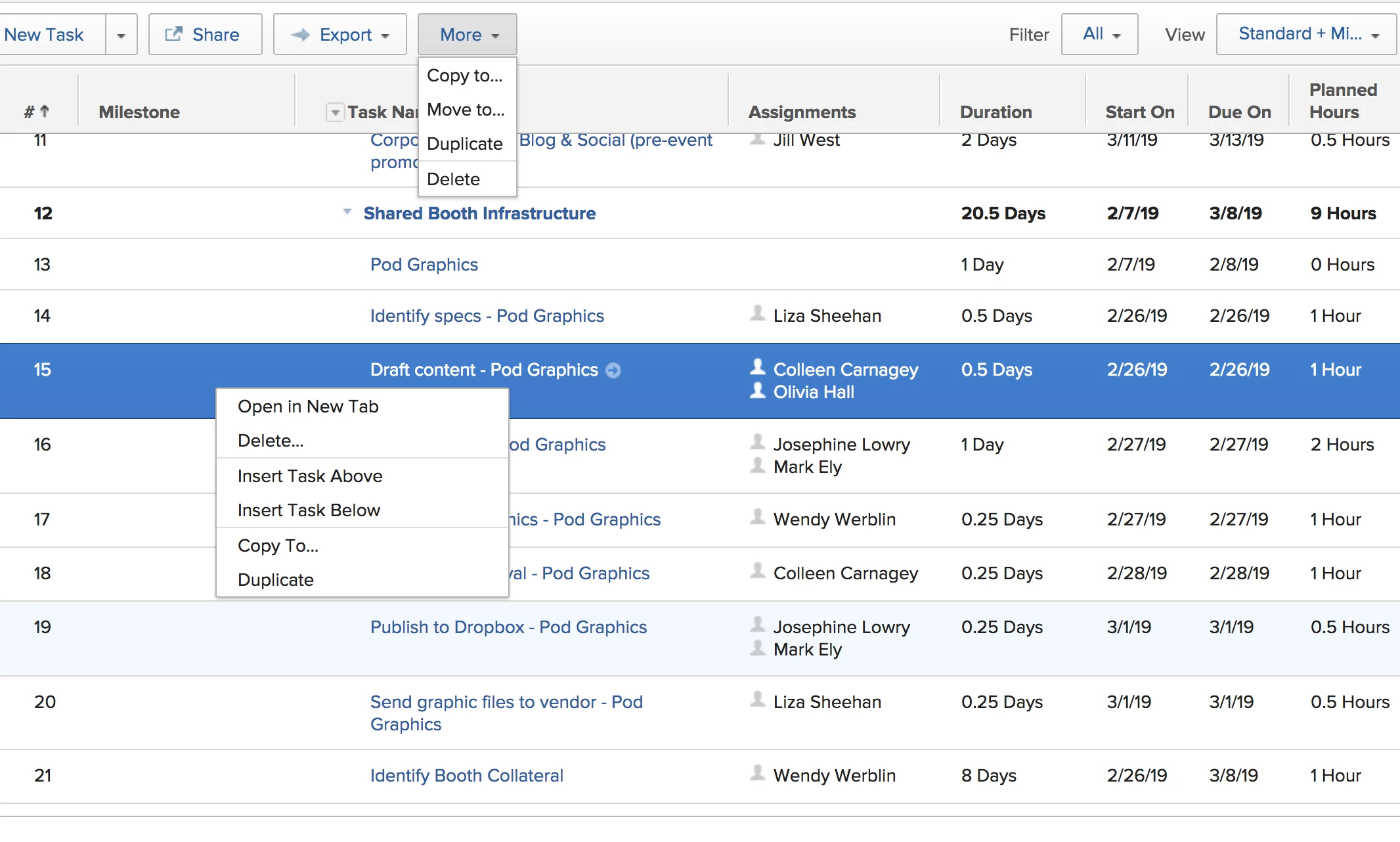
2016. This is the most recent thread I can find about issues with indenting a task. I have a power user with Worker access who is suddenly unable to indent a task to create a subtask. Unlike the other folks with this issue, her tasks are properly sorted. She no longer has the indent button on her task bar and intent is not an option on her right click menu. I've reviewed her access and checked her settings, and am baffled as to what the issue is. All of my other users are able to indent. It's only this one person. Have any of you experienced anything like this before? She's a Pro PM and knows what she's doing. Her indent button disappeared a week or so ago. Thanks for any insight you can lend. ~ josephine Josephine Lowry Impinj

February 28, 2019
This is just me, but: I would first double check to make sure it's not an issue with that project you screenshot. If she can't see the indent button and you can't see the indent button but then you can both see indent buttons with other projects, then the problem is located in the project (or set of projects). Then, I would make sure the problem is with the user. If you create a project where you can see indent buttons and she can't, then the problem might be with her. But to make sure I would have her log in using a different computer, to make sure the problem is definitely with her and not with her computer. If the problem is with her, and not her computer, I'd try a /resetUser on her account "https://support.workfront.com/hc/en-us/articles/234942928-Resetting-User-Preferences-for-an-Individual-User" title="https://support.workfront.com/hc/en-us/articles/234942928-Resetting-User-Preferences-for-an-Individual-User">https://support.workfront.com/hc/en-us/articles/234942928-Resetting-User-Preferences-for-an-Individual-User (If the problem is with her computer, I might try using an incognito window, or clearing cookies and cache) If that doesn't work, I'd submit a ticket to the helpdesk. -skye

February 28, 2019
Does she have manage access to the project? Adina Pierce
February 28, 2019
Thanks for taking the time to respond, Skye. Through testing, we've determined that the issue with only with her account. Everyone else on the team is able to indent tasks. I've changed her access from worker to planner, then back to worker and she's having the same issues. I'll try resetting her account tomorrow. Thank you for that suggestion. ~ josephine Josephine Lowry Impinj
February 28, 2019
Yes, absolutely, 100%. She is the project owner and as manage project access. She was able to indent projects a week or so ago, but now cannot. She's the only person on the team with this issue. We've invested every option I can think of: * confirming that the tasks are in order * checking her access on every single project she's either project owner/project manager on + projects where she just owns a couple of tasks. * asking all team members if they're able to indent -- everyone can * looking at specific dates * trying to repro her experience myself * clicking my heels I'm at a complete loss. And I'm grateful for those of you who have reached out so far. It's baffling. Josephine Lowry Impinj
Doug_Den_Hoed__AtAppStore
Community Advisor
Community Advisor
February 28, 2019
A mystery for sure, Josephine. One other angle I'd suggest would be to (first) have her log in to yourdomain. preview .workfront.com and see if the same missing indentation behavior exists. If not, I think that would be worth mentioning to Workfront support. If so, you can then try the resetUser in preview to see if it helps. If not, unlikely it will help in production. If so, rinse and repeat the /resetUser in production and confirm it works. If so: splendid. If not, again, even more clues for Workfront support. Regards, Doug Doug Den Hoed - AtAppStore Got Skills? Lend a hand! https://community.workfront.com/participate/unanswered-threads