How to un-associate user with a 'home team'? | Community
Skip to main content
June 12, 2024
Solved

How to un-associate user with a 'home team'?

  • June 12, 2024
  • 1 reply
  • 552 views

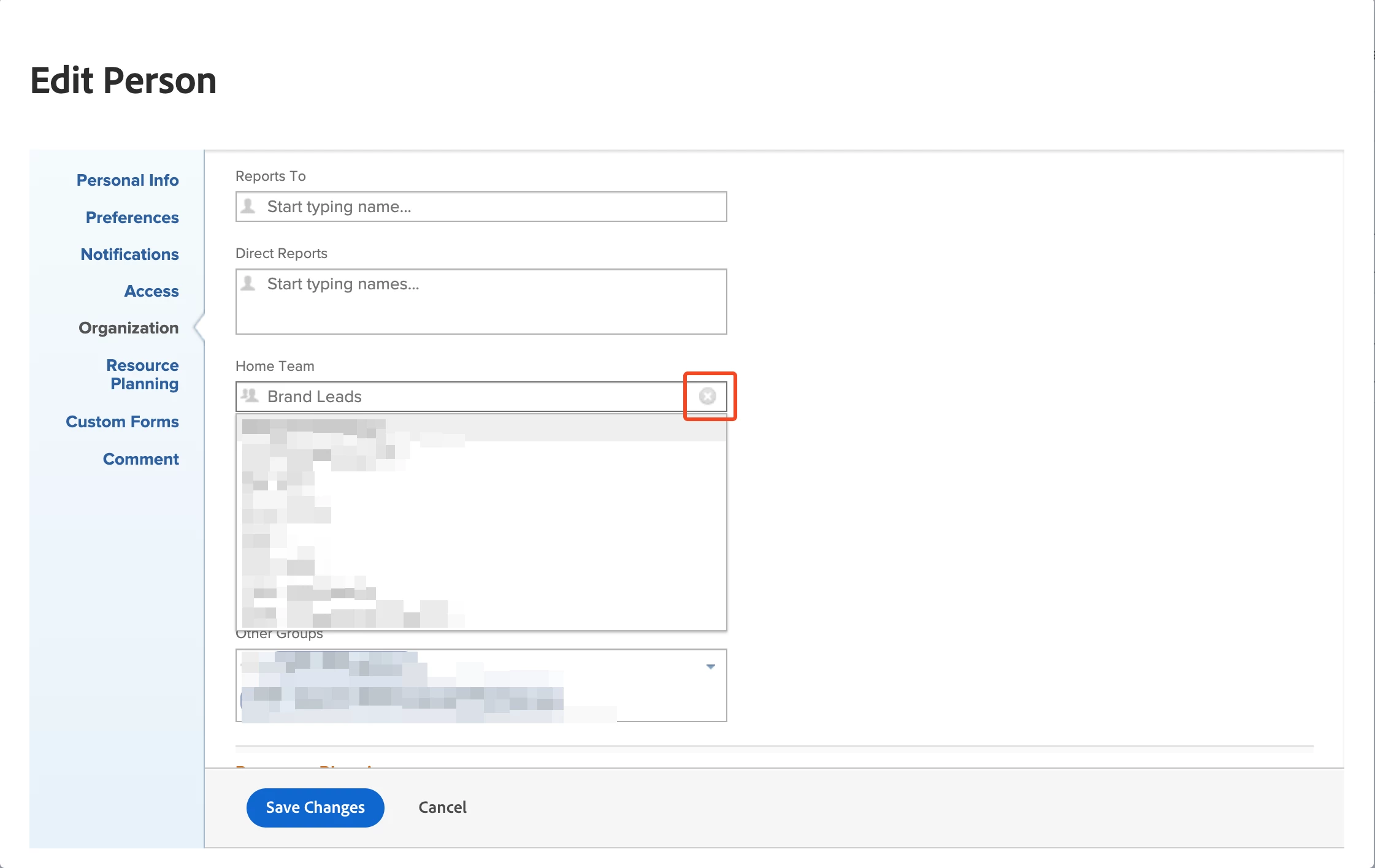
In the users/person settings there is an option for 'home team'. It seems that once one of the options for home team is associated with a user, it cannot be undone and the user must always have a home team. How do you unselect it so the user is no longer associated with any home team?
This post is no longer active and is closed to new replies. Need help? Start a new post to ask your question.
Best answer by lgaertner

Hello,


If you edit the user and click on the Home Team dropdown, you should see the cross symbol to remove the current assignment.


After clicking on the cross and saving, the user should not be assigned to a home team any more.


This does not work for groups, as every user needs to be assigned to a home group.


Regards

Lars

1 reply

lgaertner
lgaertnerAccepted solution
Level 9
June 13, 2024

Hello,


If you edit the user and click on the Home Team dropdown, you should see the cross symbol to remove the current assignment.


After clicking on the cross and saving, the user should not be assigned to a home team any more.


This does not work for groups, as every user needs to be assigned to a home group.


Regards

Lars

wo1Author
June 13, 2024

Thank you, that worked. That little gray x was not immediately obvious for its function.