How to transfer CUSTOM FORM data to a project (same fields)
Under user setup we have an existng CUSTOM FORM called MARKETING REQUEST FORM and a second version with the same name only with PRJ on the end of it like so: MARKETING REQUEST FORM (PRJ).
I created a added a new Lead Generation section to the existng MARKETING REQUEST FORM so when a submitter needs a deliverable, they select the MARKETING REQUEST FORM type and fill in the required fields before submitting, and it works great on the request side.
Here's the hiccup. The idea of creating this new SECTION within the form is that we are able to capture pertinent information at the MRF CUSTOM FORM tab level and transfer it to the PROJECT level CUSTOM FORM tab, so we can have that same information stored at the project level -- Only the system won't carry over to the project level. Is there a way to link the one form to the PRJ version?
So then I tried adding those identical fields from the orignal MARKETING REQUEST FORM to the (PRJ) verison and it worked. The data was transferred over to the project level (keep in mind the non-PRJ version also has the same fields in tact still).
Here's the catch. Now this change is universal. So what started out as a custom form for a specific marketing type (Lead Generation) is now showing up on ALL forms types chosen and converted to a project (showing up on the project side).
Temporary solution is to live with the form on projects we don't need them by removing any REQUIRED field that would block a submitter from sending anything other than a Lead Generatio request type.
Any way to solve this issue?
Again, how do I get the REQEST level data found in the CUSTOM FORM tab in the request to transfer to the PROJECT level (identical information carry over to the PROJECT level CUSTOM FORM tab)?
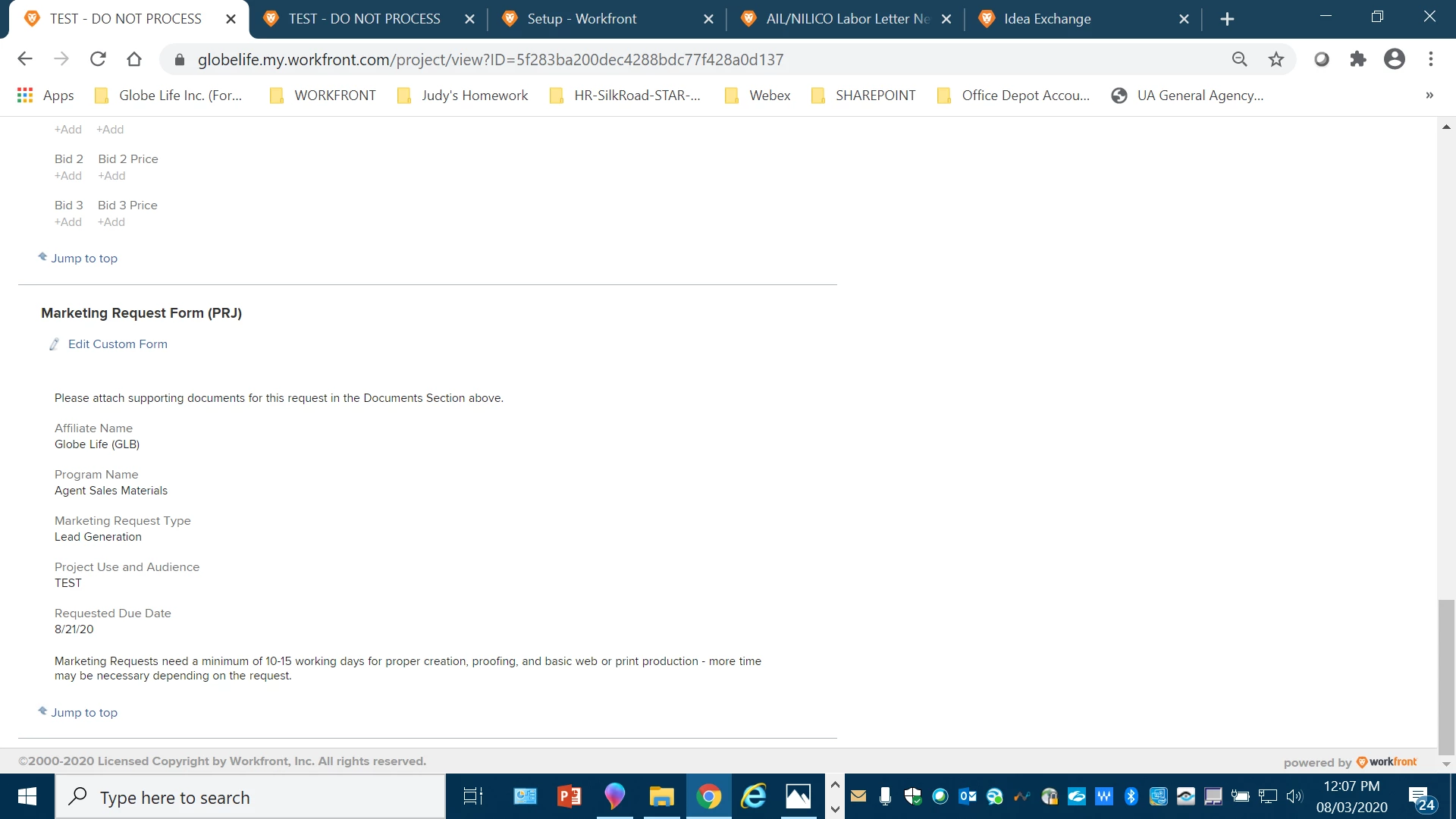
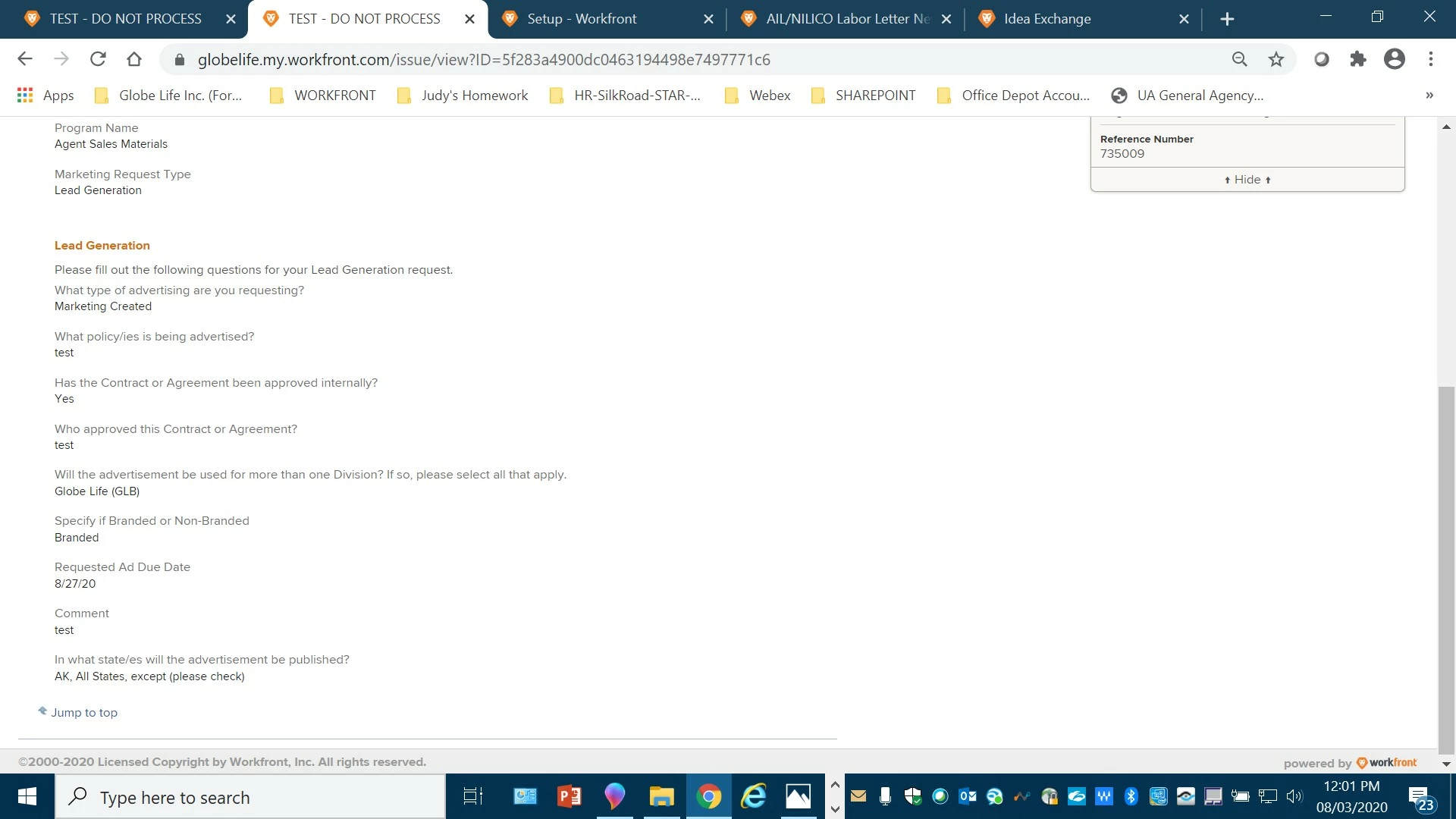
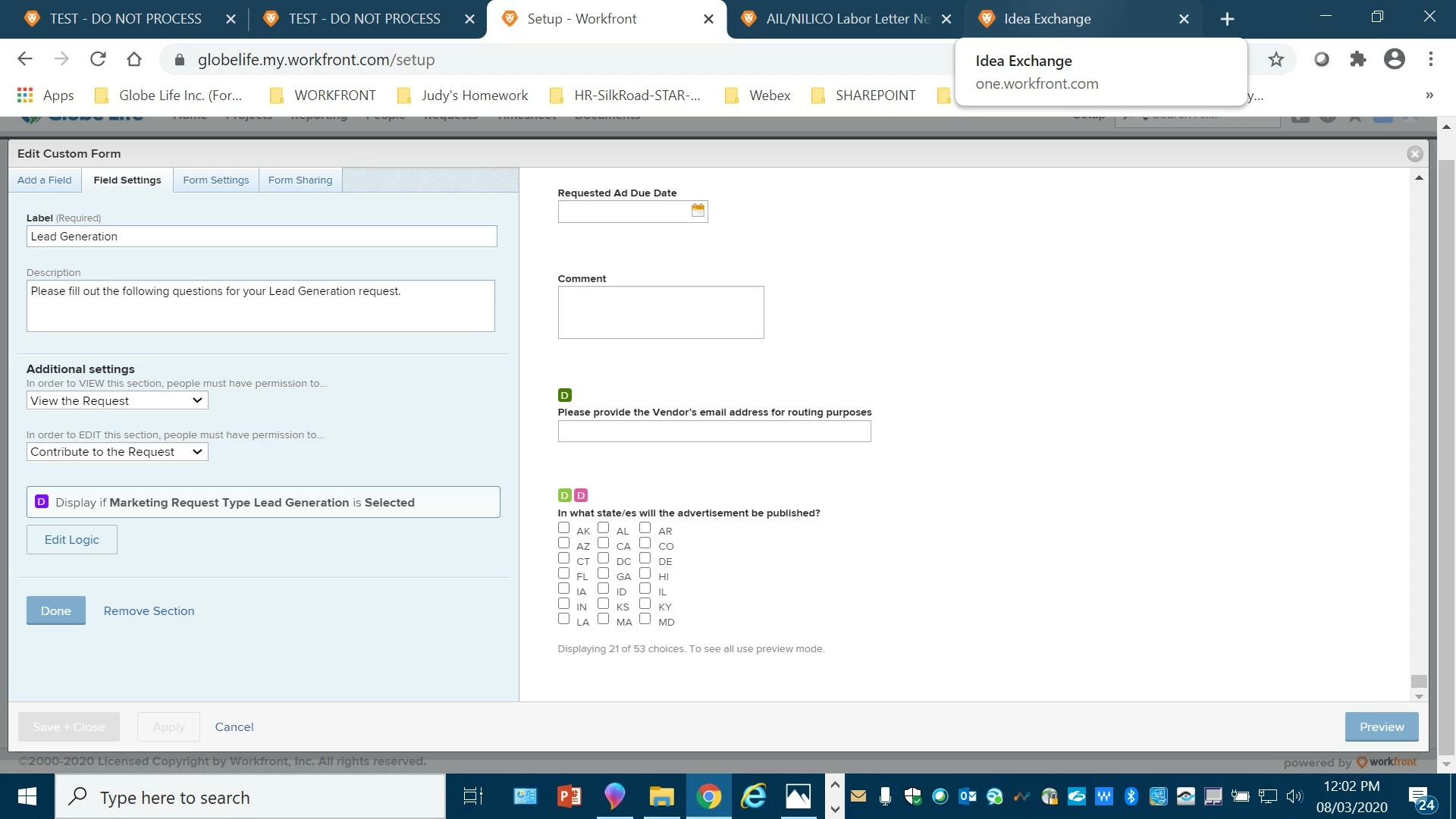
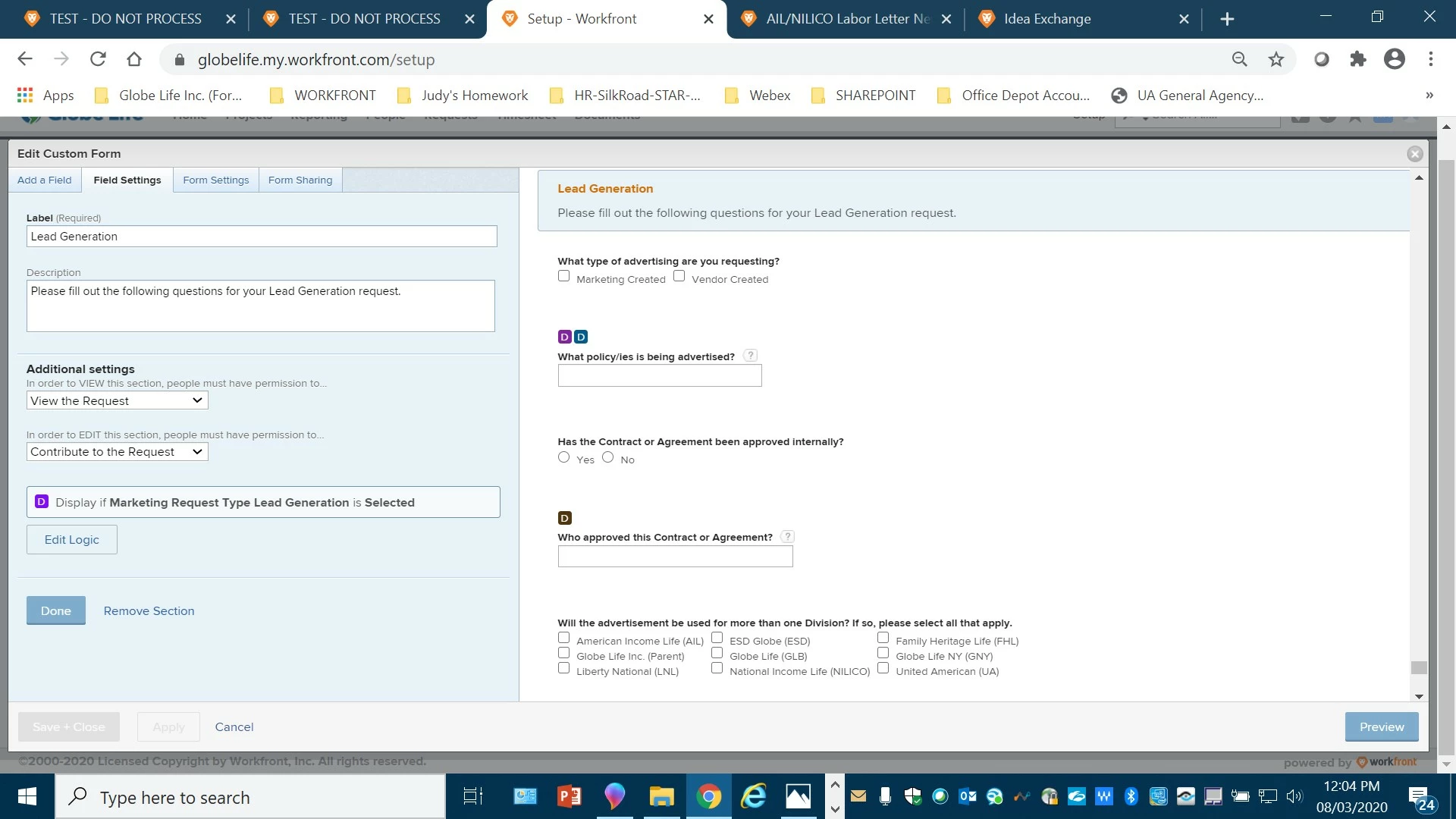
IMAGE 1 below shows therequest converted to the Project LEVEL without the Lead Generation form transferring over, while IMAGE 2 below shows the Lead Generation form filled in at the Marketing Request before it is converted to a project (works fine at the request level). The last two slides (out of order) shows the MARKETING REQUEST FORM found in the USER SET UP / CUSTOM FORM area in Workfront (back office).