How do you change the project start date? | Community
Skip to main content
Level 5
March 22, 2021
Solved

How do you change the project start date?

  • March 22, 2021
  • 2 replies
  • 1562 views

Hello! We are testing out the waters of switching our project templates Schedule Mode from Completion Date to Start Date. However, I cannot seem to figure out how to change the Start Date once you originally set the project up... Am I missing something?

Any help is appreciated! Thank you!
This post is no longer active and is closed to new replies. Need help? Start a new post to ask your question.
Best answer by Richard_Le_

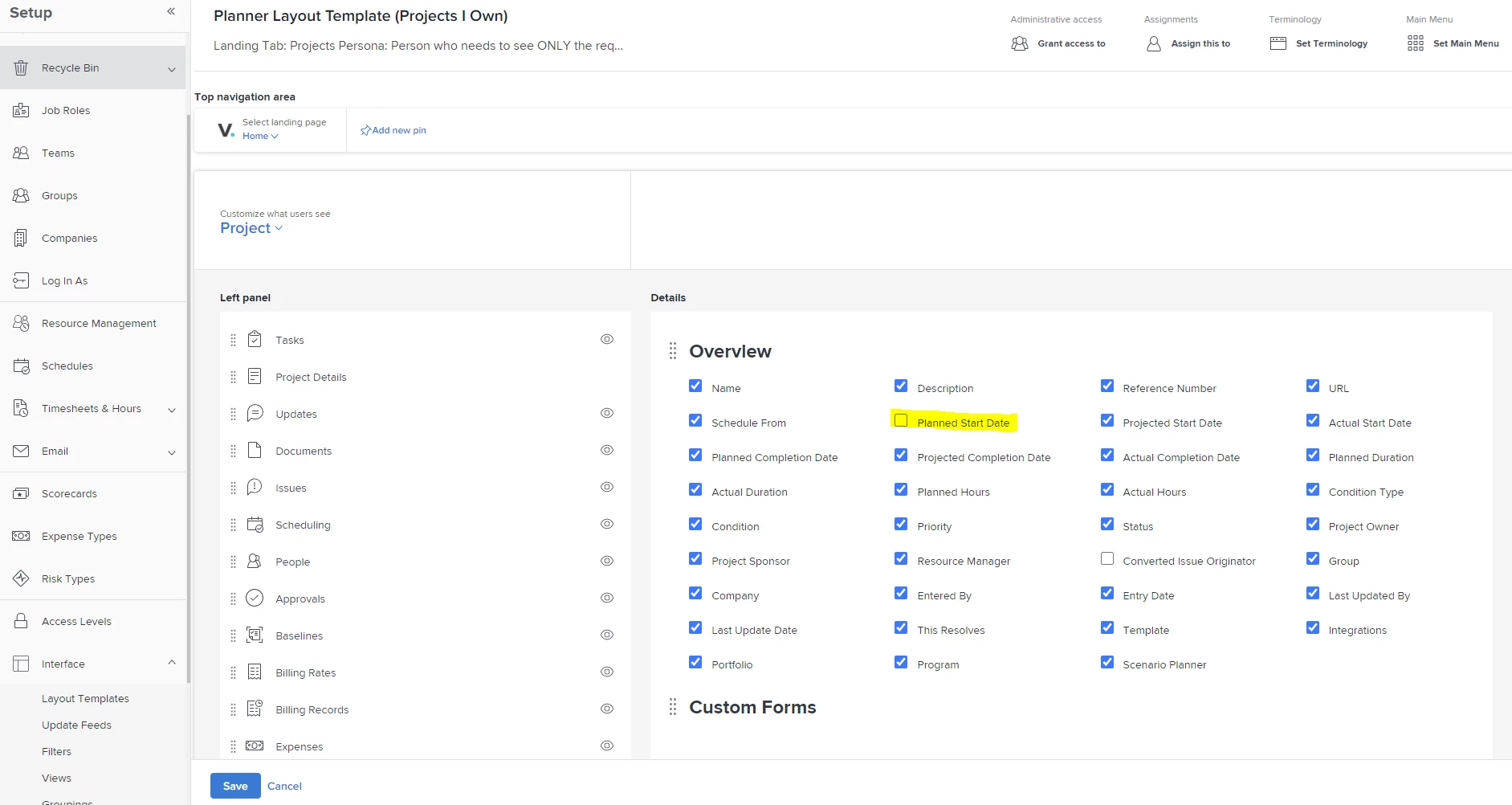
It looks like you have a layout template associated with your user profile where the planned start date is hidden.

If you update your layout template to add this back in, you should then get access to this setting. 😁

Let me know if this fixes the problem.

Best Regards,

Rich.

2 replies

Community Advisor
March 22, 2021

Hi Kasey,

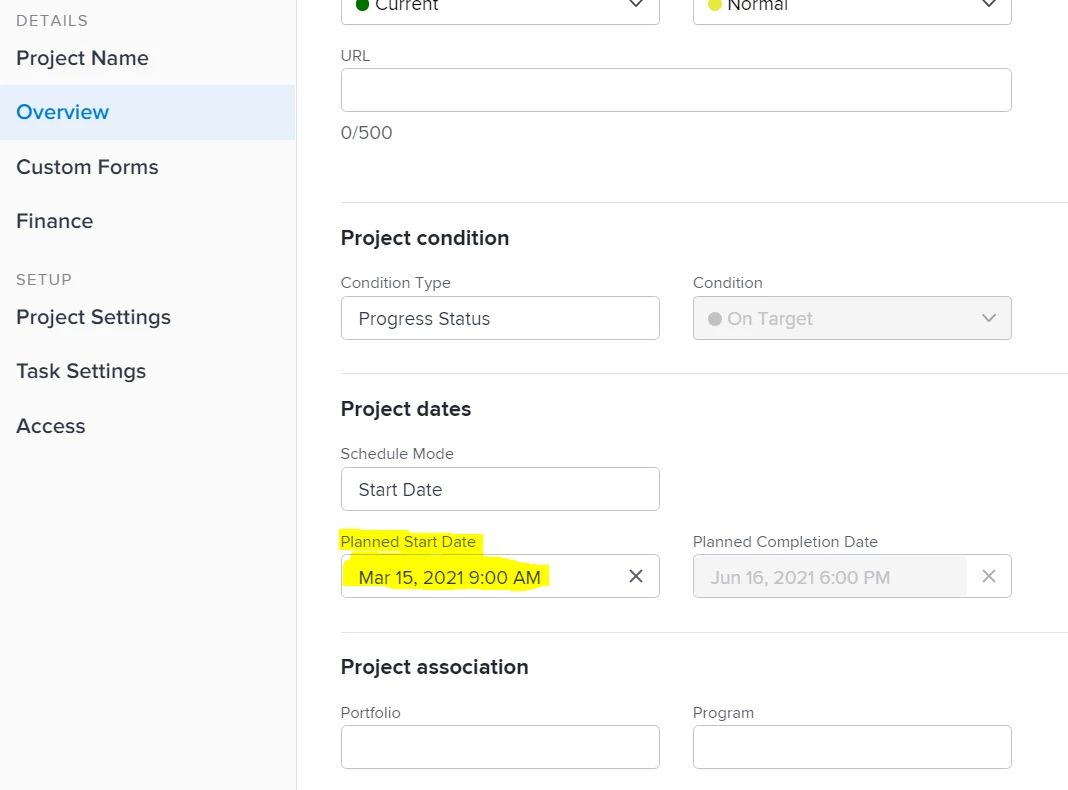
You should be able to change the start date from the project settings. See screen shot below:

When you change the planned start date here, the start date of the first tasks in your project plan will automatically update.

Best Regards,

Rich.

Level 5
March 22, 2021

Hi Richard,

For some reason we do not have that option available within the project settings 😣

Community Advisor
March 22, 2021

Hmm, that seems strange!

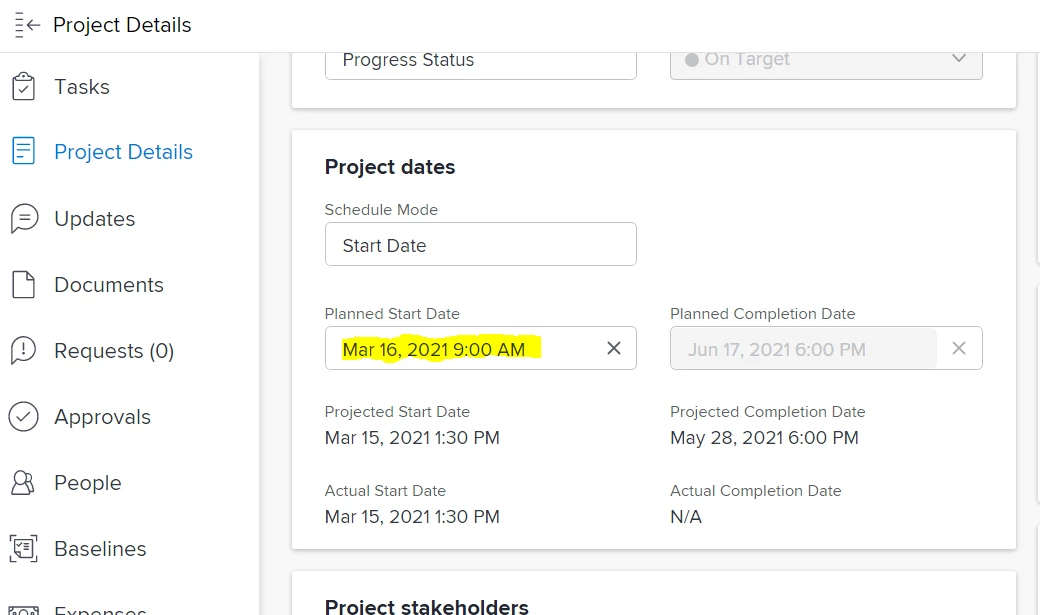
If you go to the Project details tab, are you able to click into the planned start date from there?

Doug_Den_Hoed__AtAppStore
Community Advisor
Community Advisor
March 22, 2021

Hmm...interesting Kasey,

Does the Project in question already have an Actual Start Date (which, perhaps, is interfering)?

Regards,

Doug

Level 5
March 22, 2021

Nope :( I tried it from a brand new project, leaving in Planning status and I still aren't able to adjust. It only gives me the option to set it when I initially set up the project- then I cannot edit it after the fact. So weird!!

My concern with switching from Completion Date to Start Date is that our users are going to be used to choosing a completion date, creating the project, and then not being able to fix it after the fact.