How do I set a Dashboard as my home page? | Community
Skip to main content
Level 2
October 14, 2020
Solved

How do I set a Dashboard as my home page?

  • October 14, 2020
  • 2 replies
  • 830 views

I'd like WF to default to a specific Dashboard upon logging in. I have created some reports that show tasks I have assigned to others on my team and certain other breakdowns as well as a report with my assigned tasks. I'd like to just start on a single dashboard with these reports whenever I log in.

This post is no longer active and is closed to new replies. Need help? Start a new post to ask your question.
Best answer by Richard_Le_

Hi Joanna,

You can achieve this through layout templates (Setup>Interface>Layout Templates). The way you achieve it is slightly different depending on whether or not you are in the New Experience or Classic.

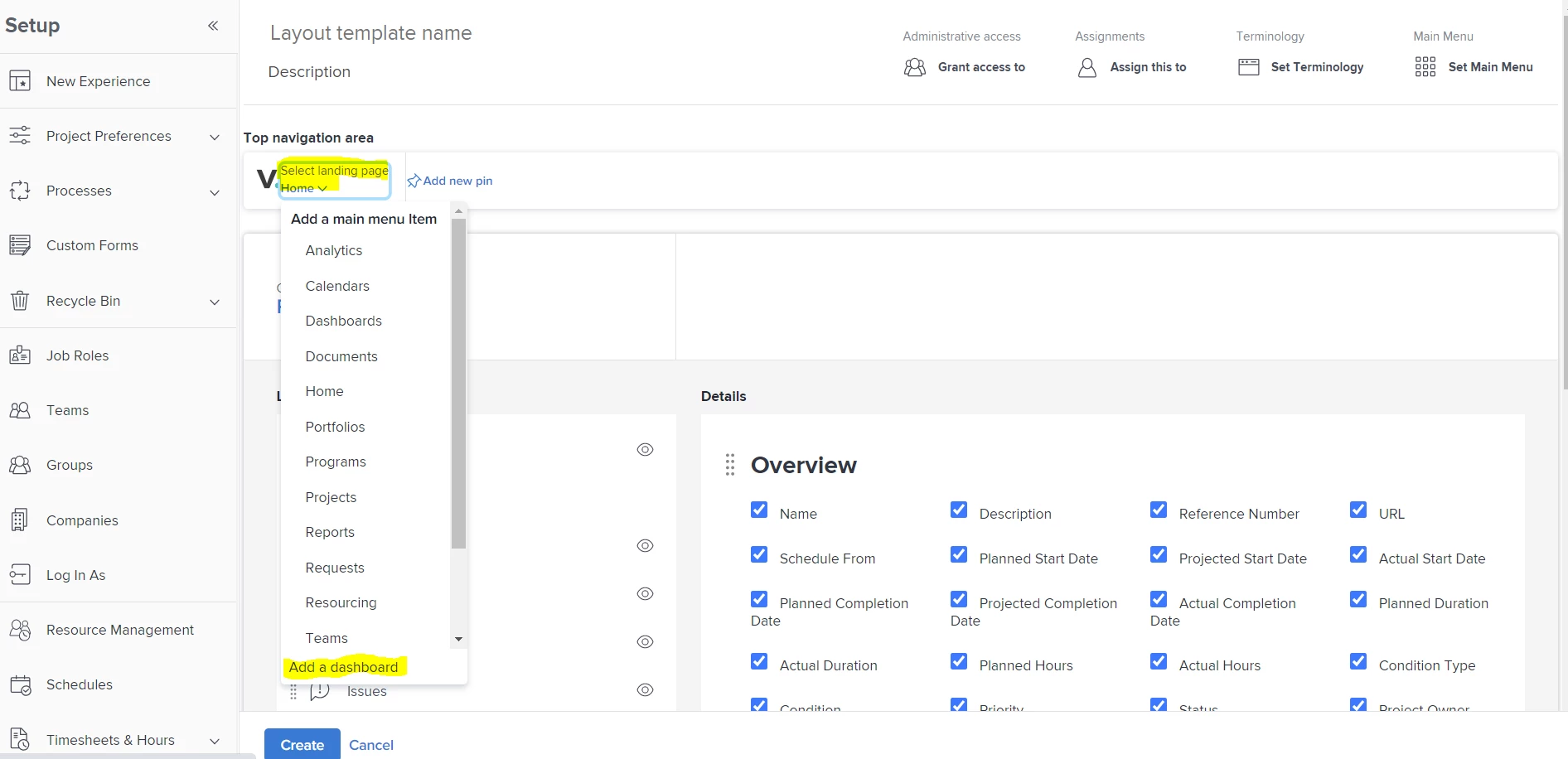
In the New Experience, when you create a layout template you can select the landing page and then add a dashboard (see screen shot below)
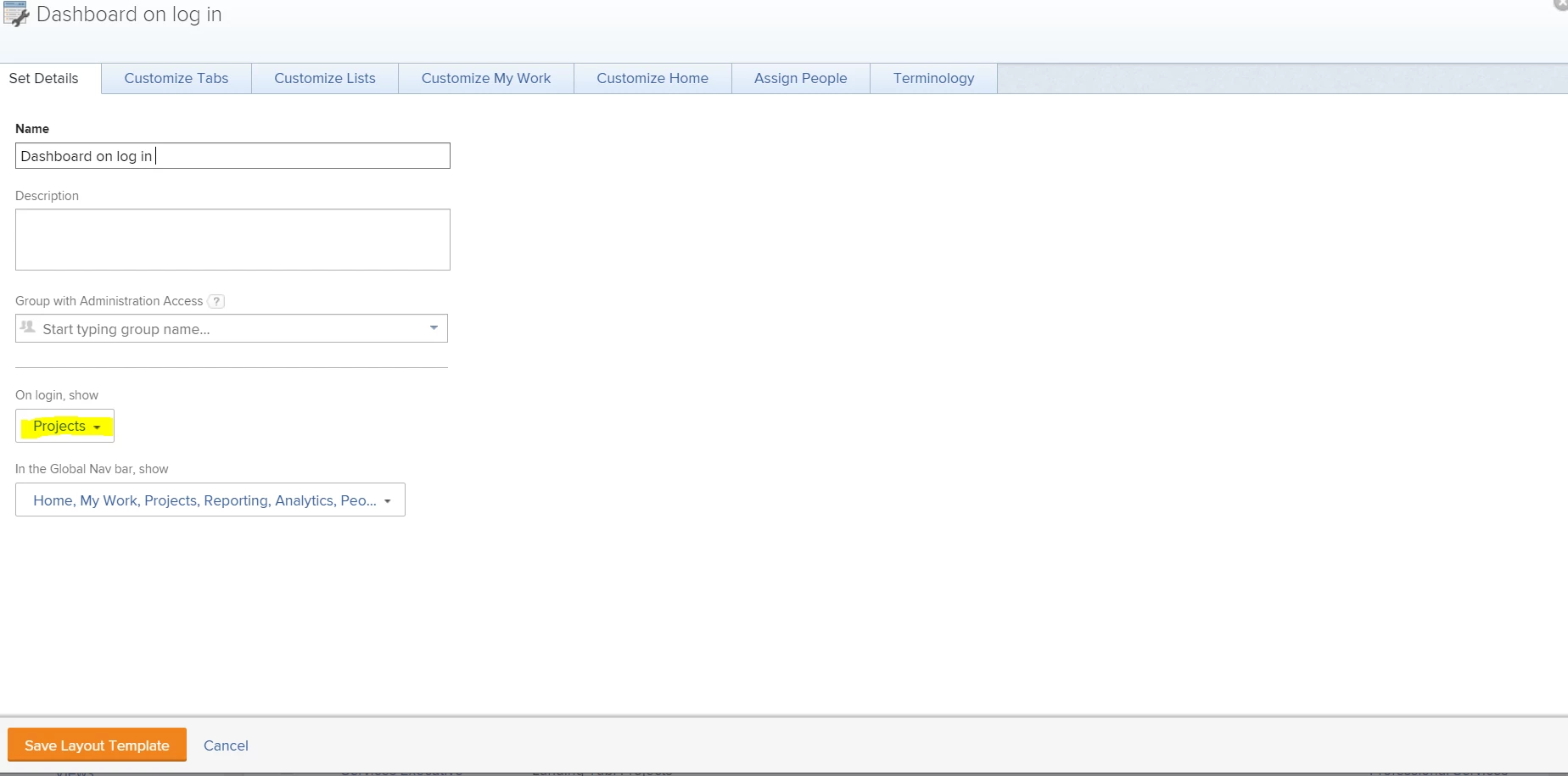
In Classic you would choose what page to display on log in via the 'Set Details' tab:
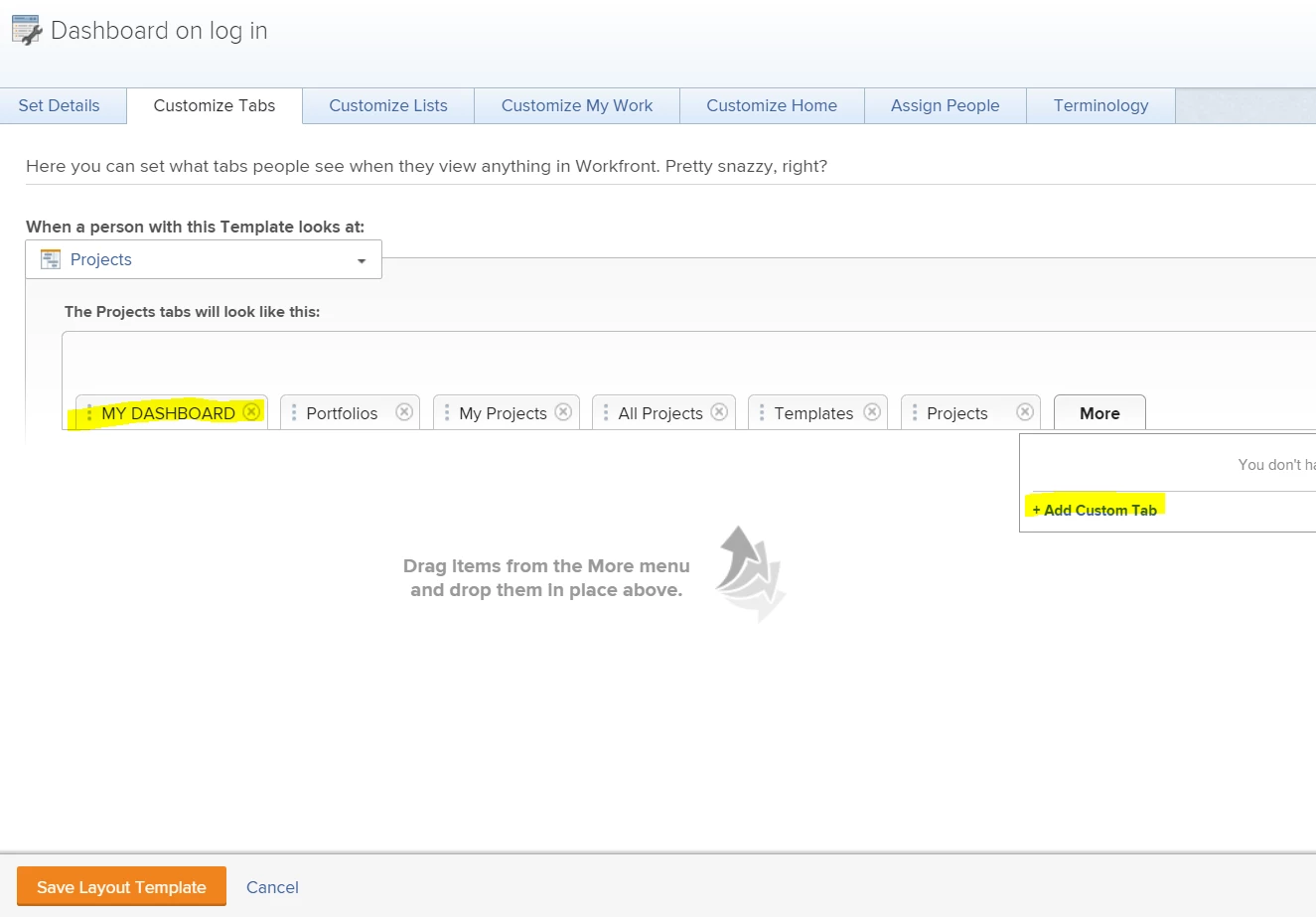
And then add a custom tab to that landing page containing your dashboard via the 'Customize Tabs' Tab:
Once you have created the necessary layout template and assigned it to yourself or your users, they will be presented with your dashboard on their next log in.

Best Regards,

Rich.

2 replies

Richard_Le_Community AdvisorAccepted solution
Community Advisor
October 14, 2020

Hi Joanna,

You can achieve this through layout templates (Setup>Interface>Layout Templates). The way you achieve it is slightly different depending on whether or not you are in the New Experience or Classic.

In the New Experience, when you create a layout template you can select the landing page and then add a dashboard (see screen shot below)

In Classic you would choose what page to display on log in via the 'Set Details' tab:

And then add a custom tab to that landing page containing your dashboard via the 'Customize Tabs' Tab:

Once you have created the necessary layout template and assigned it to yourself or your users, they will be presented with your dashboard on their next log in.

Best Regards,

Rich.

Level 4
October 15, 2020

We also use a dashboard in the way Richard described.

I'd like to additionally mention the $$user.id wildcard that can customize such a dashboard.

Level 10
October 15, 2020
Hi Joanna, If you set the bookmark in your browser to the dashboard, it’ll load every time you click the bookmark. Thanks, Narayan