Hi Jordan!
You can do this using sharecol=true, but you may want to take a bit of time to read through our help article to make sure you don't miss a beat there.
Here's a link to it: https://support.workfront.com/hc/en-us/articles/217518647-View-Multi-Row-Project-View
My trick when combining to columns is to add a blank column between the 2 with the following text:
value=<br>
valueformat=HTML
textmode=true
sharecol=true
Note: you can use near anything for the value, but the biggest point is you want that to be there, so there's a way to separate the data in the columns you're combining.
Once you've saved that column, it'll automatically pull the column directly to the right into it.
Once you're back to your 2 columns, you'll click on the left column, go to text mode, and add sharecol=true to it. Once again, when you save it, it will pull the column to the right into it.
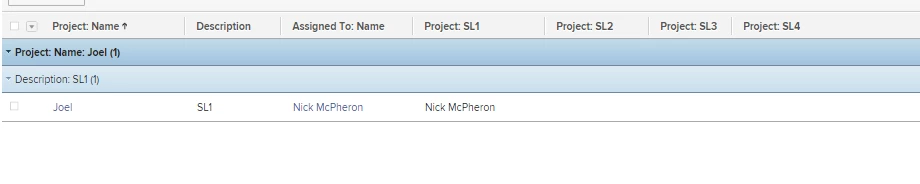
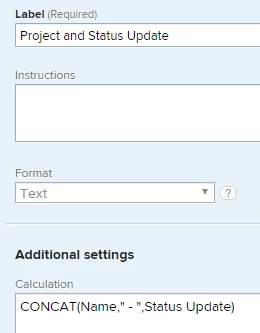
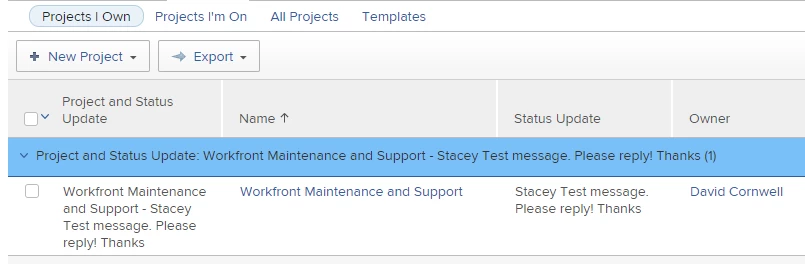
Here's what it looks like step by step:
Step 1: https://cl.ly/d843f2d820df
Step 2: https://cl.ly/c67e3ef8e040
Step 3: https://cl.ly/cf1e39735374
Step 4: https://cl.ly/20d843512ec1
Step 5: https://cl.ly/03de21c80962
If you'd like to provide a name on the column, look for the column.#.displayname= (if it doesn't exist, feel free to create it.)
Then you can call it whatever you'd like.. IE: column.0.displayname=Name & Status
Hope this helps.
Good luck!