Gmail Integration - "This app is blocked" (Adobe Workfront Fusion) | Community
Skip to main content
Level 3
February 22, 2023
Solved

Gmail Integration - "This app is blocked" (Adobe Workfront Fusion)

  • February 22, 2023
  • 2 replies
  • 1858 views

I am attempting to connect to GMAIL within Adobe Workfront Fusion.

Has anyone else encountered this issue? (see screenshot)
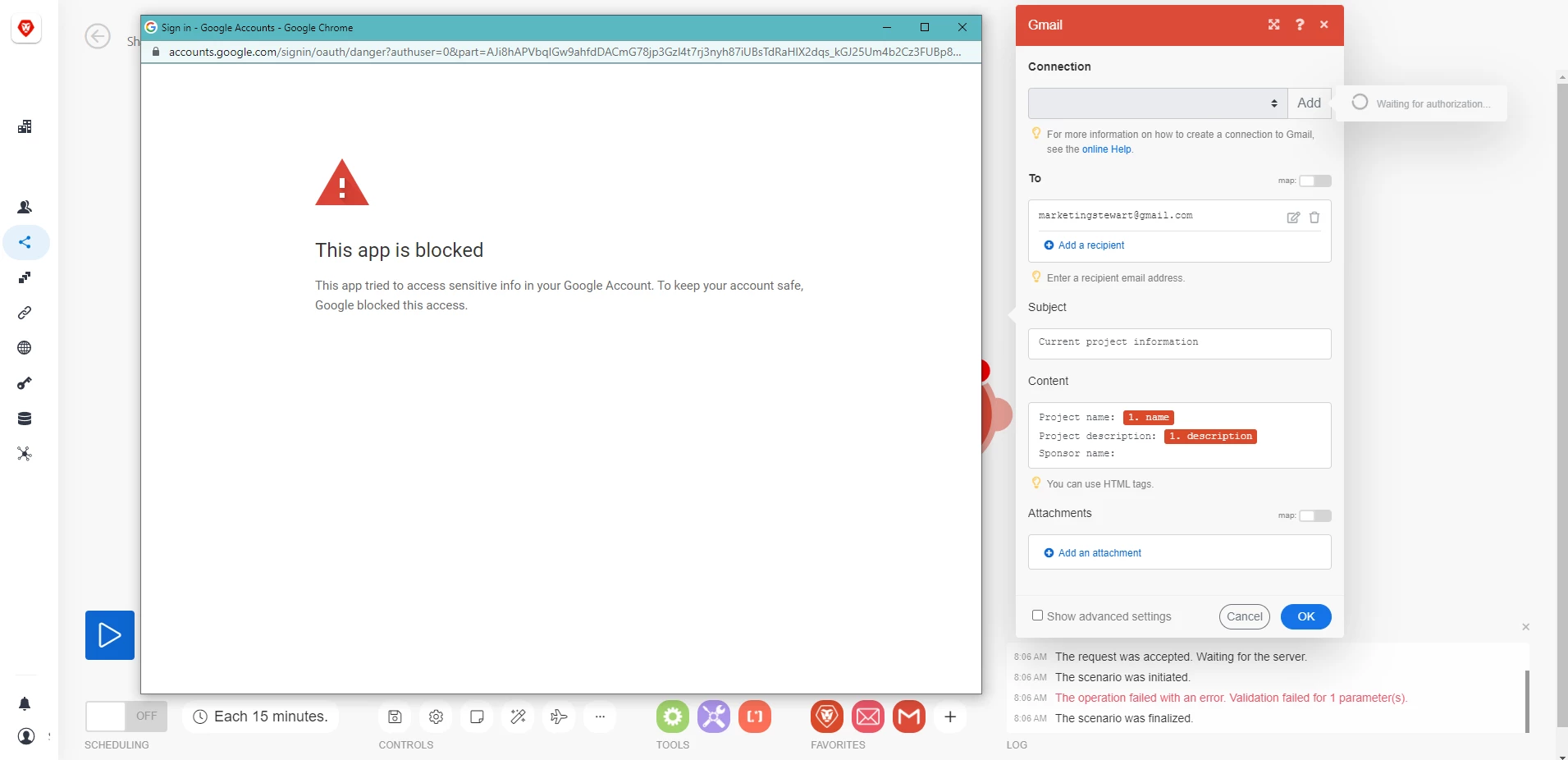

Additionally, I have attempted to review the logs in Google Account > Security (https://myaccount.google.com/security?hl=en); however, I could find no reference to Adobe Workfront or Adobe Workfront Fusion. 

Google forums (and communities) suggest contacting the vendor for resolution.
 
How do I resolve this issue?

This post is no longer active and is closed to new replies. Need help? Start a new post to ask your question.
Best answer by shanemckinney13

This has been resolved and I have been able to create a connection with Gmail by generating a client id and secret id.

IMPORTANT: TAKE ALL SETUP ACTIONS USING GOOGLE INCOGNITO MODE.

Use the process outlined here: https://experienceleague.adobe.com/docs/workfront/using/adobe-workfront-fusion/connections-in-fusion/connect-fusion-to-google-using-oauth.html?lang=en#connect-to-google-in-workfront-fusion

IMPORTANT: The instructions will say "(Optional) Add any test users to the project."
THIS IS NOT OPTIONAL. (Add a test user. I was able to add the same user as the Gmail account.)


2 replies

RandyRoberts
Community Advisor
Community Advisor
February 22, 2023

Allthough I have not seen this particular issue, I can tell you Fusion>Google auth is pretty tricky. I had to get someone from WF Support to help me get mine done and it was a very particular process, one missed step and nothing worked.

Level 3
February 22, 2023

"pretty tricky" - Indeed! 
Adobe Support provided me with these instructions - https://experienceleague.adobe.com/docs/workfront/using/adobe-workfront-fusion/connections-in-fusion/connect-fusion-to-google-using-oauth.html?lang=en#connect-to-google-in-workfront-fusion

Google states it can take 5 minutes to several hours for the changes to go into effect. The instructions did not work after waiting 15 minutes, so I will try back in several hours and post my findings. 

djmitchell
Level 2
February 22, 2023

We have been working with Workfront for the past month on this integration.  We have been told there is an issue on the Workfront side preventing integration with Gmail.  We have been told to expect this to be resolved in the next 30 days or so.

shanemckinney13AuthorAccepted solution
Level 3
March 3, 2023

This has been resolved and I have been able to create a connection with Gmail by generating a client id and secret id.

IMPORTANT: TAKE ALL SETUP ACTIONS USING GOOGLE INCOGNITO MODE.

Use the process outlined here: https://experienceleague.adobe.com/docs/workfront/using/adobe-workfront-fusion/connections-in-fusion/connect-fusion-to-google-using-oauth.html?lang=en#connect-to-google-in-workfront-fusion

IMPORTANT: The instructions will say "(Optional) Add any test users to the project."
THIS IS NOT OPTIONAL. (Add a test user. I was able to add the same user as the Gmail account.)