Failed to fetch api using office script | Community
Skip to main content
November 30, 2024
Question

Failed to fetch api using office script

  • November 30, 2024
  • 1 reply
  • 1629 views

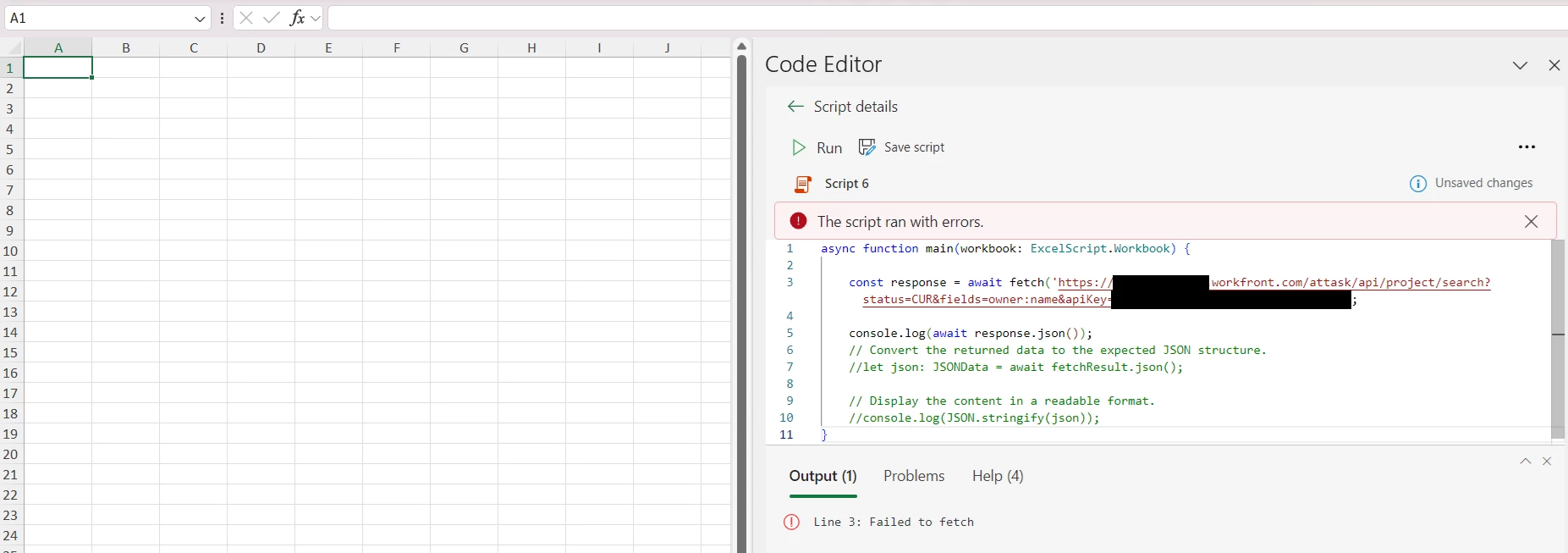
I tried to use excel automate script to fetch project data and got error "failed to fetch", however I can get correct response if I access the URL on web browser. Does anyone know why it's not function with excel script? Please help~ thanks. 


This post is no longer active and is closed to new replies. Need help? Start a new post to ask your question.

1 reply

Sven-iX
Community Advisor
Community Advisor
November 30, 2024

@hu_li-_- 


most likely a CORS issue

https://stackoverflow.com/questions/77279755/office-script-in-excel-365-failed-to-fetch-for-some-urls


While hitting the API with a browser works, it does not when you e.g. use javascript to make the API call... 


Best I got is to use Fusion as your endpoint for OfficeScript. It's lame and I've asked Support but was told the Dev team considers this a security issue 😕😕 

Hu_Li-_-Author
December 1, 2024

Thanks for your reply, the problem is I don't have fusion in my plan🤷‍♂. is there any other way to let office and Workfront talk to each other? I do able to use Python, but it is not so friendly for everyone especially BOSSss🤣

Sven-iX
Community Advisor
Community Advisor
December 1, 2024

If you run an endpoint using Python, you can hit that endpoint from Excel, and then use Python to call the API.