
External Lookup Fields $$HOST - Currently Observed Behaviors
Hi Everyone,
I've been diving into external lookup fields quite heavily in the last few days. Hoping to bridge the gap in situations that used to require Fusion to implement in a maintainable way. I've unfortunately hit some hard limitations on the feature and I wanted to document them to see if anyone has solved for these items.
Yeah so far in external lookups using $$HOST (Data in your Workfront instance) I've ran into the following blockers:
1. Muti-select inputs on a lookup preceding another lookup (dependent field) will output a string result (like other multi-selects) instead of an array to which individual selections on subsequent lookups or validators might not evaluate as "True" because of the format. (e.g. trying to match "California" to "California" works, but selecting California and Connecticut outputs "California,Connecticut" which fails validation.)
2. Lookup fields cannot be the basis for display logic. This limits their usefulness as a "filter" field in a custom form. (e.g. Situations where you have a really field that triggers a need for a review process: A state selected and an overall project value of 100K+ might need an executive approver selection to be set via a normal lookup field. I cannot get that field to only display by inspecting the external lookup for the state and value selections.)
3. Lookup fields can be "broken" when the resulting JSON path finds a value that is stored larger than 2000 characters. The 1st screenshot is a reference picture, I am storing data on tasks and using the task/subtask task set as my external lookup targets #1 and #2. Those fields then use a 3rd external lookup to surface appropriate legal disclosures stored at the task level. I stored it as Rich Text to allow for the disclosure length of over 2k. Most disclosures are not over 2k, but once I stored a disclosure that is over 2k I ran into an interesting error in the 2nd picture.
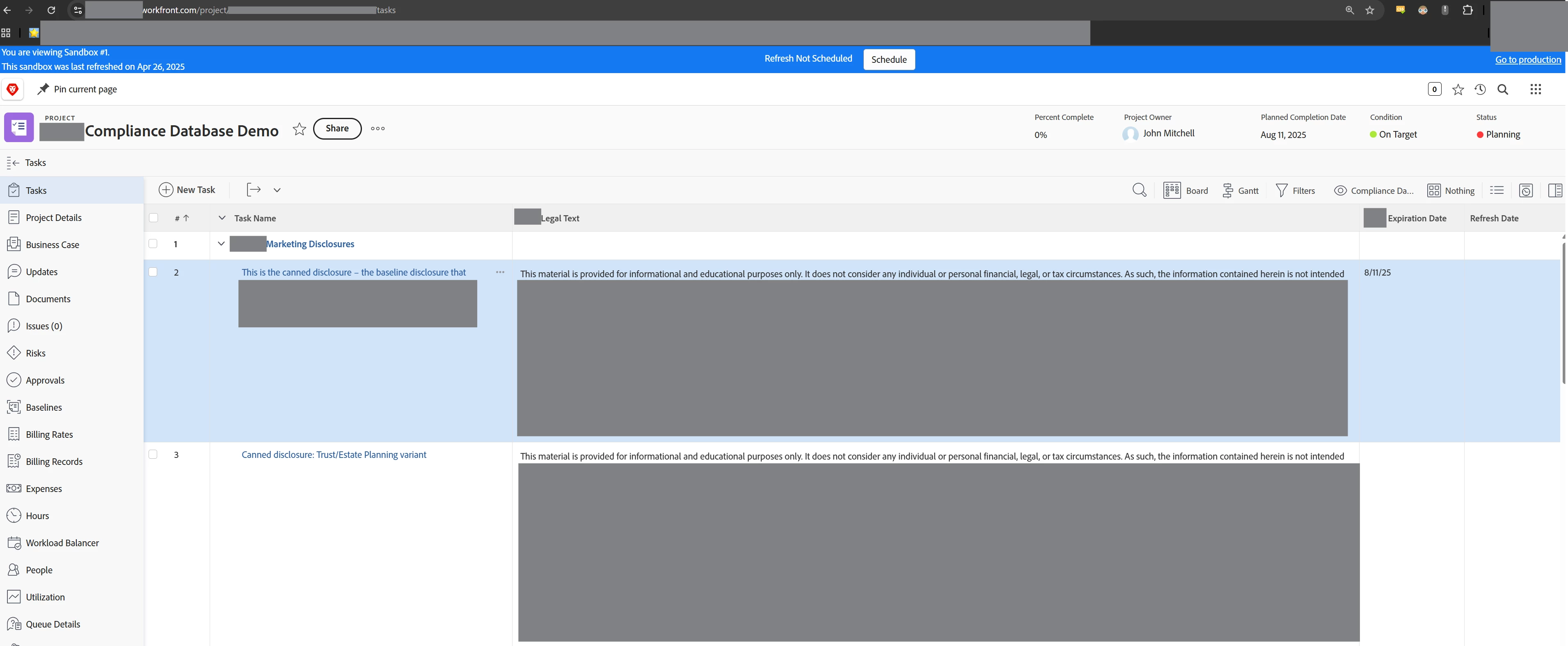
Reference table

Stored data in custom form details
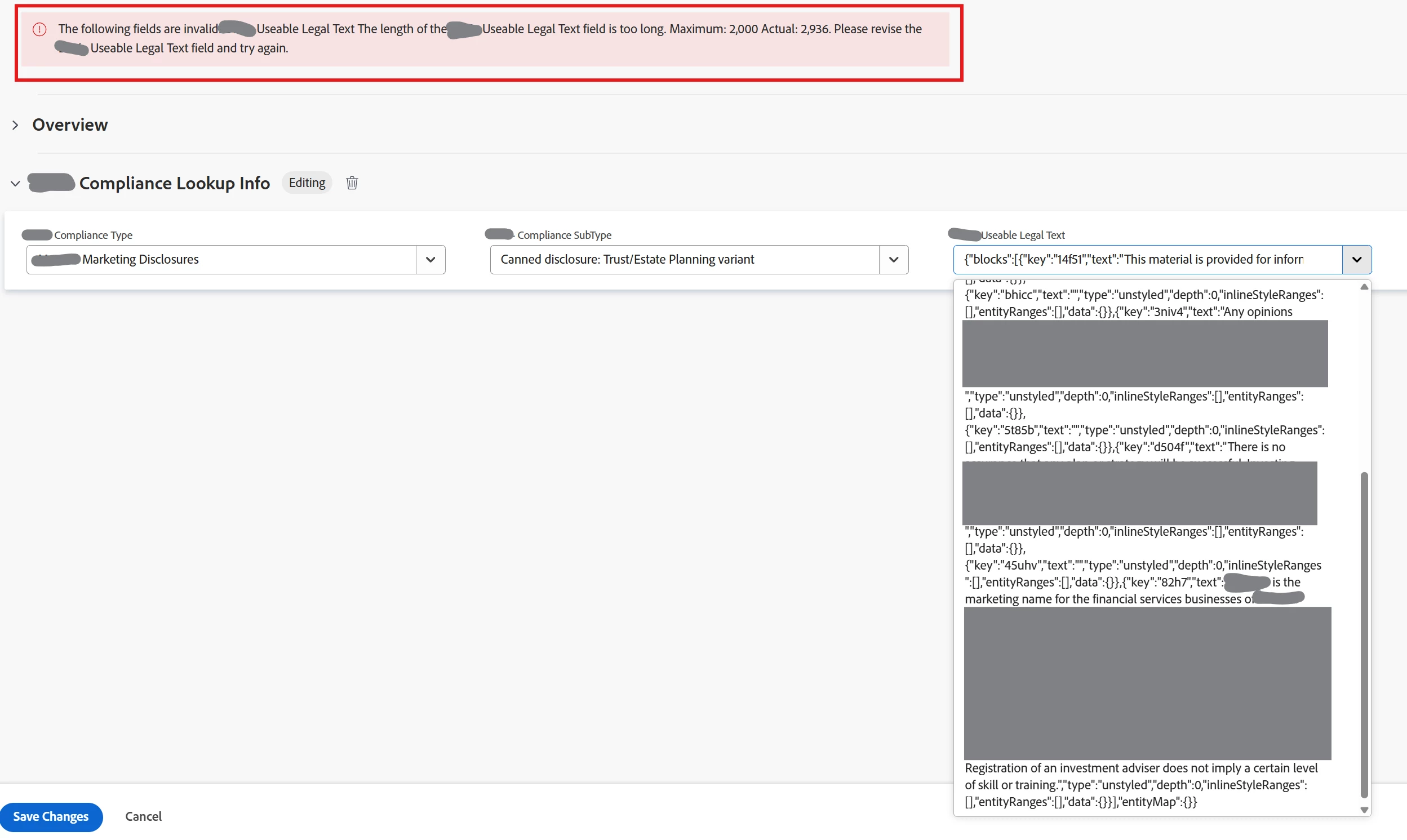
Error in resulting lookup attempt and trying to save.
4. In the same vein as 3, you can see in the 2nd screenshot that Rich Text is returned in an external lookup field result as it's JSON output. Which is OK in some situations, but in this specific case, the JSON attached actually pushed the character limit on the field... it wouldn't be an issue if just the text was returned.
*Side note to 4, if you have the need to strip JSON in Workfront without Fusion I found this works:
**TEXTMODE BLOCK**
displayname=Legal Text
valueexpression=IF(CONTAINS("text",{DE:YOUR CUSTOM FIELD}), LEFT(SUBSTR({DE:YOUR CUSTOM FIELD},SUM(SEARCH("text",{DE:YOUR CUSTOM FIELD},1),7),LEN({DE:YOUR CUSTOM FIELD})), SUM(SEARCH("type",SUBSTR({DE:YOUR CUSTOM FIELD},SUM(SEARCH("text",{DE:YOUR CUSTOM FIELD},1),7),LEN({DE:YOUR CUSTOM FIELD})),1),-3)),"")
valueformat=HTML
5. Last note I can make as of today is that lookup fields won't allow for a JSON Path that can extract plaintext to bypass an issue like the Rich Text output being wrapped in the JSON. I tried these approaches:
$.data[*].parameterValues['DE:YOUR CUSTOM FIELD'] ---> This one works, but results in the JSON wrapped text
$.data[*].parameterValues['DE:YOUR CUSTOM FIELD'].blocks[*].text ---> Does not work
$.data[*].parameterValues['DE:YOUR CUSTOM FIELD'].blocks[0].text ----> Does not work
Thank you for reading my ExternalLookupFieldTalk!

