
Error The request queue is no longer available | Community
Skip to main content
BillZ-123
Level 2
August 15, 2024
Question

Error The request queue is no longer available

  • August 15, 2024
  • 4 replies
  • 2798 views

Hello


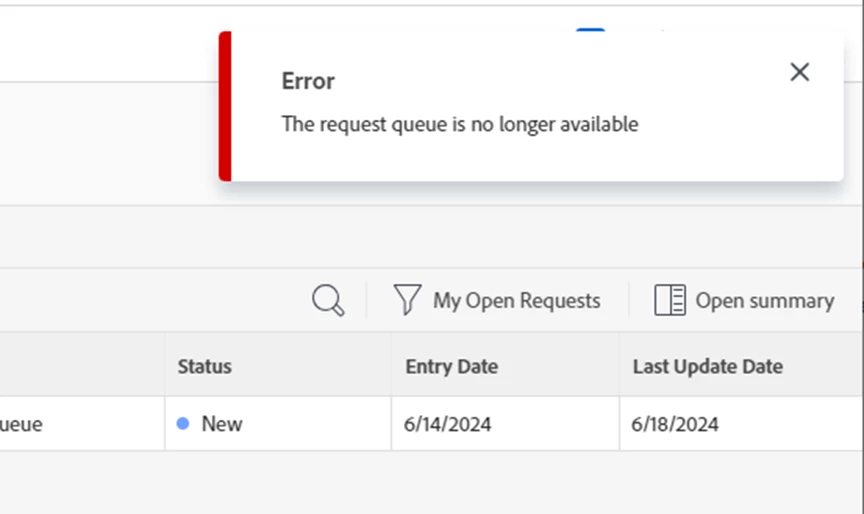
This is my second time creating a Help request queue. The first is working correctly and I referenced the first when creating the second. Currently the second is not appearing in the drop down on the requests page and when I use the direct link I get the following error "Error The request queue is no longer available". Any thoughts?


Thanks


Bill

4 replies

Daniel_Clarke
Community Advisor
Community Advisor
August 16, 2024

Hi Bill! 


First thought would be, did you scroll down and "save" once you clicked the request queue checkbox? Unfortunately the system shows you all the goodies and even the link before it is truly active upon save!


Second thought would be, what were your sharing permissions set to in the "Who can add requests to this queue" area?

NicholeVargas
Adobe Employee
Adobe Employee
August 19, 2024

@billz-123 In order for a request queue to show up in the Requests area, the following 2 things must be in place:

  • The project is set to Current (or status that equates with Current)
  • The checkbox for "Publish as Help Request Queue" is selected under the Queue Details section 

If both of these are true and you are still not seeing the project in the Requests area, let us know! 

March 13, 2025

Hi @billz-123 What is the resolution for this problem? Could someone please share the solution? I am encountering the same error across all environments. Is there a potential access issue? Any insights on this matter would be appreciated.

MorganHatcher
Level 4
March 13, 2025

@pagidalagu3 - a note that I am also having this problem right now too, might be a Workfront issue. 

MorganHatcher
Level 4
March 13, 2025

Found what it is, it seems like it's related to external look up field. I removed the one I had and the form worked. 


Good catch! I removed the form with the external lookup field too and the error is gone, will have the support team look into this. 

kautuk_sahni
Community Manager
Community Manager
July 29, 2025

@billz-123 Just checking in — were you able to resolve your issue? We’d love to hear how things worked out. If the suggestions above helped, marking a response as correct can guide others with similar questions. And if you found another solution, feel free to share it — your insights could really benefit the community. Thanks again for being part of the conversation!

Kautuk Sahni