Error - Can view projects | Community
Skip to main content
April 10, 2023
Solved

Error - Can view projects

  • April 10, 2023
  • 1 reply
  • 935 views

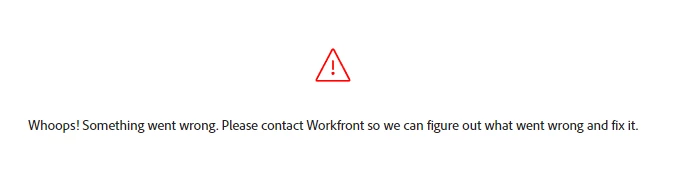
Anyone know how to resolve this? Its preventing my team mate from seeing all projects/programs. 
 

This post is no longer active and is closed to new replies. Need help? Start a new post to ask your question.
Best answer by RandyRoberts

Log in as that user and then paste the following URL (change DOMAIN to your workfront domain)

https://DOMAIN.my.workfront.com/resetUser

It should be noted, this will reset all their defaults as well as all the filters, views and groupings they've chosen (which is the goal)

TIP: if this solved your problem, I invite you to consider marking it as a Correct Answer to help others who might also find it of use.

1 reply

RandyRoberts
Community Advisor
Community Advisor
April 10, 2023

Is this because they have chosen a filter, view or grouping that that is corrupt or has a coding error? If so, reset the user and then find the culprit (filter, view, grouping).

Does this happen with only one user and one object type? (task list, project list, etc.) If so, the above should apply.

EMTFSAuthor
April 10, 2023

I do believe it is from a view or filter. 

How do you "reset" a user? 


And yes - its just a single user that is having this issue. 

RandyRoberts
Community Advisor
RandyRobertsCommunity AdvisorAccepted solution
Community Advisor
April 10, 2023

Log in as that user and then paste the following URL (change DOMAIN to your workfront domain)

https://DOMAIN.my.workfront.com/resetUser

It should be noted, this will reset all their defaults as well as all the filters, views and groupings they've chosen (which is the goal)

TIP: if this solved your problem, I invite you to consider marking it as a Correct Answer to help others who might also find it of use.
