HI John,
I'll spare you the dead ends, and instead (huzzah!) confirm that I figured out a workaround using native reporting:
- Create a Project called "Ugly Profile Picture Contest Dec 2020"
- On the Tasks tab, create a view that shows Name and URL
- Create a Task with the Name and Home Team of each person who's entered
- In another tab, create a report showing each User name their ID
- Using that other tab to look up each person's ID, in their corresponding Task row's URL field, enter "https://[domain].my.workfront.com/internal/user/avatar?ID=[userID]" (replacing [domain] and [userID]
- Create a Task report filtered to those Tasks on the "Ugly Profile Picture Contest Dec 2020" Project that shows the Task Name (i.e. each person's Name and Home Group), along with a second column that uses the text mode below to pull in a reasonable sized image from the URL, as shown in the following screenshot
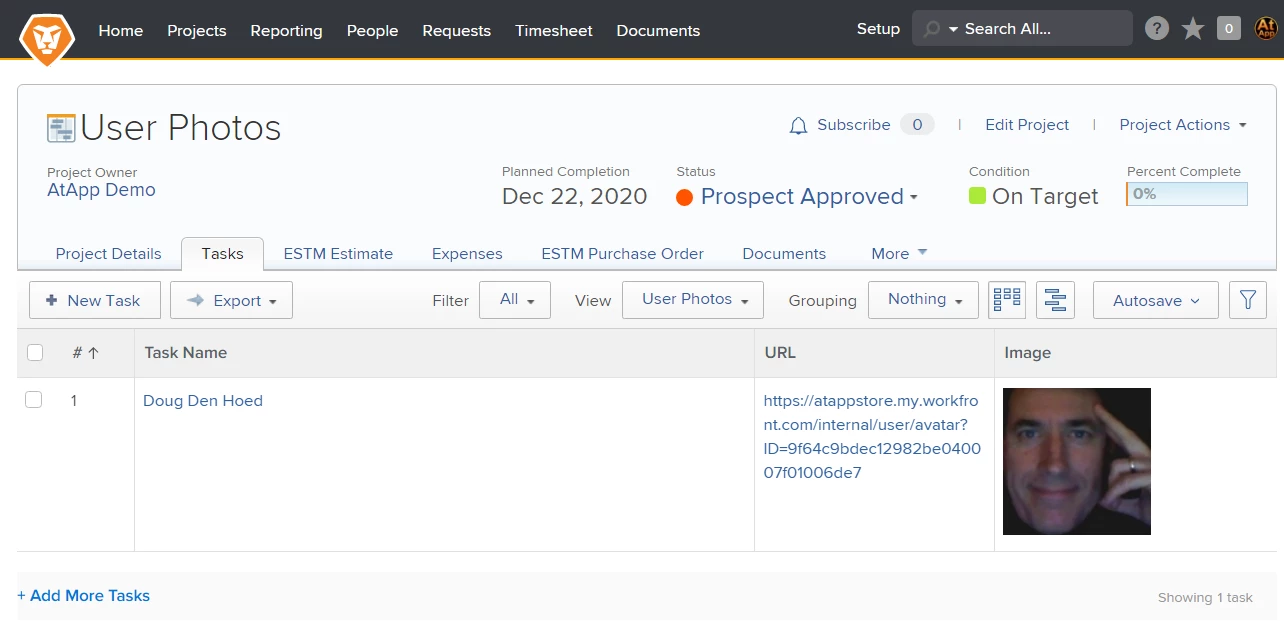
To improve this further, you could (as I did) bake the url to each person's image into a custom data field on a common User Form, making it easy to then copy/paste into the Task URL column. The calc I used was CONCAT("https://[domain].my.workfront.com/internal/user/avatar?ID=",ID)
And if you have enough users to warrant it, you could export ALL of your users (Name, Home Group, and the calc I just mentioned) to Excel, then either via Kickstart or using our Excel Updater solution (periodically, as staff come and go, and names and home groups change slightly) push EVERYONE into a generic "All Users With Photos" project, and use some tagging (e.g. #Ugly2020 in the description) and filtering to restrict that "master report" as needed, making it quick and easy to reuse for all kinds of fun stuff.
Thanks for the challenge; that was satisfying!
Regards,
Doug
displayname=Image
image.name=Photo
image.valuefield=URL
link.linkproperty.0.name=assignedToID
link.linkproperty.0.value=ID
link.lookup=link.edit
link.page=/view
link.valuefield=objCode
link.valueformat=val
shortview=true
textmode=true
type=image
valueformat=