@Naushin Walji‚,
I am by no means an expert but I can provide details of how we use it.
In the admin section, you only have control over what cloud providers users are allowed to link to. It's a simple "on" or "off". For us, we use OneDrive for all of our documents, so we have OneDrive turned on.
The workflow looks like this,
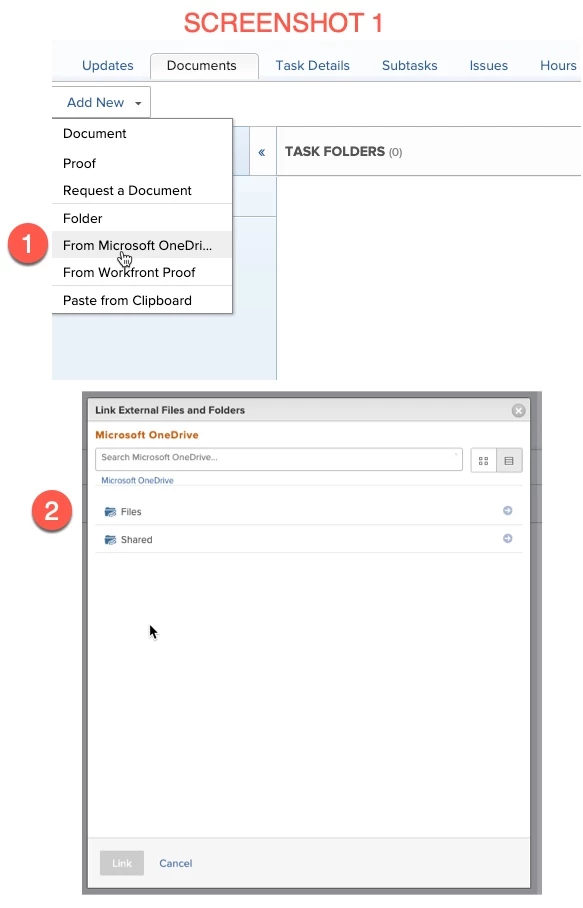
- From a task/issue/project/anywhere documents can be uploaded, you select "Add New --> From Microsoft OneDrive". (Screenshot 1)
- From here, you can either search your one drive folders and files OR folders/files that have been shared with you.
- Select the folder/file that you want to addd (its important that what ever file/folder you add from OneDrive, it is a shared document. If you add a file/attachment that is not shared (from OneDrive), others will not be able to access it in Workfront.
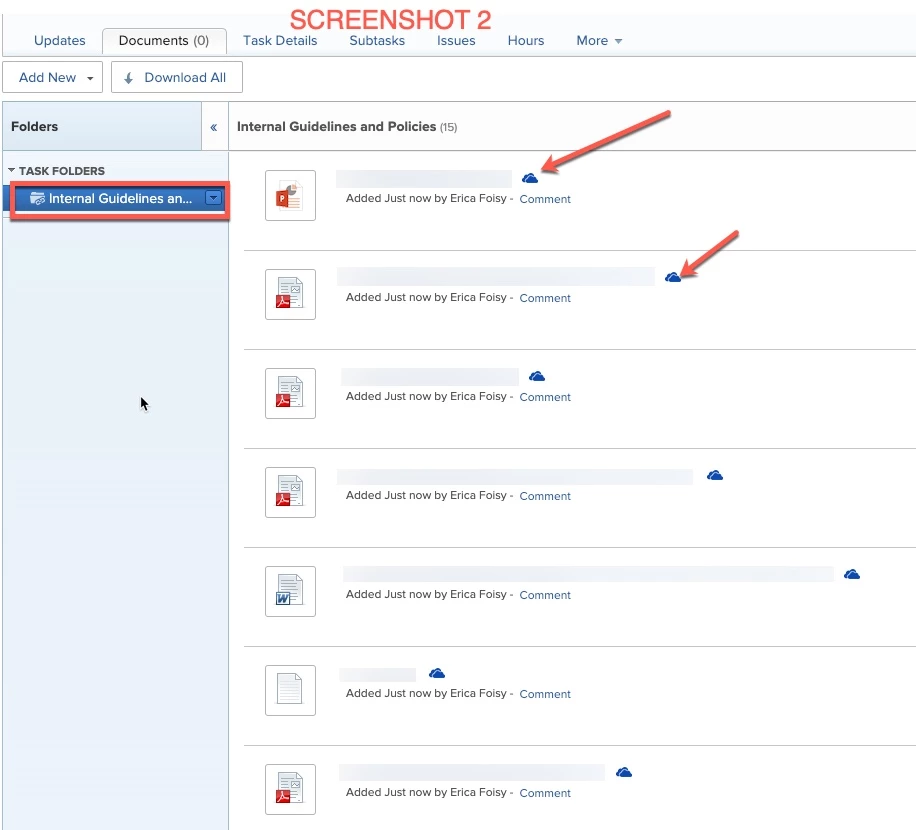
2. Once you select the file/folder, you will see it be added to the task/project/etc. inside Workfront. You will know when it has been added from OneDrive, because it will have a little cloud icon (screenshot 2). In this screenshot, I added a folder (during step 1), and you can see that it added all of the folders contents.
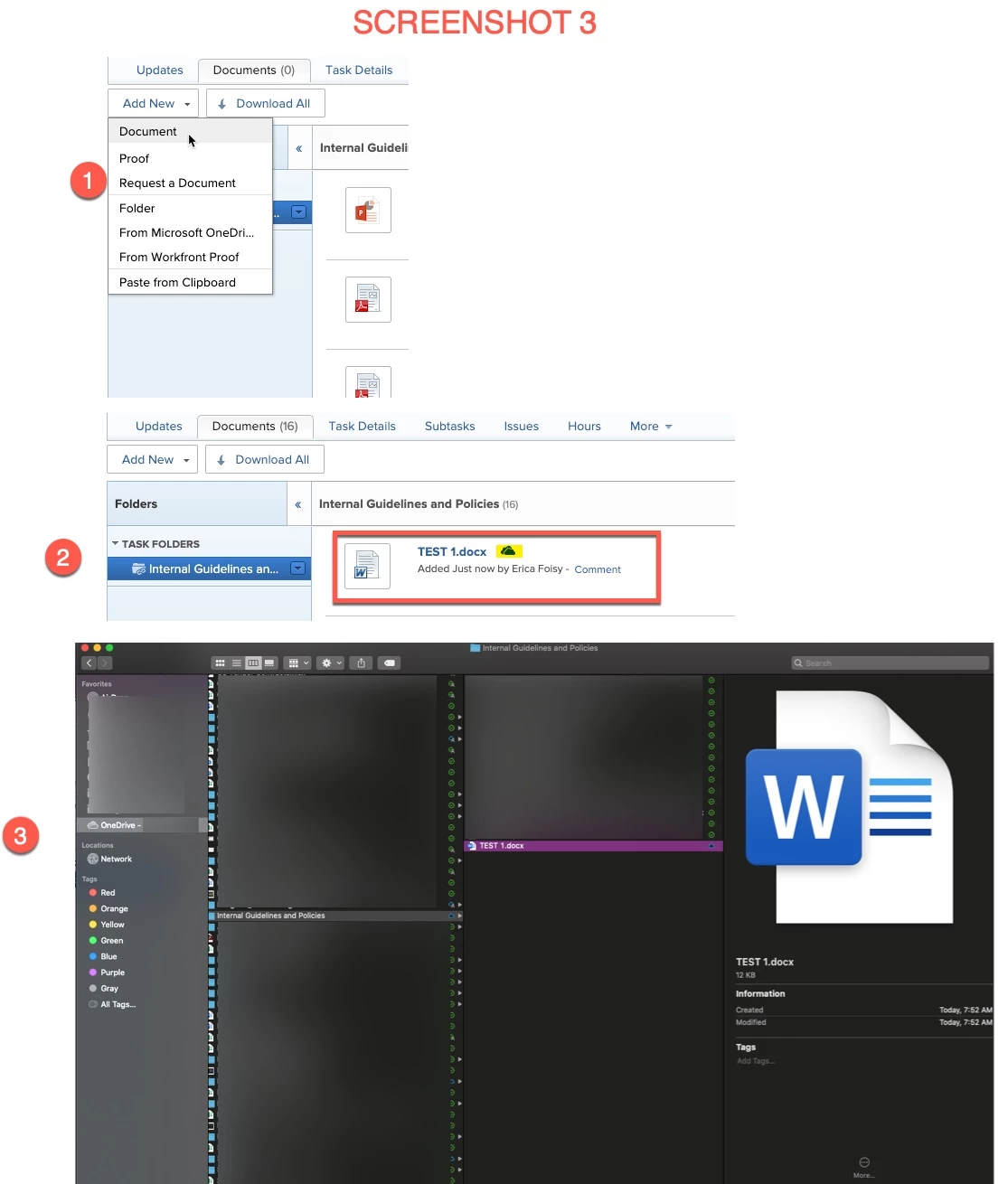
3. Users have the ability to open those files that you have added (it will open in the online version so that you can have real time edits and avoid different versions). OR, other users can add files to that folder inside Workfront and those files will automatically syn to your OneDrive folder. In Screenshot 3, I showed an example where I added a file called "TEST 1" from Workfront and you can see that it added the file to my computers OneDrive folder.
We use this is a few different ways.
- We have email templates and excel templates that ere constantly being evolved so in our project templates, we add files to the tasks from OneDrive, that way if the original email template ever gets edited, it will always be updated on the new projects because that file is linked to the OneDrive version.
- We have a lot of teams that collaborate and work together so having that document linked to a task helps the teams stay in workfront and have an easy way to navigate to the shared document.
- We have word document that have notes and we add those to portfolios from the OneDrive, this allows our teams to easily go OOO on PTO because all of their notes are easily accessible in the portfolio.
Like I mentioned, the most important thing is that if you are adding file/folders using the OneDrive integration, you need to make sure that the file/folder is shared or other users wont be able to open the documents from Workfront. Hopefully, this answers your question but if not, happy to provide any other details/advice/things we learned from using this. :)