Display progress bar using conditional formatting | Community
Skip to main content
Level 9
August 9, 2024
Question

Display progress bar using conditional formatting

  • August 9, 2024
  • 1 reply
  • 533 views

Hi WF Community,


I have a project report that has a custom number field called "Burned Hours %".
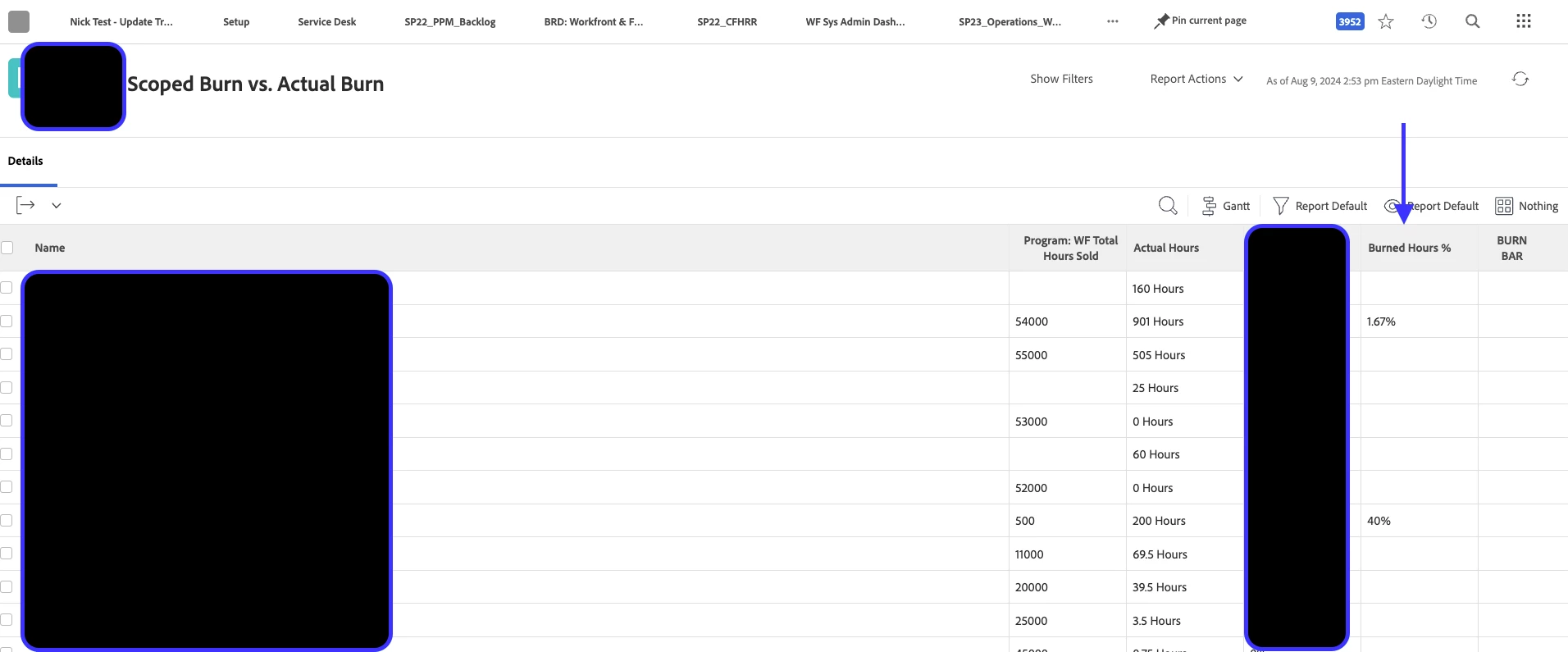
 

In that report I have a custom calculated column ("BURN BAR", as note in the above screenshot) whereby I am trying to display a progress bar indicator based on the value in the "Burned Hours %" column.  


I'm using this text mode in the "BURN BAR" custom calculated column:

displayname=BURN BAR
image.case.0.comparison.icon=true
image.case.0.comparison.leftmethod=DE:Burned Hours %
image.case.0.comparison.operator=between
image.case.0.comparison.righttext=25,50
image.case.0.comparison.truetext=/interface/images/v4_redux/icons/casebuilder/bar_half.gif
textmode=true
valueformat=


It's not displaying a bar in that column.  Does anyone know where I might be offtrack?  

Thanks,

Nick

This post is no longer active and is closed to new replies. Need help? Start a new post to ask your question.

1 reply

Kurt_Jones
Community Advisor
Community Advisor
August 21, 2024

Nick,

Not exactly sure where your bar_half.gif image is located.  If you have it in another platform, like SharePoint, OneDrive, unless you have an integration setup between your Workfront and those platforms, it may be getting blocked.  In our company, we can't connect images on from our drives or internal storage our security blocks them which looks similar to yours above.  Workaround could be to put that image in your WF Documents area and then use the full URL path where you have truetext=

If my response answered your question, please mark it answered, so others can find the answer