Display Condition color bubble in Project Report
I'm trying to figure out how to display only the Project Condition with the little green/yellow/red color bubble in a report. If I pull in the Condition field, there is no color bubble. If I pull in the Condition Update field, it has the color bubble but also has the last project level update the project manager made.
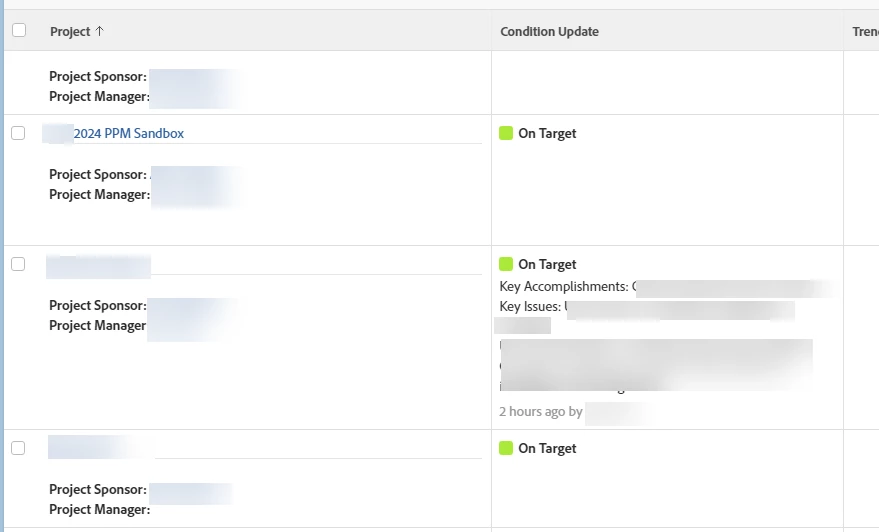
First screenshot shows the Condition Update field. The first two rows are how I want it to look - just the condition with the colored bubble. THe third row is how I do not want it to look -- with the project owner's last update text posted on the project.
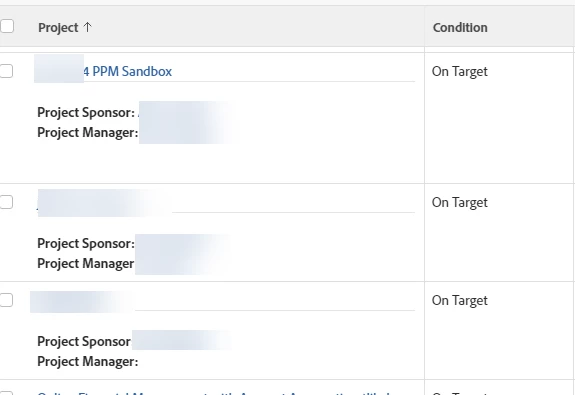
The second screenshot shows what it looks like when I pull in the Condition field instead. Solve the problem of the project owner text displaying, but it does not have the colored bubble.
Thanks in advance!