Custom Report where child tasks are shown and grouped by the parent task | Community
Skip to main content
Level 2
October 24, 2024
Solved

Custom Report where child tasks are shown and grouped by the parent task

  • October 24, 2024
  • 2 replies
  • 906 views

I'm new to Workfront and I'm trying to find a way to show all the In Progress or New parent tasks in all In Progress projects, with the child tasks showing below the parent tasks. Is this possible? The purpose of this report is for my team to see all the WIP projects and tasks (parent and child) that are either in progress or completed in a certain period of time. For this, I figured, I can use a date prompt to choose the entry and planned completion dates of the tasks. However, I'm having a hard time showing both the parent and child tasks in the same report. I still don't know how to create text mode reporting, but I'd appreciate any guidance and instructions on how to do it. Thank you!
This post is no longer active and is closed to new replies. Need help? Start a new post to ask your question.
Best answer by Srinija_N

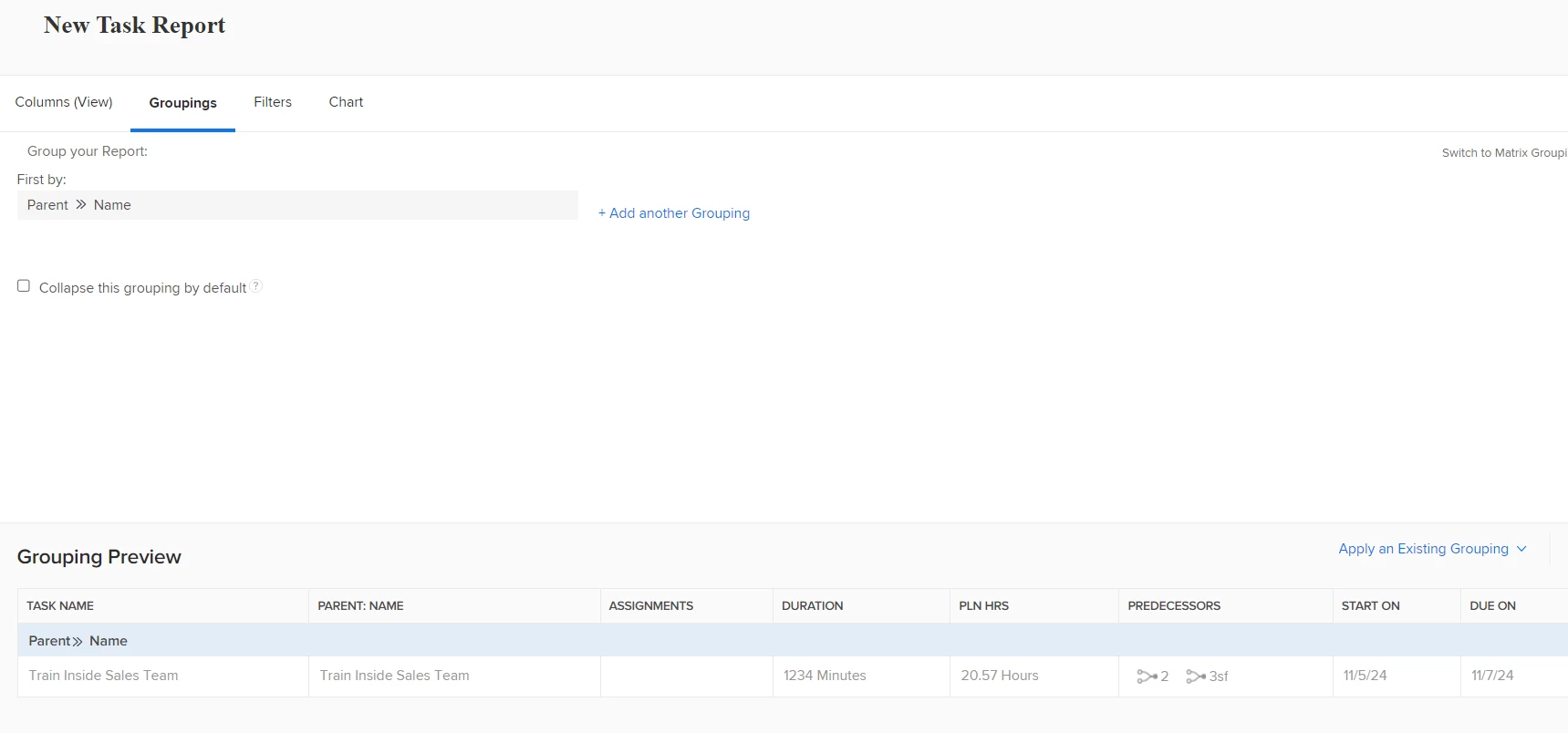
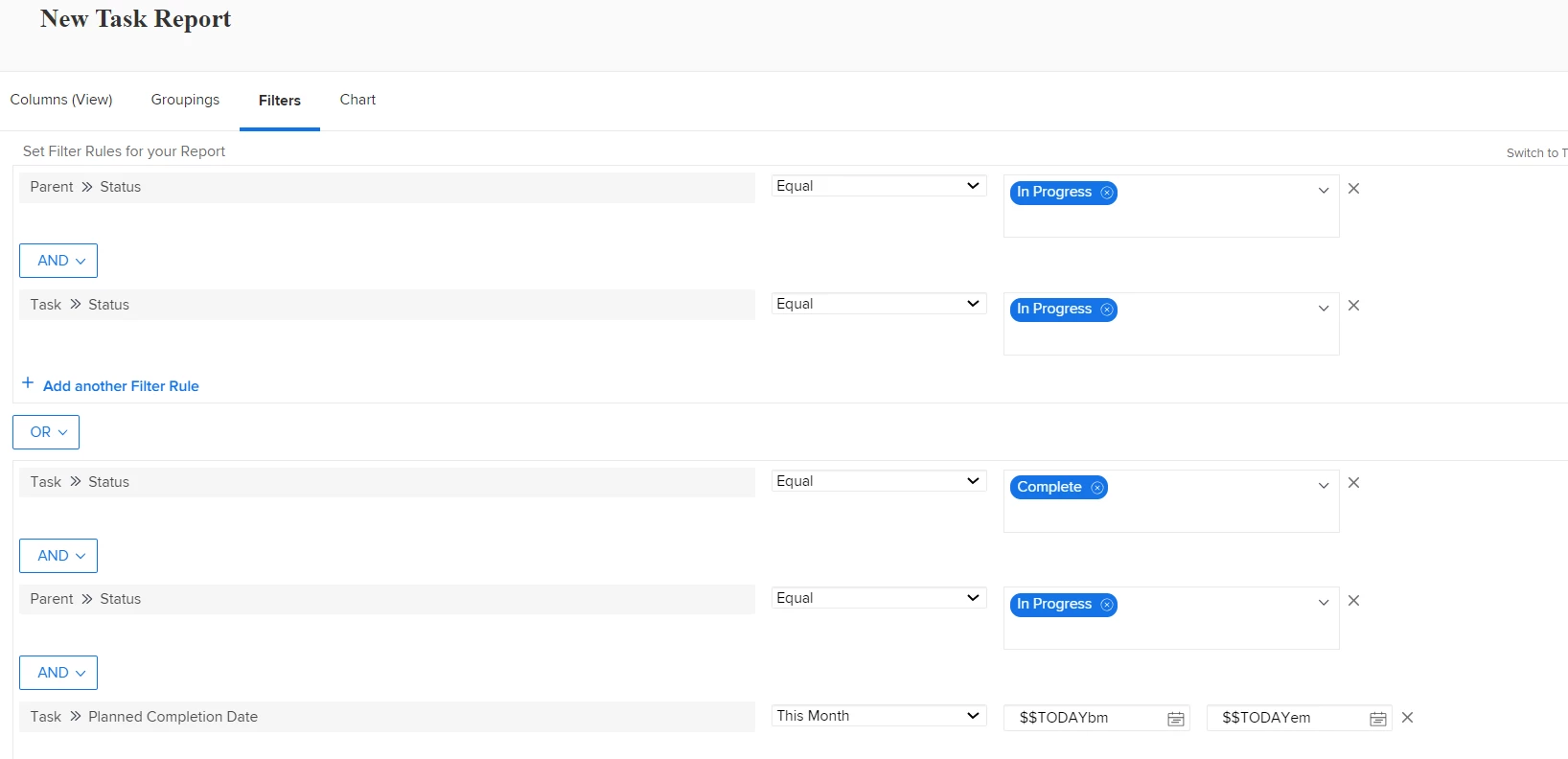
I would definitely create a Task type report (with maybe below similar filters and groupings).

Hope this helps! You can modify the filters further more accurately to pull the desired results.


2 replies

Sven-iX
Community Advisor
Community Advisor
October 24, 2024

Hi @rineygreys 

Welcome 🙂 

Try this: 
Create a task report and 

  • add columns for parent task
  • group it by project
  • filter to
    • project status=CUR
    • task status = (fill in what you need)
  • add a prompt for entryDate and plannedCompletionDate

In a report you have to specify the grouping manually

You could also try to create a filter and view for the Task view on the project. E.g. filtering by status keeps the parent-child task display intact.


Srinija_N
Srinija_NAccepted solution
Level 7
October 24, 2024

I would definitely create a Task type report (with maybe below similar filters and groupings).

Hope this helps! You can modify the filters further more accurately to pull the desired results.


Level 4
January 7, 2025

This is the best answer ! This should be in documentation / tutorial - resolved something I have been looking at for hours. 


Thank You


Emma


@8695269 

Srinija_N
Level 7
February 25, 2025

Thanks!


@emmag13 Please mark this as correct reply if this helped you and to help others.