Solved
Custom Report Column Displaying Code with Result
Hi WF Community,
I have a project report, whereby I am trying to surface values from custom fields on related programs. However, the result in my report custom column displays code.
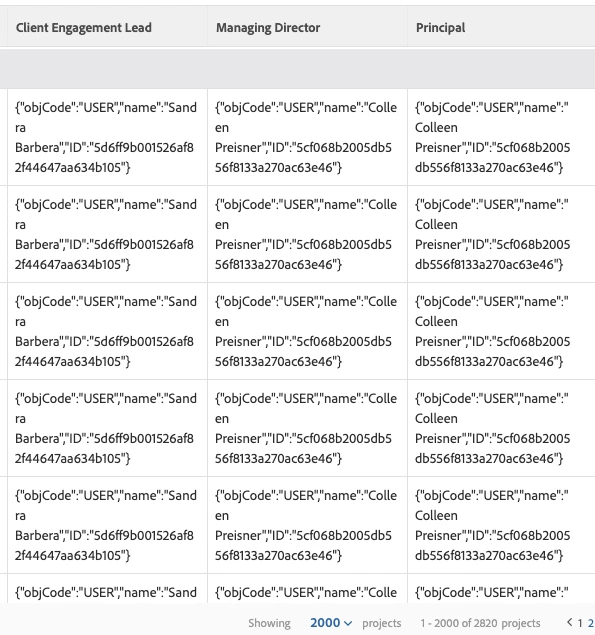
Here's the text mode data for the Client Engagement Lead column:
displayname=Client Engagement Lead
linkedname=program
namekey=view.relatedcolumn
namekeyargkey.0=program
namekeyargkey.1=WF Client Engagement Lead
querysort=DE:program:WF Client Engagement Lead
textmode=true
valuefield=program:WF Client Engagement Lead
valueformat=customDataLabelsAsString
I played with the valueformat, but it's not seeming to make a difference.
Does anyone know what adjustment I might make to just display names without the extra code?
Thanks,
Nick