Create new request from My Requests widget that links to request queue | Community
Skip to main content
Level 2
June 16, 2025
Solved

Create new request from My Requests widget that links to request queue

  • June 16, 2025
  • 2 replies
  • 589 views

When Contributor and Light users click on the New button on My Requests widget, it opens a window to select a project to and to create a request under that project.
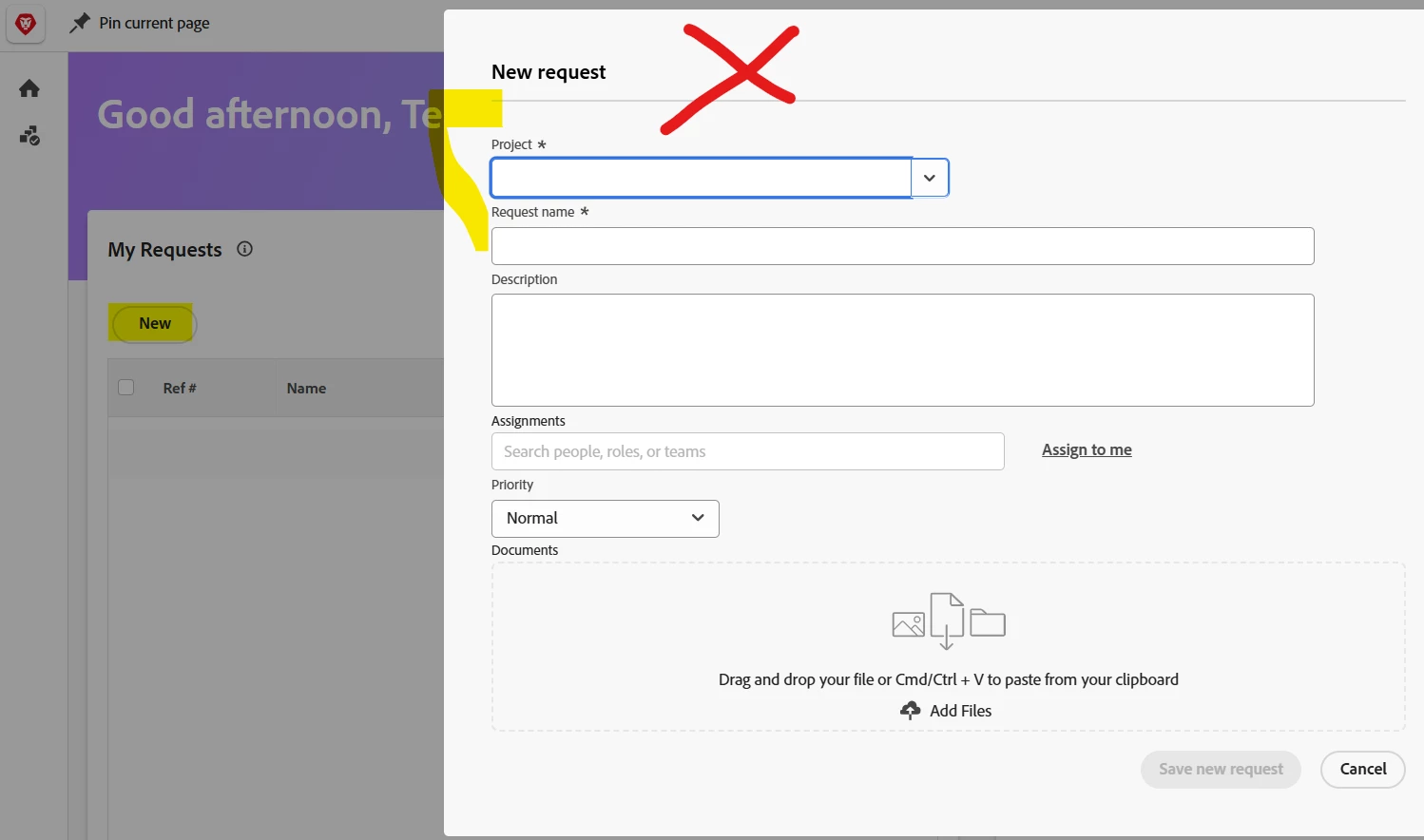
What we need for it to do is open the Requests queue window.
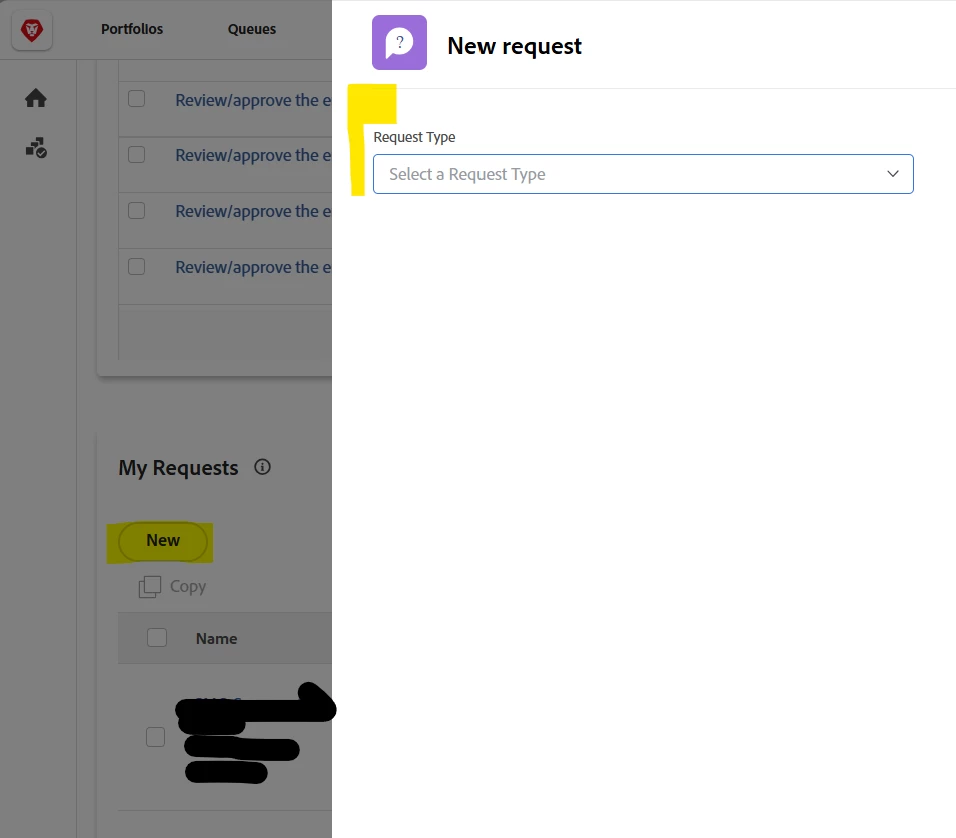
 

Is there somewhere in Setup where I can make this change for all roles? I need for all users to get the Request queue window. Thanks!

Best answer by ZaidaGr1

@kautuk_sahni  yes, this has been resolved with Adobe Support.


They confirmed that the widget being used is actually an Issue widget that has been renamed to "Request" in the layout template. That’s why it opens as a pop-up instead of the standard full-page request form that is preferred. 

2 replies

Sven-iX
Community Advisor
Community Advisor
June 17, 2025

Not that I'm aware of. Sounds like a solid idea to pots in the community!


But - don't you get the correct form if the user selects the request queue project? 

ZaidaGr1Author
Level 2
June 17, 2025

Not all users get the correct form, only Standard users which I find odd.

Sven-iX
Community Advisor
Community Advisor
June 18, 2025

Are you saying that a;; users get the correct form when you go to menu > requests, but NOT when they click the widget "New request" button and select the queue project? 

kautuk_sahni
Community Manager
Community Manager
July 29, 2025

@zaidagr1 Just checking in — were you able to resolve your issue? We’d love to hear how things worked out. If the suggestions above helped, marking a response as correct can guide others with similar questions. And if you found another solution, feel free to share it — your insights could really benefit the community. Thanks again for being part of the conversation!

Kautuk Sahni
ZaidaGr1AuthorAccepted solution
Level 2
August 1, 2025

@kautuk_sahni  yes, this has been resolved with Adobe Support.


They confirmed that the widget being used is actually an Issue widget that has been renamed to "Request" in the layout template. That’s why it opens as a pop-up instead of the standard full-page request form that is preferred.