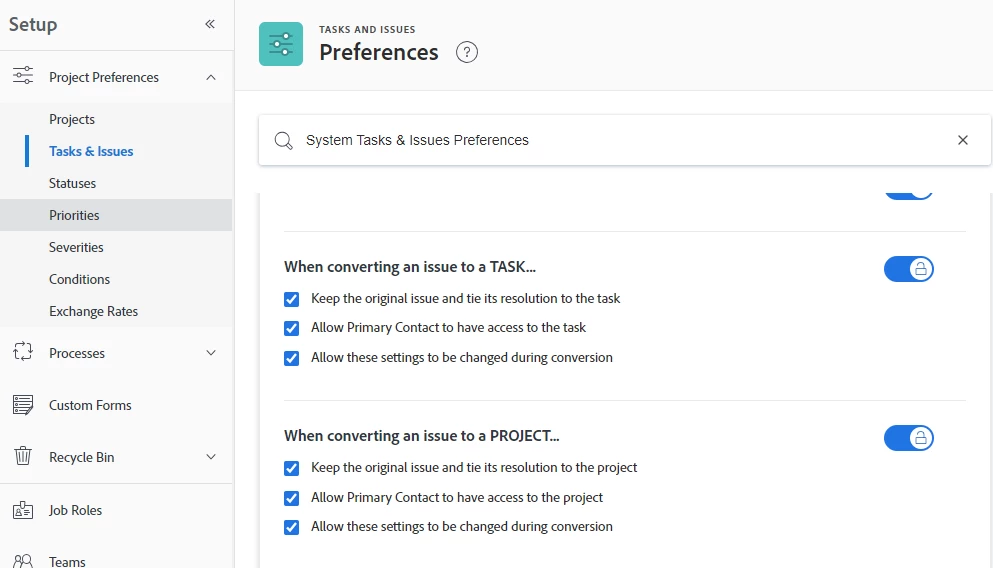
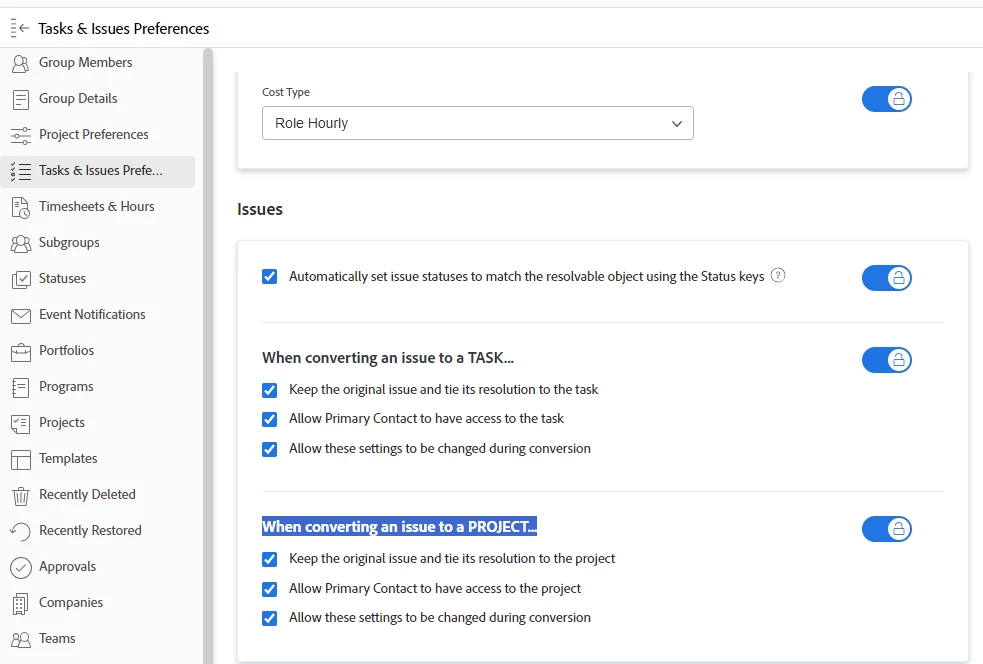
Convert issue to project - Is it possible to turn off the "Keep the original issue and tie its resolution to this project" option by default?
- January 30, 2024
- 1 reply
- 1531 views
I am putting together a request queue. Many of my requesters will go to the "Requests" section to find their previously submitted issues/projects. What I'm worried about is many of them will accidentally go into the original issue request to make updates, rather than going to the project it was converted into, no matter how much I explain to click on the title in the "Converted to" column.
So if they go into the original issue request and add a document or leave a comment in the updates, those do not carry over to the project if its already been converted, which means those updates will likely go unnoticed if everyone else is referring to the project. I want to remove the chances of user error.
I found out that there is a setting when converting the issue into a project that says, "Keep the original issue and tie its resolution to this project." If this setting is turned off, it deletes the original issue when converted into a project. This fixes my problem because they would only view existing projects in the "Projects" area, rather than in the Requests.
It may seem simple enough to explain to my team who is converting these projects to turn off this setting everytime they convert a project, but I have a feeling there will be times where they forget to.
So back to my original question, is it possible to have this "Keep the original issue and tie its resolution to this project" turned off by default? Currently, it is turned on by default.
Thank you in advance!