
Can decimal points be removed from a Chart, where the field formatting of the column being displayed is set to $1,234? | Community
Skip to main content
BrownPaperBag
Level 3
May 12, 2025
Solved

Can decimal points be removed from a Chart, where the field formatting of the column being displayed is set to $1,234?

  • May 12, 2025
  • 2 replies
  • 1188 views

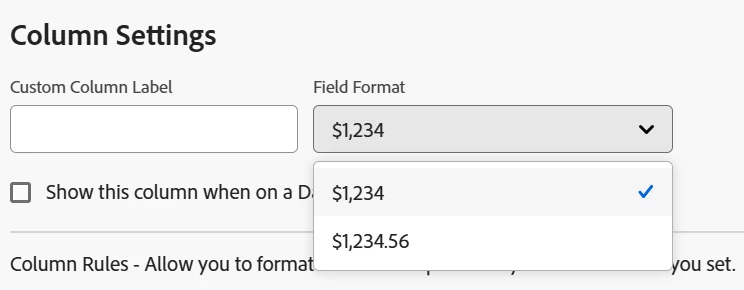
I have a column displaying currency from a custom field, the field formatting is set to show integers with no decimal places, but on the chart the decimal places show-up and users have asked for these to be removed. Is this possible?



Best answer by Sven-iX

Hi @sven-ix 


Yes there is, each of the values (as seen in the screenshots) represent a grouping of a custom field (single select) attached to a Project.


Man, I thought there'd be a way but: The chart makes an additional call to get chart data and in that call response it explicitly says "forcedecimals"


This is from the XML that is returned to draw the chart. So it looks like there's no UI way to suppress that ".00" 

Might make sense to create a ticket and argue that you've configured the column as integer to the chart should honor that.


2 replies

JustinRenteria2
Level 6
May 12, 2025

This seems like a bug. I'd report it to Support.

Sven-iX
Community Advisor
Community Advisor
May 13, 2025

Hi @brownpaperbag 
what shows up with decimals -  related to grouping? or the actual records? 

BrownPaperBag
Level 3
May 20, 2025

Hi @sven-ix 


the chart is showing the SUM of a currency field. 


In the details view, it shows:  

On the summary page, it shows: 

and finally, on the Chart page (bar chart in this instance), it shows: 


Sven-iX
Community Advisor
Community Advisor
July 17, 2025

Hello @ashgpt 
What have you tried? 


You will need to nest 2 IF statements

IF ( Condition 1 , do smth if Cond1=true , IF ( Condition 2 , do smth if Cond2=true , do something if neither is true ) )