Beta for the Homepage | Community
Skip to main content
Level 4
October 17, 2023
Solved

Beta for the Homepage

  • October 17, 2023
  • 2 replies
  • 1057 views

 Hello,


I was about to do training on the new look & feel homepage that is in BETA and switched back from Beta to Current and the button 'Try our new homepage' has gone. And has gone for everyone on the current. Help ! How do I get that toggle back between the two (we are on fast release). The toggle was on there a couple of weeks ago.


Thank You!


Emma
This post is no longer active and is closed to new replies. Need help? Start a new post to ask your question.
Best answer by RandyRoberts

TIP: if this solved your problem, I invite you to consider marking it as a Correct Answer to help others who might also find it of use.
If you like my content, please take a moment to view and vote on my Idea Requests: https://tinyurl.com/mysocalledideas


2 replies

RandyRoberts
Community Advisor
RandyRobertsCommunity AdvisorAccepted solution
Community Advisor
October 17, 2023

TIP: if this solved your problem, I invite you to consider marking it as a Correct Answer to help others who might also find it of use.
If you like my content, please take a moment to view and vote on my Idea Requests: https://tinyurl.com/mysocalledideas


Madalyn_Destafney
Community Advisor
Community Advisor
October 17, 2023

@emmag13 to add to Randy's response - as of this release, I believe that if you are opting to not have new home be the default for your instance, users will no longer have the option to opt in on their own. It's now an all or nothing deal. @cynthiaboon correct me if I'm wrong here, I know we touched on this in yesterday's webinar.

If this helped you, please mark correct to help others : )
CynthiaBoon
Adobe Employee
Adobe Employee
October 17, 2023

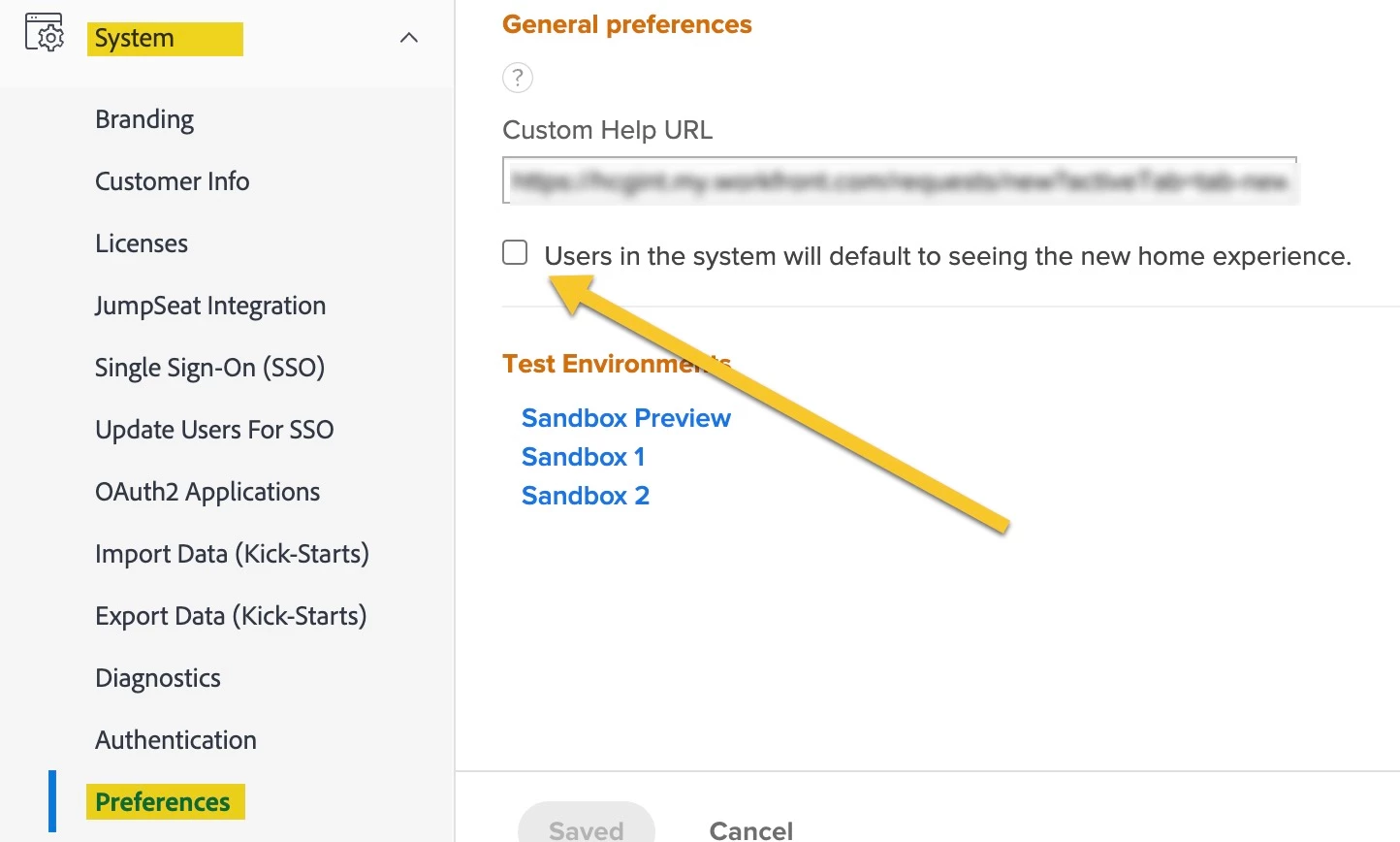
Yes ma'am!  @emmag13  I just tested it again to make sure, and after this last Fast Release (at the end of September), in order to be able to have the option to switch to the New Home on the blue bar, you have to toggle on the button in Preferences.

  •  Users in the system will default to seeing the new home experience.

Users will still be able to go back and forth between OG Home and New Home, but yeah - the default has to be checked now.

Thanks @madalyn_destafney and @randyroberts


RandyRoberts
Community Advisor
Community Advisor
October 17, 2023

You can also just add /home/workspaces to your base URL whether you have it turned on or not.