Solved
Batch Assign Tasks
Is there a way to assign multiple tasks in a project to a single user without clicking on each task one-by-one?
Sean
Is there a way to assign multiple tasks in a project to a single user without clicking on each task one-by-one?
Sean
If I'm understanding correctly yes.
1. If you have Job Roles already set on the project plan go to the Workload Balancer within the project and Bulk assignments. Pick the Job role and the person and hit assign.
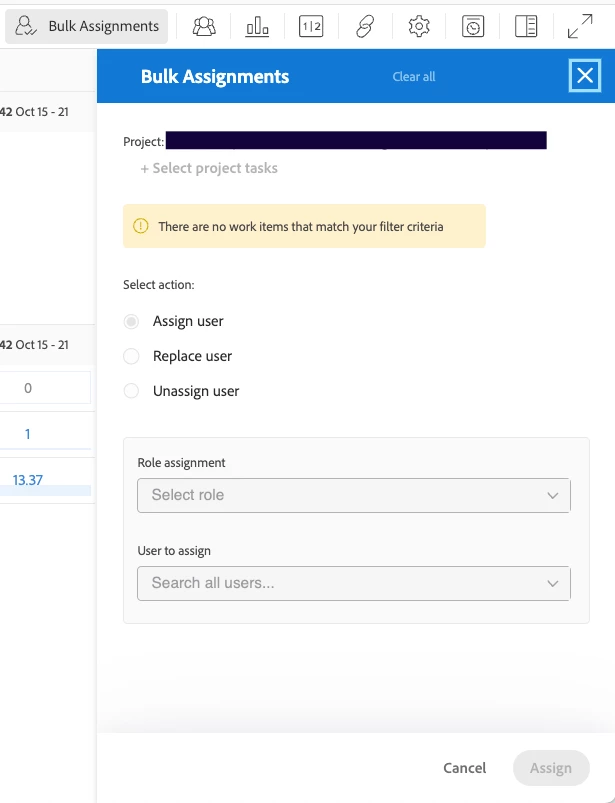
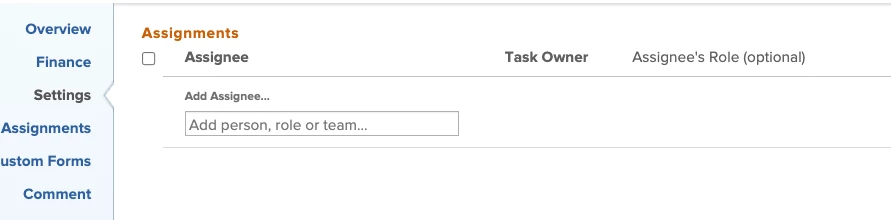
2. If you don't have job roles set, select all the tasks you want to assign them to and then click the pencil edit icon. Scroll to assignments and select the person.
Enter your E-mail address. We'll send you an e-mail with instructions to reset your password.