Apply Priority field to a connected card | Community
Skip to main content
Level 3
May 6, 2024
Question

Apply Priority field to a connected card

  • May 6, 2024
  • 3 replies
  • 942 views

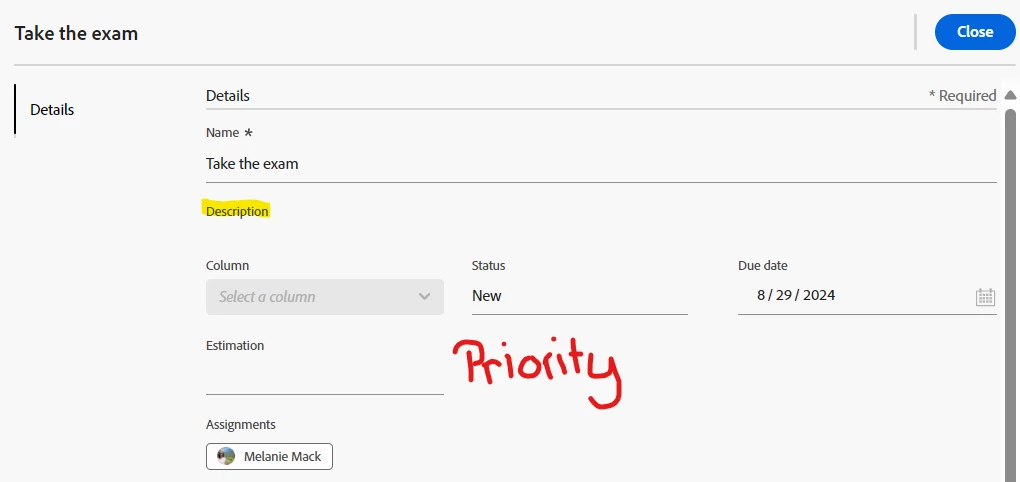
I have a specific queue topic that routes to a board.  The connected card pulls in the description field, but not the priority field.  Does anyone know if this is possible through out-of-the-box functionality?


Thank you in advance,

Melanie
 

3 replies

ewanh
Adobe Employee
Adobe Employee
May 8, 2024

Hi Melanie, 


You can add "priority" to your cards by:

  1. Clicking on the "+ Add Custom Field" option below the Cards> drop down in the Configuration area.
  2. Select the object type (task or issue)
  3. Type in "priority" in the Field Value box to find priority under your object type. 

It will then show up on your card like you'd like. 


MelanieM1Author
Level 3
May 14, 2024

Hello - can you confirm this works on a Kanban board?  In my experience, this only works on a basic board.


Let me know what you find.  


Thank you,

Melanie

AleciaM1
Adobe Employee
Adobe Employee
May 22, 2024

Hi MelanieM1, 


I was able to get Priority field on a connected card within a Kanban board - see below. 


kautuk_sahni
Community Manager
Community Manager
September 1, 2025

@melaniem1 Just checking in. Were you able to resolve your issue? We’d love to hear how things worked out. If the suggestions above helped, marking a response as correct can guide others with similar questions. And if you found another solution, feel free to share it — your insights could benefit the community. Thanks again for being part of the conversation!

Kautuk Sahni