Add Filter to Advanced Search | Community
Skip to main content
Level 2
October 4, 2023
Solved

Add Filter to Advanced Search

  • October 4, 2023
  • 1 reply
  • 655 views

Hi,

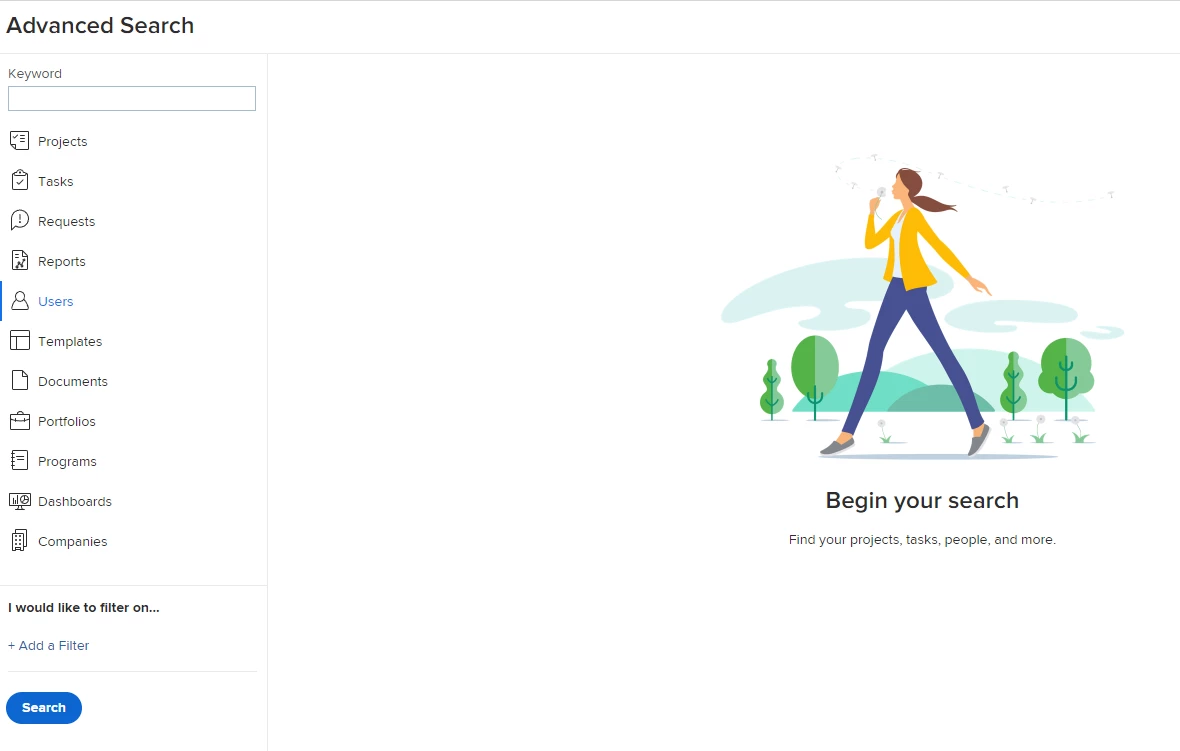
Workfront Noob here. Is it possible to add more filter options to the Advanced Search? I would like to use the 'Team functionality for jobs assigned to my team. It would be great to then use Advanced Search, see 'Team' in the list and then filter by my team name.

Thanks
Sean

This post is no longer active and is closed to new replies. Need help? Start a new post to ask your question.
Best answer by Ryzan99

Hi @seansykes, your request is you want to know the job assigned to your team through the Advanced Search filter, right?

Here's a step-by-step guide:

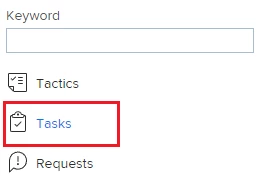
1. Click on 'Tasks' in the Advanced Search.

2. Open the dropdown menu labeled 'Filter your results.'


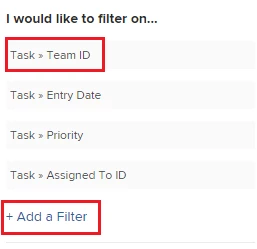
3. You can select 'Task > Team ID' or choose to 'Add a Filter.'

4. After configuring the filter, click on 'Update Results.'

5. The job assigned to your team will then be displayed.


In addition to utilizing the Advanced Search, consider using the report function. This function allows you to create a report that consistently displays your team's job assignments, eliminating the need to set it up repeatedly, as required with the Advanced Search.
1 reply

Ryzan99Accepted solution
Level 2
October 5, 2023

Hi @seansykes, your request is you want to know the job assigned to your team through the Advanced Search filter, right?

Here's a step-by-step guide:

1. Click on 'Tasks' in the Advanced Search.


2. Open the dropdown menu labeled 'Filter your results.'


3. You can select 'Task > Team ID' or choose to 'Add a Filter.'


4. After configuring the filter, click on 'Update Results.'

5. The job assigned to your team will then be displayed.


In addition to utilizing the Advanced Search, consider using the report function. This function allows you to create a report that consistently displays your team's job assignments, eliminating the need to set it up repeatedly, as required with the Advanced Search.

SeanSykesAuthor
Level 2
October 5, 2023

Thank you @ryzan99