Active Proof Approval report for a Group | Community
Skip to main content
Tvasilovic
Level 3
March 24, 2023
Solved

Active Proof Approval report for a Group

  • March 24, 2023
  • 1 reply
  • 1657 views

Hello,


I am trying to create a report showing all Proof approvals that are still pending for a specific "Group" within our WF system.  I have reports that show "Proofs *I* need to approve" and thought this would be an easy switch from $$User to Group but I can't seem to get it to work and I'm not great with the text mode. Can anyone give me a push in the right direction with possible text mode options?


thanks

This post is no longer active and is closed to new replies. Need help? Start a new post to ask your question.
Best answer by Madalyn_Destafney

Hi, I think it depends on your audience using this report. If you're trying to show proofs pending my review, you'll want the approver home group. If you're wanting proof owners keeping track of what proofs they still have out pending others' review, you'll want a separate report for requester home group. I've used both for approvers vs requesters.

You may not want to tie it to the home group of the project owner (assuming you mean owner here, not sure what else) bc that may not always give you results you want based on how you have owners vs proof approvals within the project.


Something else in terms of what I've found helpful in a proof approval report is having a column with a proof link directly to open the proof. Here is the text mode for that:
displayname=Proof Link
textmode=true
valueexpression=CONCAT("https://YOURDOMAIN.my.workfront.com/document/",{documentVersion}.{document}.{ID},"/proof/",{documentVersion}.{proofID},"/view")
valueformat=HTML

And having a column for the most recent proof comment/who said it/when:
column.6.displayname=Most Recent Proof Comment
column.6.linkedname=documentVersion
column.6.namekey=view.relatedcolumn
column.6.namekeyargkey.0=documentVersion
column.6.namekeyargkey.1=documentID
column.6.sharecol=true
column.6.textmode=true
column.6.valuefield=documentVersion:document:project:lastNote:noteText
column.6.valueformat=HTML
column.7.sharecol=true
column.7.textmode=true
column.7.value=<br>
column.7.valueformat=HTML
column.7.width=1
column.8.displayname=Most Recent Proof Comment Owner
column.8.linkedname=documentVersion
column.8.namekey=view.relatedcolumn
column.8.namekeyargkey.0=documentVersion
column.8.namekeyargkey.1=documentID
column.8.sharecol=true
column.8.textmode=true
column.8.valuefield=documentVersion:document:project:lastUpdatedBy:name
column.8.valueformat=HTML
column.9.sharecol=true
column.9.textmode=true
column.9.value=<br>
column.9.valueformat=HTML
column.9.width=1
column.10.displayname=Most Recent Proof Comment Date
column.10.linkedname=documentVersion
column.10.namekey=view.relatedcolumn
column.10.namekeyargkey.0=documentVersion
column.10.namekeyargkey.1=documentID
column.10.textmode=true
column.10.valuefield=documentVersion:document:project:lastUpdateDate
column.10.valueformat=HTML

1 reply

Madalyn_Destafney
Community Advisor
Community Advisor
March 24, 2023

Hi there, you can add a filter to your proof approval report here and type the names of the group(s) you want to pull.


If you're wanting to do something more like $$USER.GROUPID, I've tried a few variations and not finding something WF recognizes. If anyone know, chime in! If it doesn't exist, depending on how many groups you have, you could do a group-specific proof approval reports to at least pull the pending proofs for anyone in that group.


If this helped you, please mark correct to help others : )
Tvasilovic
Level 3
March 24, 2023

thanks for the reply Madalyn!


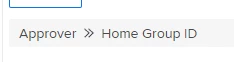
Yes, I was first trying to determine the best way to attack this, from the Approver>>Home Group ID, or from the Requester>> Home Group ID.  I wish you could tie it to the Home Group of the related Project. But I think that's too many levels of data removed (??).

Another thing I was hoping was to insert a column I have seen where you can have a thumbnail image of the proof, but maybe that only works for document approvals, not Proof approvals?

Also, if there are any suggestions for organizing a report as far as Approvers on any given Proof. If Proofs have 5 approvers, they should appear related to the same Proof, but drop off the report as they make their decision.


thank you!

Madalyn_Destafney
Community Advisor
Madalyn_DestafneyCommunity AdvisorAccepted solution
Community Advisor
March 24, 2023

Hi, I think it depends on your audience using this report. If you're trying to show proofs pending my review, you'll want the approver home group. If you're wanting proof owners keeping track of what proofs they still have out pending others' review, you'll want a separate report for requester home group. I've used both for approvers vs requesters.

You may not want to tie it to the home group of the project owner (assuming you mean owner here, not sure what else) bc that may not always give you results you want based on how you have owners vs proof approvals within the project.


Something else in terms of what I've found helpful in a proof approval report is having a column with a proof link directly to open the proof. Here is the text mode for that:
displayname=Proof Link
textmode=true
valueexpression=CONCAT("https://YOURDOMAIN.my.workfront.com/document/",{documentVersion}.{document}.{ID},"/proof/",{documentVersion}.{proofID},"/view")
valueformat=HTML

And having a column for the most recent proof comment/who said it/when:
column.6.displayname=Most Recent Proof Comment
column.6.linkedname=documentVersion
column.6.namekey=view.relatedcolumn
column.6.namekeyargkey.0=documentVersion
column.6.namekeyargkey.1=documentID
column.6.sharecol=true
column.6.textmode=true
column.6.valuefield=documentVersion:document:project:lastNote:noteText
column.6.valueformat=HTML
column.7.sharecol=true
column.7.textmode=true
column.7.value=<br>
column.7.valueformat=HTML
column.7.width=1
column.8.displayname=Most Recent Proof Comment Owner
column.8.linkedname=documentVersion
column.8.namekey=view.relatedcolumn
column.8.namekeyargkey.0=documentVersion
column.8.namekeyargkey.1=documentID
column.8.sharecol=true
column.8.textmode=true
column.8.valuefield=documentVersion:document:project:lastUpdatedBy:name
column.8.valueformat=HTML
column.9.sharecol=true
column.9.textmode=true
column.9.value=<br>
column.9.valueformat=HTML
column.9.width=1
column.10.displayname=Most Recent Proof Comment Date
column.10.linkedname=documentVersion
column.10.namekey=view.relatedcolumn
column.10.namekeyargkey.0=documentVersion
column.10.namekeyargkey.1=documentID
column.10.textmode=true
column.10.valuefield=documentVersion:document:project:lastUpdateDate
column.10.valueformat=HTML

If this helped you, please mark correct to help others : )