Delivered
Update "Create Team" option in Teams area
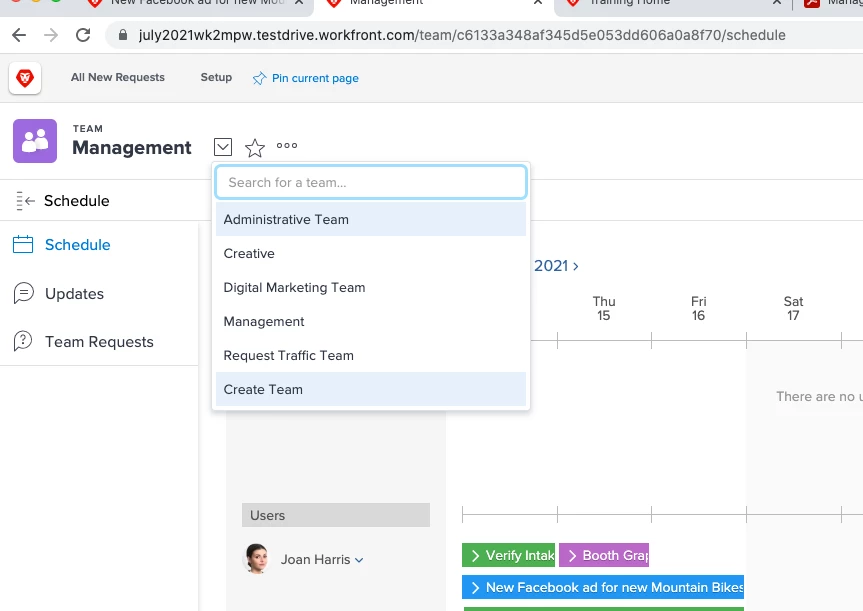
While teaching boot camps we've noticed frustration of labeling and designating in the Team area when creating a new team. If you navigate to the team area and click on the team dropdown there is the option of "Create Team" which is how someone that's not an admin but has those permissions would create a new team. The issue with the display here is that there isn't anything designating this as an action and it just looks like any other team called the Create Team or something like that.
I suggest adding one or more of the following changes:
- Add a plus symbol "+" prior to "Create Team" so it reads "+ Create Team"
- Add a line dividing it from the teams in the dropdown so it's clearly separate
- Rename it so it appears something like "+ Create a New Team"
Attaching image for reference:
Note: Create Team is highlighted because I was hovering over it while taking the screen shot.