New Request: customize "Select a request type to begin creating your new request" text and image | Community
Skip to main content
sebastiendesautel
Level 2
February 9, 2023
New

New Request: customize "Select a request type to begin creating your new request" text and image

  • February 9, 2023
  • 6 replies
  • 1026 views
Hello,
in the new request page, before one select a request type, we can see a bobsleigh with the text "Select a request type to begin creating your new request".
It would be very helpful to replace this text/image by something customized to explain the users, what are the request types available and how to choose the right one.
Can you make this possible?
Kind regards
Sébastien

6 replies

Madalyn_Destafney
Community Advisor
Community Advisor
February 9, 2023

Hi there, have you considered using the project descriptions here as guidance on what each request queue is for?
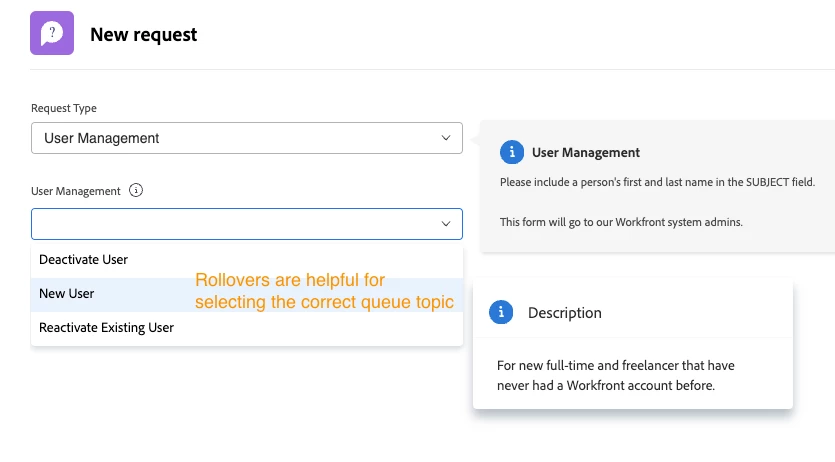
When you have a request queue, the requests submitted all go to a project. In those request queue projects, you can fill in the project description field in project details with a quick overview of the what the queue is for. These show with the respective queue in your Requests page. We have 7 queues, and each has a description that shows on click (which is actually the project description) Example:

If this helped you, please mark correct to help others : )
sebastiendesautel
Level 2
February 12, 2023

Hello @madalyn_destafney ,
thanks for your comment. Yes we do use the queue project description to give more information to the users but it appears after you've chosen the request type: this means it's very good to describe the queue topics (2nd drop down list in your screenshot) inside a request type (1st drop down list), but not to present the different queue types. This is what I suggest to improve.

Thanks


Ross_Barton
Level 4
March 7, 2023

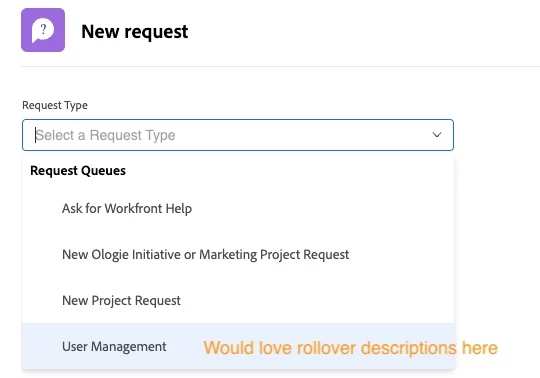
Being able to replace the bobsled is a great idea. I would also like to have the ability to add a description for the Request Type.


The soonest I'm able to give users detail is after they select a Request Type using roller queue topic descriptions (accessible via Queue Topic > Edit Queue Topic > Description). 

William--
Community Advisor
Community Advisor
March 8, 2023

Adding inline search to the New Request pill was a big improvement, but agree that it doesn't address the challenges shared above. 

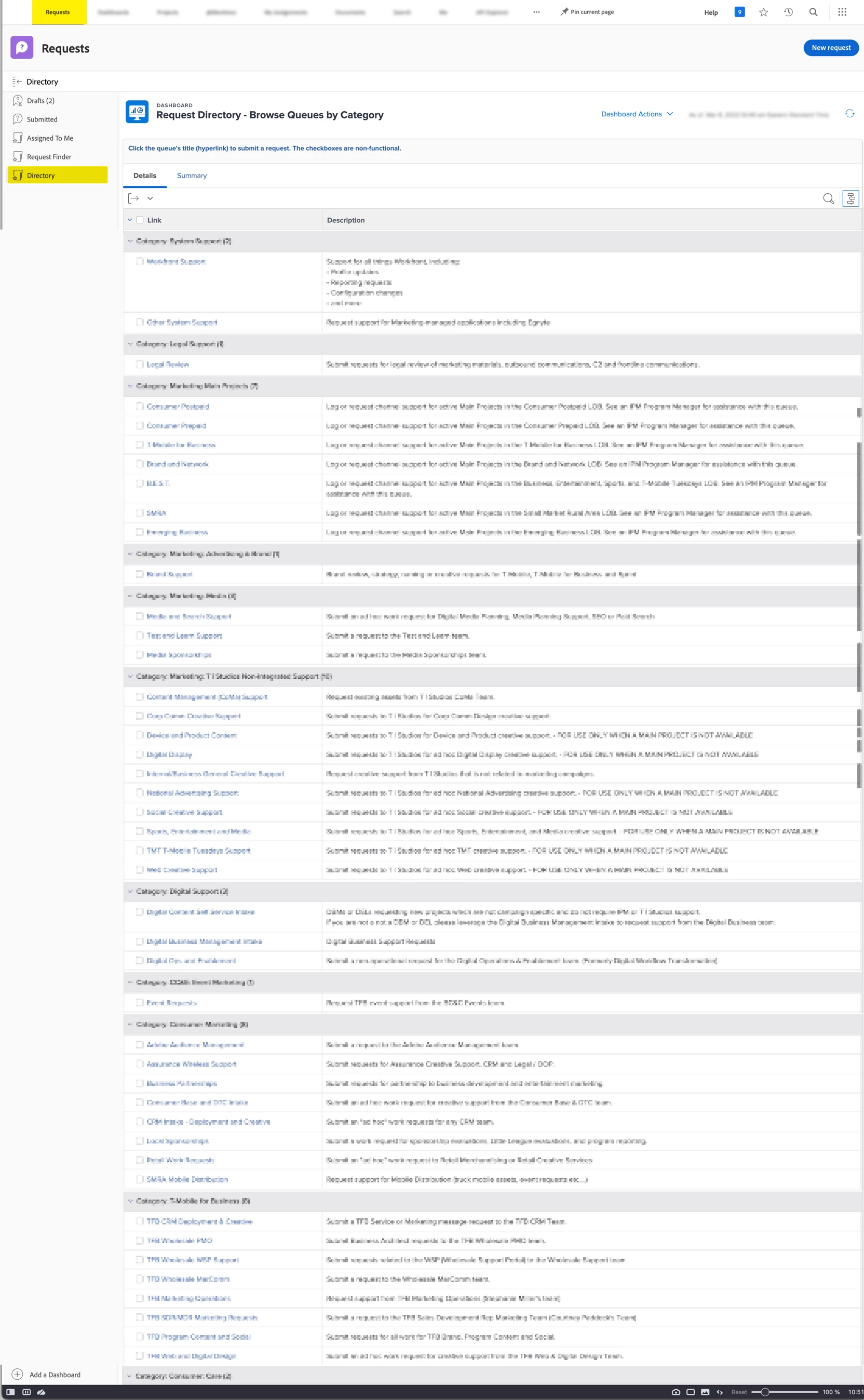
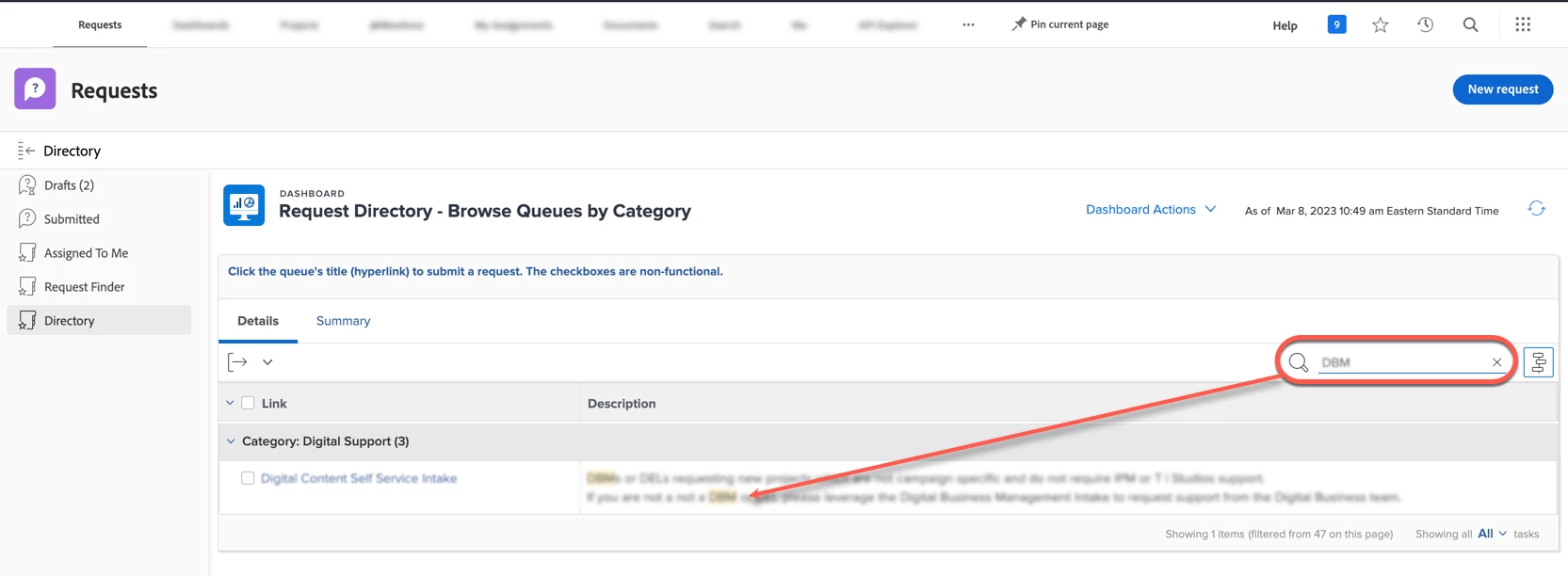
We ended up creating a "Request Directory" custom section in our Requests landing page, so users can scroll the various queues, groups, or topics along with relevant descriptions that can also be filtered via Quick Search.

  • This custom section is a dashboard containing a single Task report.
  • The tasks belong to a project that is specifically configured to enable the directory experience.
  • A task is created for each item we want listed in the directory (whether it's a queue, group, or topic)
    • The URL field of each task contains a hyperlink that was generated using the "Share Path" button on the corresponding queue/group/topic that is being represented by the task.  
    • Tasks are grouped by parent tasks, so they can be bucketed/displayed within a "Request Category."
  • The report is two columns: the task name and the task description.
    • The task name column has been modified so that clicking on the name does not open the task inside the special configuration project, but instead opens the link of the task's "URL" field in a new tab. (This is where we pasted the "Share Path" link above.)
  • End result is a page that users can browse when they don't quite know what they're looking for and want to see all the options/descriptions without having to click on each item, or want to filter by description.


Hopefully the above can help someone else! 

If you like my content, please take a moment to view and vote on my Idea Requests: https://tinyurl.com/4rbpr7hf
Doug_Den_Hoed__AtAppStore
Community Advisor
Community Advisor
March 8, 2023


Very nice, @william-- ,


Lots of fringe benefits on your approach; thanks for sharing!


Regards,

Doug

sebastiendesautel
Level 2
March 9, 2023

Hi @william-- 
yes, that's a very nice solution. I've just tried it and it looks good to me. Requestors have all the information they need at a glance. These "Share Path" links are definitively very helpful.

Kind regards

Sébastien