Keyboard shortcut of Workfront Proof Desktop Application for interactive proofs
Hello everyone,
When I add a comment to a proof on the desktop application, I can use Ctrl + N as a keyboard shortcut but it doesn't work as I expect on interactive proofs.
For example, I create a proof for Google like the screenshot I attached, and open it using the desktop application.
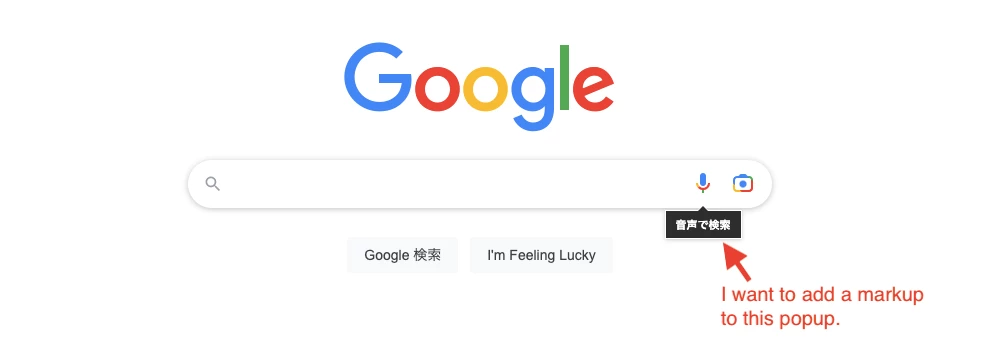
If I want to add a markup and a comment to the popup under the mic icon, I have to use any keyboard shortcut because the popup disappears when I move my mouse away.
However, any keyboard shortcut doesn't work just after I do something on the page.
To use the keyboard shortcut, I have to click the menu bar of the desktop application once.
So, when I become able to use the keyboard shortcut, all popups already disappear.

Does it make sense?
I'm happy if you can agree with me and Workfront will improve the application!
Regards,