
Custom Form Export to PDF Updates
Description -
Workfront allows you to export custom forms to PDFs. This is a great functionality, but it needs to include customer branding and be more customer focused in the language used. Custom Date and Custom Form Sections on internal WorkFront language that is not useful for an external user.
Why is this feature important to you -
We would like to leverage the PDF export to share custom forms with external users. However, the current PDF's need some adjustments so they are not confusing to the end user.
How would you like the feature to work -
When exporting custom forms from a task to PDF, please update the following:
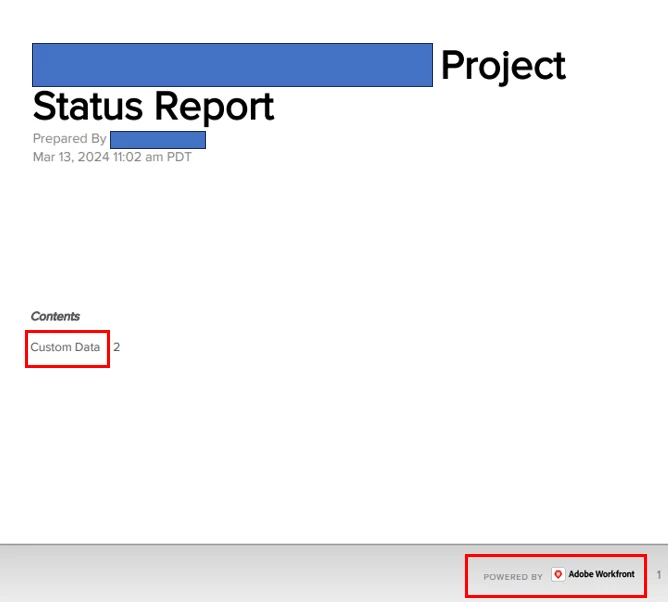
- Allow for branding of PDF
- Content Section shows "Custom Data". This is not always clear to customer. It should show the custom form name and split the customer forms into different pages if exporting multiple custom forms.
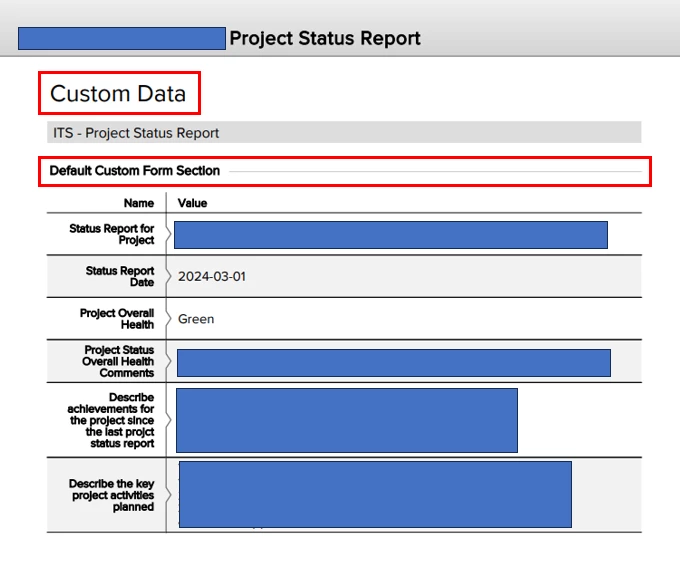
- The Custom Form includes "Default Custom Form Section" as a header. This is because the custom from does not have any sections. In these cases, it should just be blank.
Current Behaviour -
Current, the PDF does not have customer Branding. It also has "Custom Data" and "Default Custom Form Section" which is not always clear to the receiving customer.