How to Create an Issue Directly Under a Task Instead of a Project? | Community
Skip to main content
_Manish_Singh
Level 9
October 10, 2025
Solved

How to Create an Issue Directly Under a Task Instead of a Project?

  • October 10, 2025
  • 2 replies
  • 361 views

Hello Community,

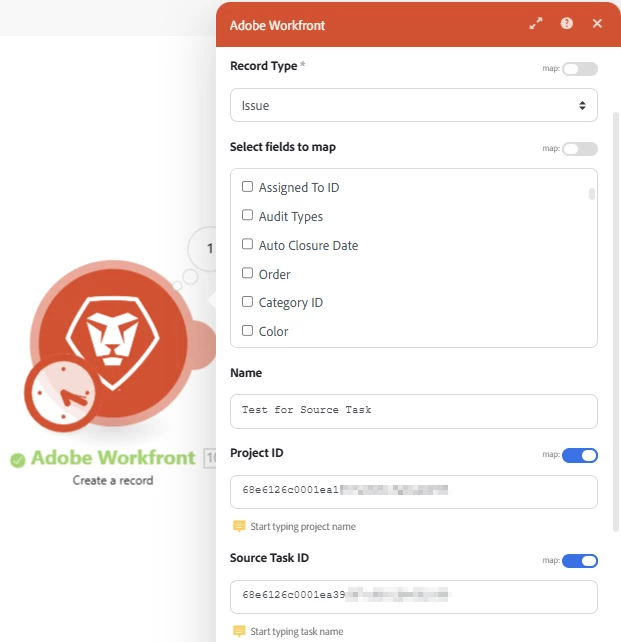
I’m trying to create an issue under a specific task (see image below). However, the issue always gets created directly under the project instead of the task, resulting in a structure like:
Project >> Issue Name
instead of
Project >> Task >> Issue Name

I can move it afterward using Misc Action >> moveToTask, but I’d like to know if there’s a way to create it under the task directly in one step. Any guidance would be appreciated!
Best answer by AndrewShevchyk

Hello,
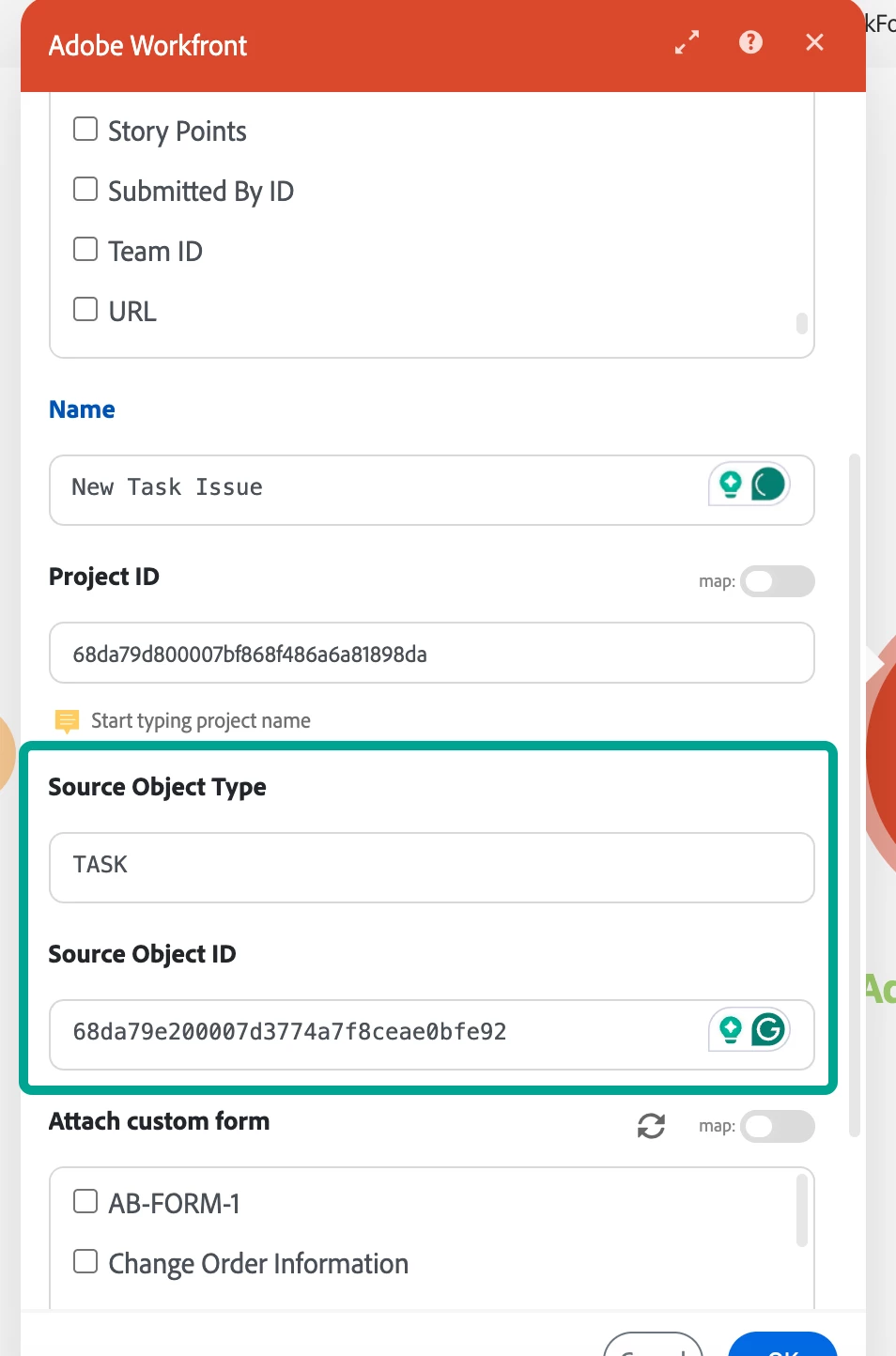
You need to change Source Task ID to Source Object ID and add one more field Source Object Type = TASK, like this:


2 replies

Level 5
October 10, 2025

Hello,


I have similar set up as well but the modules prior are watch or search > read > then create the issue and map to the fields from the previous modules.


I'm not sure if this is the best way but it works for me. 


=D

AndrewShevchykAccepted solution
Level 2
October 12, 2025

Hello,
You need to change Source Task ID to Source Object ID and add one more field Source Object Type = TASK, like this:


_Manish_Singh
Level 9
October 13, 2025

Thank you for the solution.