HELP...how to "un-view" the Developer Tool window??? | Community
Skip to main content
Level 2
October 15, 2025
Solved

HELP...how to "un-view" the Developer Tool window???

  • October 15, 2025
  • 2 replies
  • 445 views

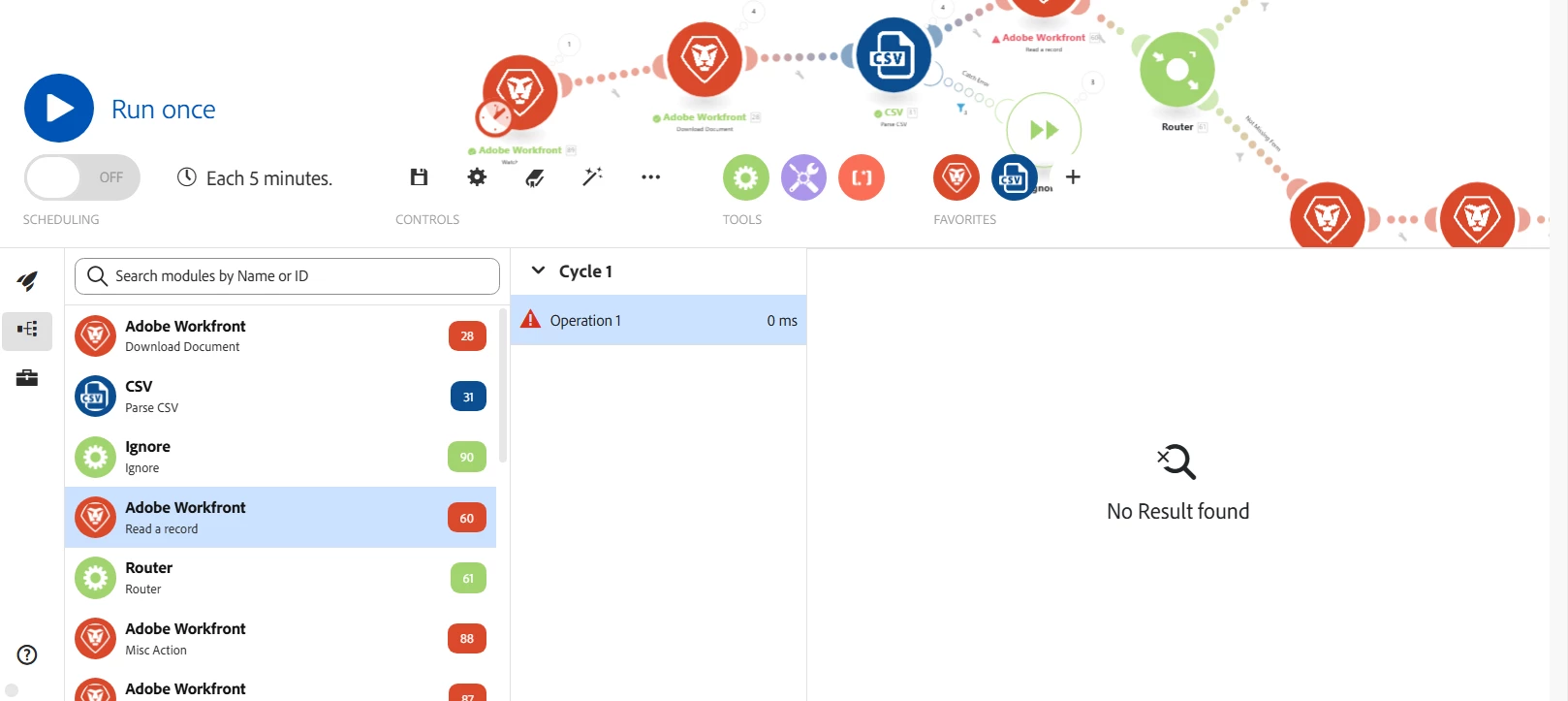
Serioulsy - this is likely super simple. The only way I can get out of this is to go out of the scenario and back in.

Anyone know how to simply 'hide' the view of the Dev Tool console after you no longer need it?
 

Best answer by ChristinaJa5

Thanks @kelly_starzent found it! I never enabled the DevTool that way - only via a scenario module click.

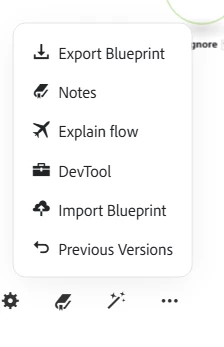
Dropping this for people that may later find this question selecting the three dots to the right of the magic wand will open up this menu. Selecting DevTool will either show or hide it.


2 replies

Level 3
October 15, 2025

Hi,

I ran into this as well early on.

The DevTool button is basically a toggle button.  So just go under the elipses and click on the DevTool button to either show or hide.

Hope that helps,

Kelly

Level 2
October 15, 2025

That makes sense. But where is the toggle button? I dont see the ellipsis or the toggle button.

Level 3
October 15, 2025

The 3 ellipses button is between the Align tool and the Tools button on your screenshot.

ChristinaJa5AuthorAccepted solution
Level 2
October 15, 2025

Thanks @kelly_starzent found it! I never enabled the DevTool that way - only via a scenario module click.

Dropping this for people that may later find this question selecting the three dots to the right of the magic wand will open up this menu. Selecting DevTool will either show or hide it.