Fusion Template Bundle Validation Error | Community
Skip to main content
ConnorO2
Level 4
February 5, 2025
Solved

Fusion Template Bundle Validation Error

  • February 5, 2025
  • 2 replies
  • 1488 views

Hey Everyone! 


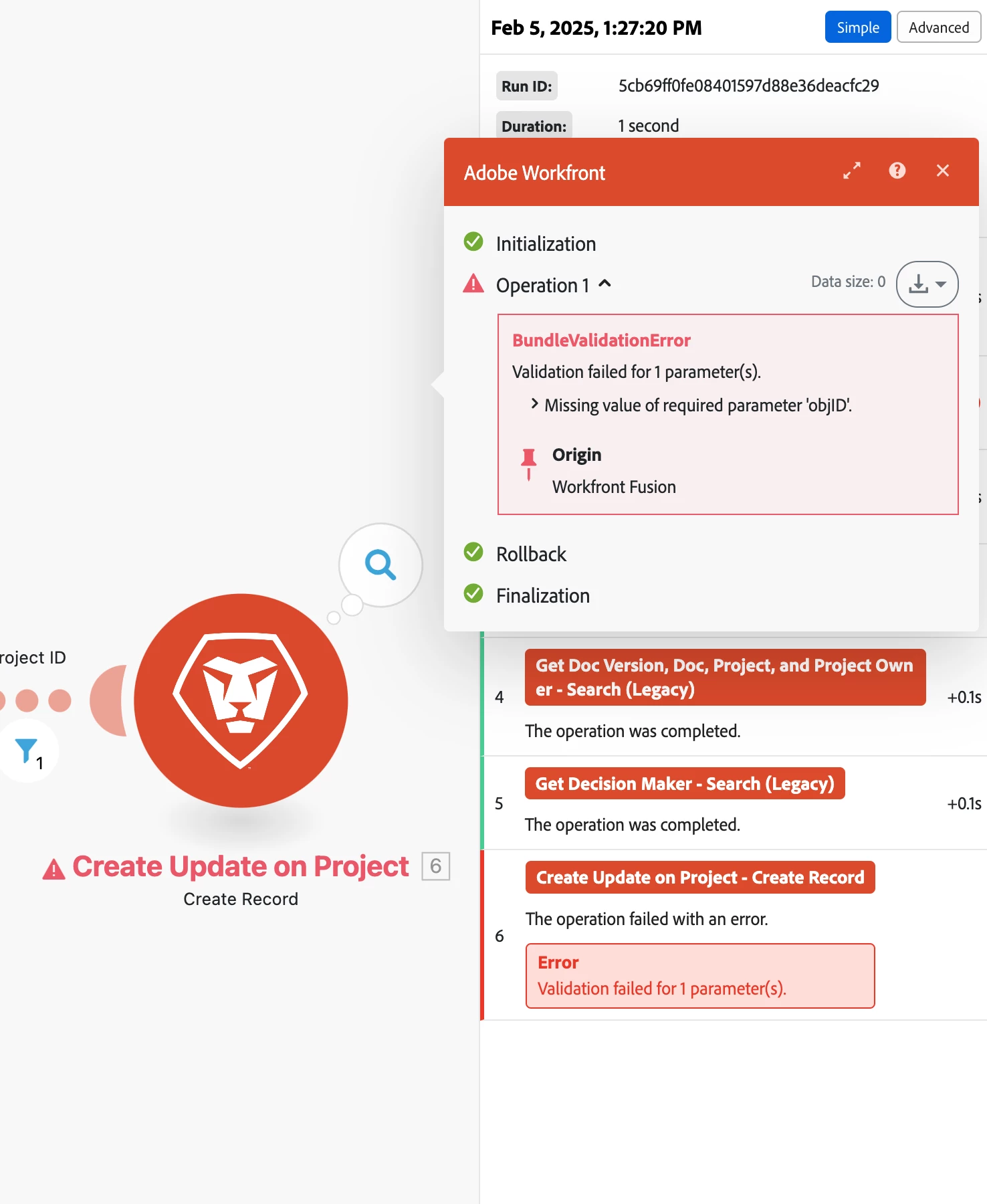
I'm new to Fusion and I'm trying to troubleshoot this error that keeps coming up on this template for making an update on project once a proof decision has been made. 

It's saying I'm missing the value of required parameter objID. But I'm not exactly sure which object it's referring to. 


Any help would be great! Also, if you know of any tutorials that aren't related to pulling in data from a spreadsheet and that apply to actual Workfront objects - please share! 
 

Best answer by _Manish_Singh

Hi @connoro2 - Apologies, I'm having some issues with Workfront Proof connection. Could someone else from the community assist with this please?


Hi @connoro2,

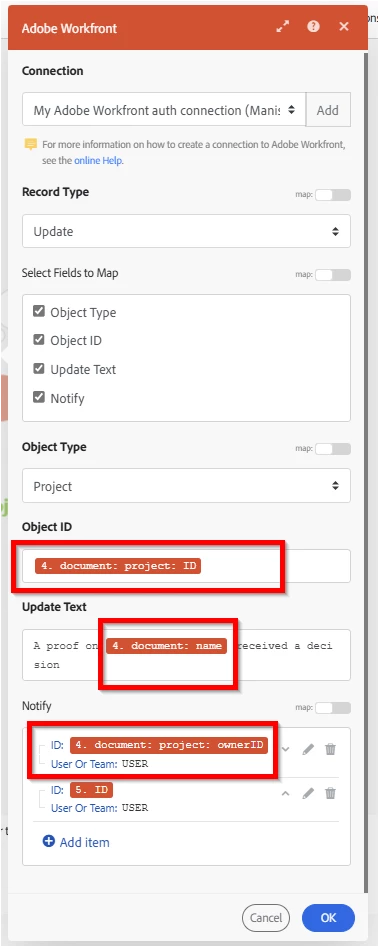
The mapping in the last module should look like this. Remove the mappings highlighted in the red box and remap them from module #4. That should fix the issue.


Here is the output:

2 replies

Pan_Shahbazian
February 6, 2025

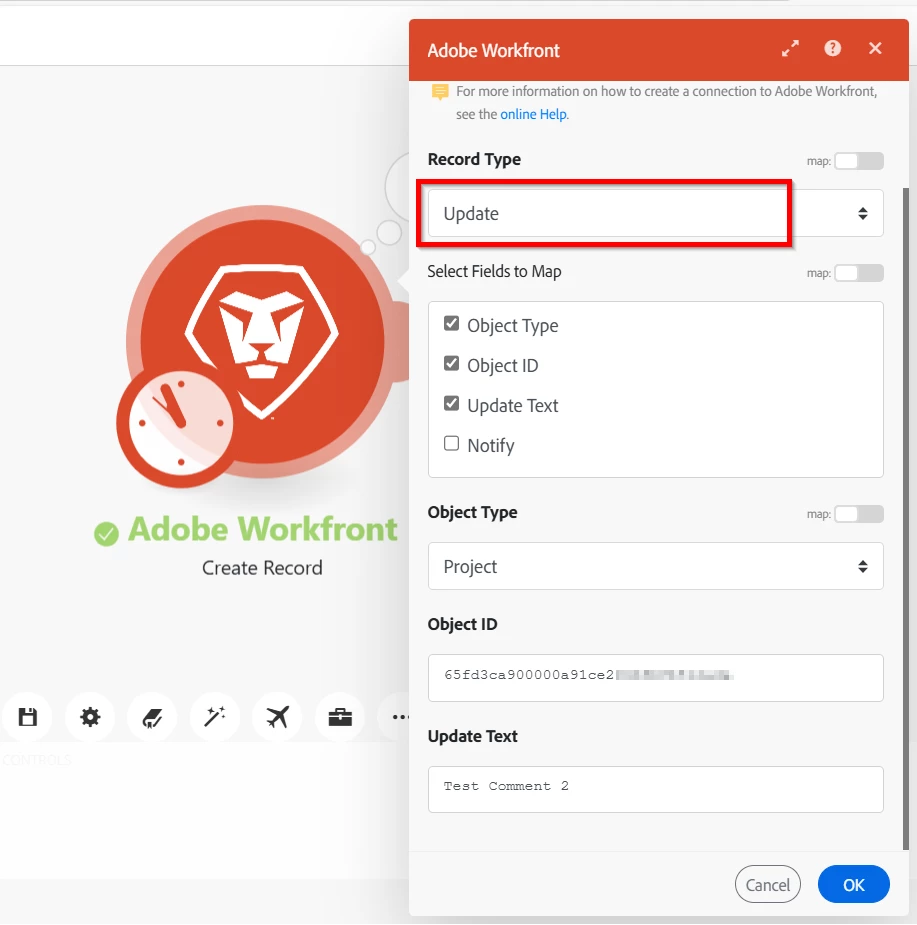
Hey @connoro2 -  From what I'm seeing here...You're getting that error because that module doesn’t know which project (or object) to attach that update to. So that's why it's telling you the “objID” parameter is missing. I'm assuming you're using the "Update" Record Type? There should be a checkbox for "Object ID" and "Object Type" (along with the text you want, and who to notify). The ObjID should be filled. 

ConnorO2
ConnorO2Author
Level 4
February 6, 2025

@_manish_singh @pan_shahbazian 


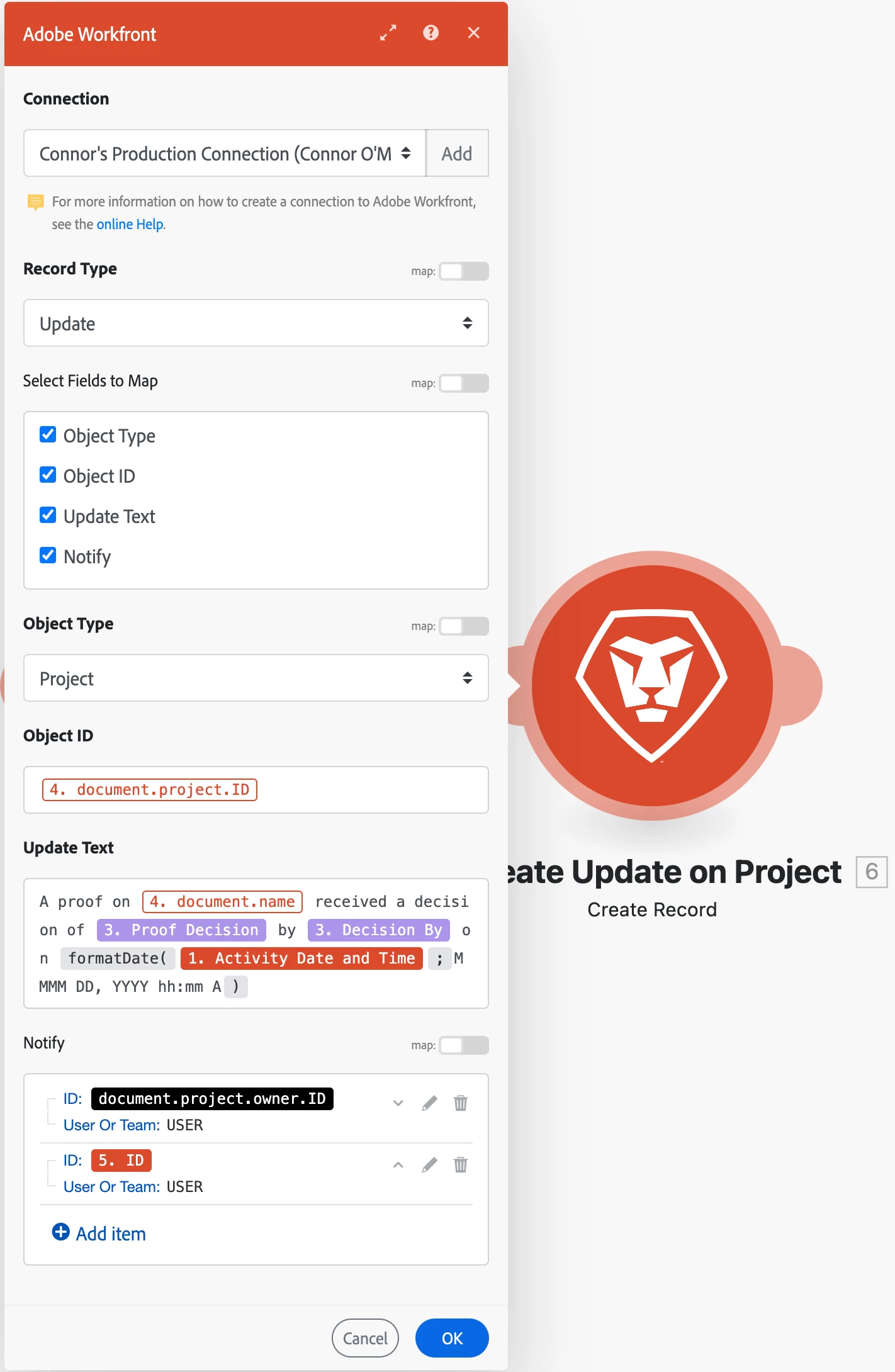
Here is a screenshot of the module Create Update on Project.

I want this to apply to any proof we have in the system to update any project it's attached to. So I don't want to necessarily attach it to just one project. 


Is this the correct mapping for this? 


_Manish_Singh
Level 9
February 6, 2025

It seems there is an issue with 4.document.project.ID because when the mapping is correct, the background is red, and text font is white (example: see Activity Date and Time).

_Manish_Singh
Level 9
February 6, 2025

Hello @connoro2

I tried posting an update on project object and it worked for me. Is this what you are looking for?