Format Date in Data Store | Community
Skip to main content
Level 9
May 9, 2023
Solved

Format Date in Data Store

  • May 9, 2023
  • 2 replies
  • 578 views

Hi WF Fusion Community,

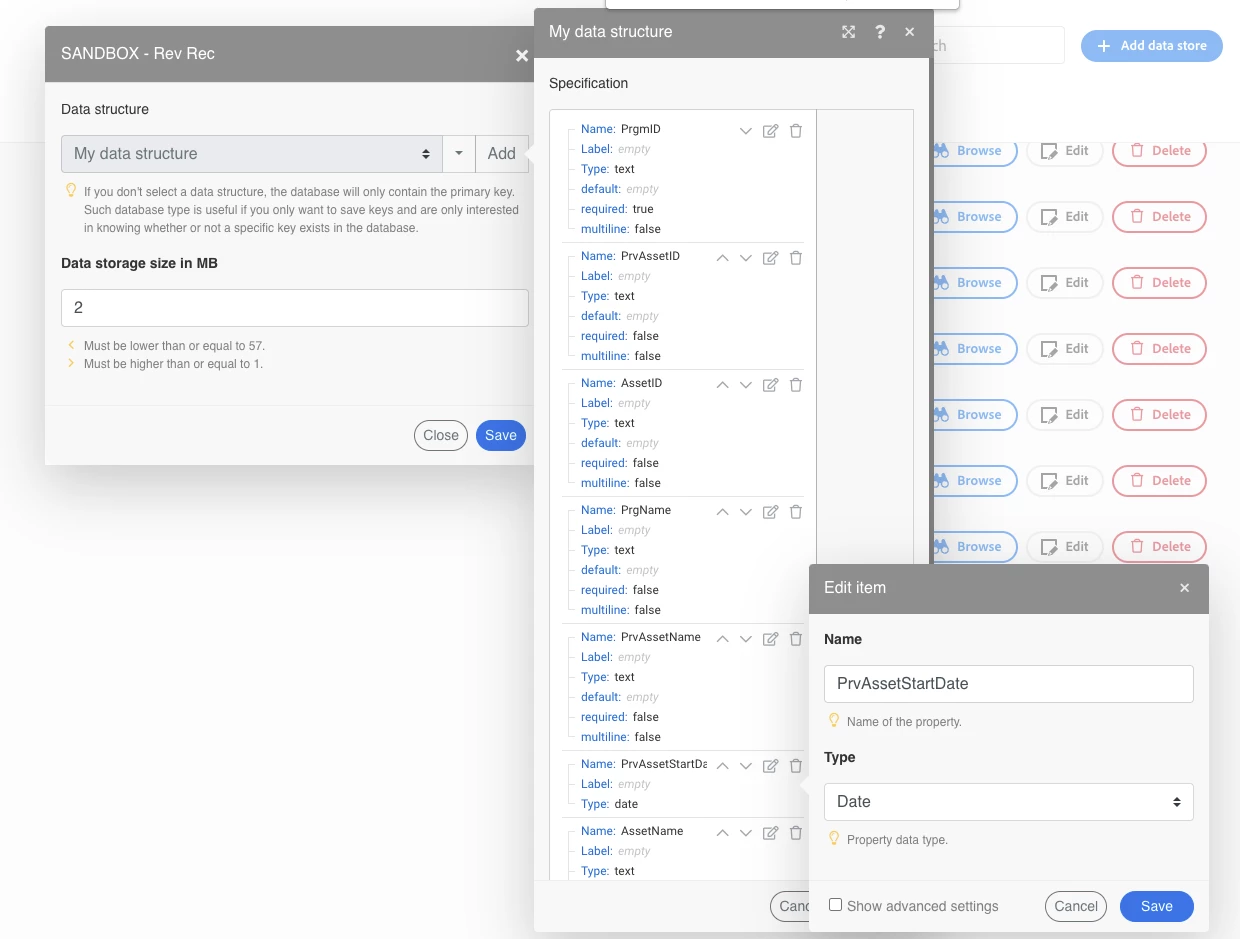
I have a data store set up, with a field called "PrvAssetStartDate", which is a date Type (in my data structure).

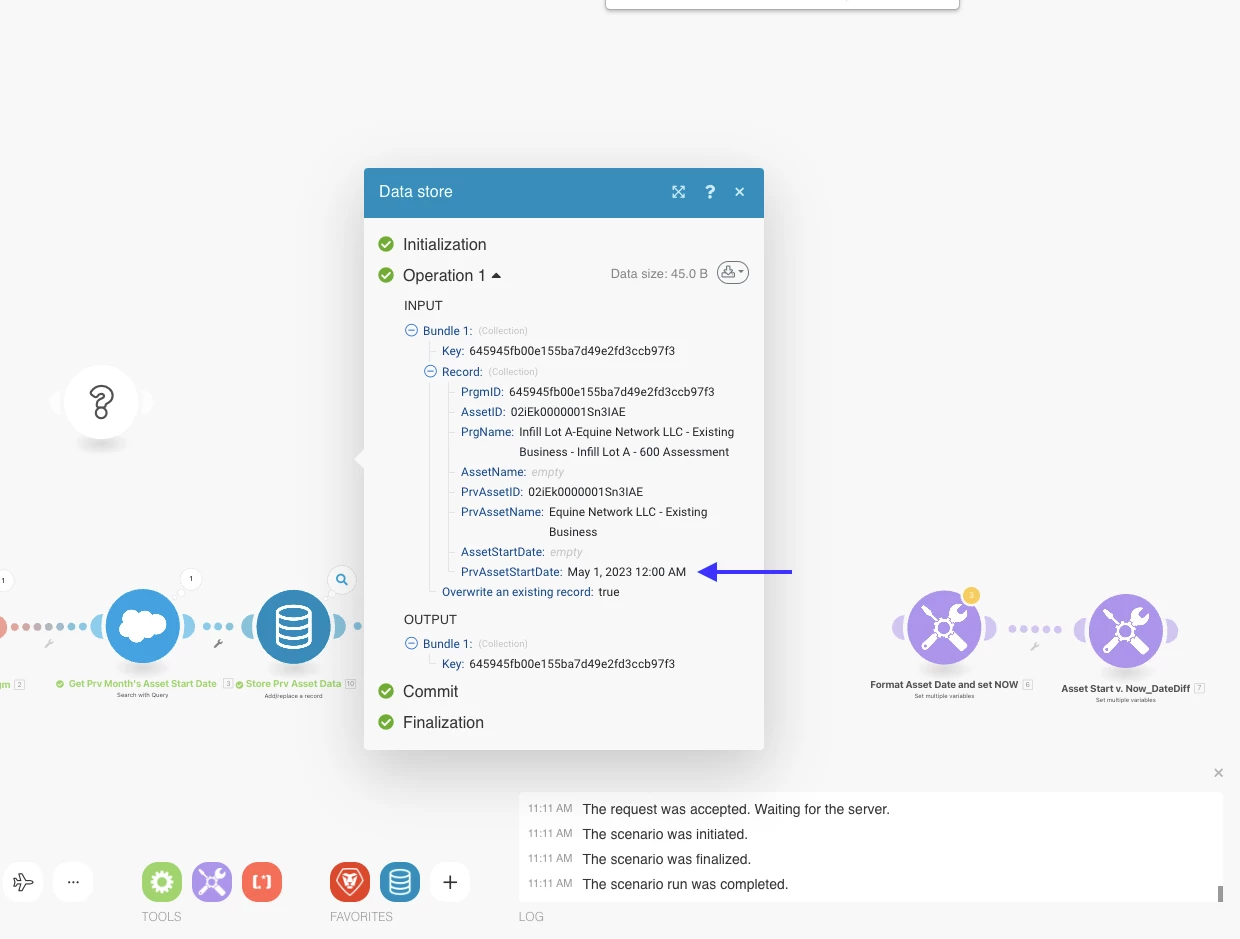
The data being stored in this field comes in with the following format (from the source in Salesforce) YYYY-MM-DD (e.g. 2023-05-01)


I want it to stay in this format, but after it gets inserted to the data store, it is transformed into this: May 1, 2023 12:00 AM


I tried using the formatdate and parsedate functions in the field mapping within the data store module, but they net the same result when the record data is stored in the data store (May 1, 2023 12:00 AM).

Is it not possible to apply a date format within a data store field, where the data store field Type is Date?


Thanks!


This post is no longer active and is closed to new replies. Need help? Start a new post to ask your question.
Best answer by _Manish_Singh

After some tests, I obtained identical results. I believe this is due to the pre-set format of the date column in the data store, see below. This overrides formatDate() function.

2 replies

_Manish_Singh
_Manish_SinghAccepted solution
Level 9
May 10, 2023

After some tests, I obtained identical results. I believe this is due to the pre-set format of the date column in the data store, see below. This overrides formatDate() function.

NickVa7Author
Level 9
May 10, 2023

Thanks, Manish.
It's likely that I somehow have to transform the data after it's inputted to the data store.
Cheers.