Filter Function For Checkbox Field | Community
Skip to main content
ConnorO2
Level 4
May 7, 2025
Solved

Filter Function For Checkbox Field

  • May 7, 2025
  • 2 replies
  • 565 views

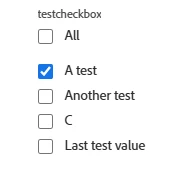
Currently trying to setup a filter in one of my scenarios. I've created a checkbox field that has several different values that users can select upon request time. If there is only one value selected then I would like Fusion to route it to another setup of modules. If there is multiple values selected then it would go a different route. 


What is an easy way to set this up and make sure that it reads the values?  

I know there is functions but I've not successfully setup one. 


Any help from the community would be greatly appreciated! 
 

Best answer by Lawson02

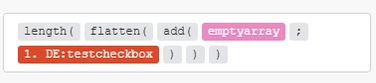
Also here is another approach that tells you how many items are in the array. This approach would survive the depreciation I mentioned earlier

Add value(s) to empty array,

Flatten array of arrays if more than 1 value,

Get length of array


2 replies

Lawson02
Level 6
May 7, 2025

Currently as it is checkbox like fields read one value as a string and multiple as an array. They might be changing this soon and making it always read as an array but I don't remember exactly as I read the patch notes a while ago. 


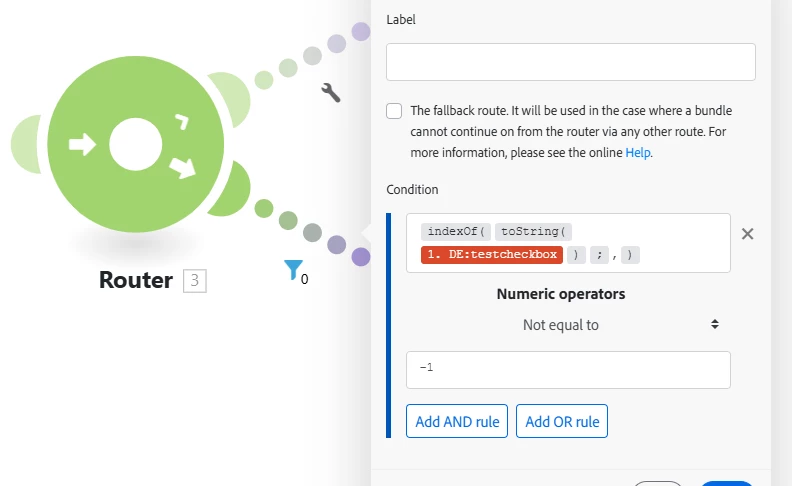
When dealing with these fields I will just use the toString() function and use indexOf() to check for index of commas as those are what indicate array values. If its not equal to -1 then there are more than 1.


Assuming you have no commas in these fields this would work. If you do have commas, then search for either [ or ]. If they implement the change I mentioned earlier this would not work.


Lawson02
Lawson02Accepted solution
Level 6
May 7, 2025

Also here is another approach that tells you how many items are in the array. This approach would survive the depreciation I mentioned earlier

Add value(s) to empty array,

Flatten array of arrays if more than 1 value,

Get length of array


ConnorO2
ConnorO2Author
Level 4
May 8, 2025

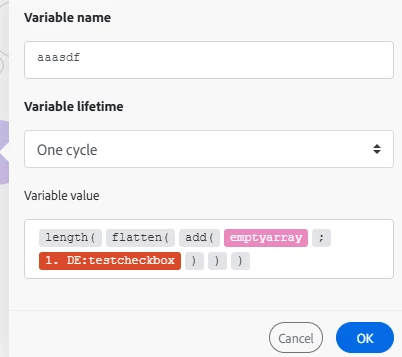
@lawson02 What would the filter look like after setting up this variable? 


I got the other method setup below and working but if they are going to change this I would rather set it up like this. 

Lawson02
Level 6
May 8, 2025

Replace 


with 


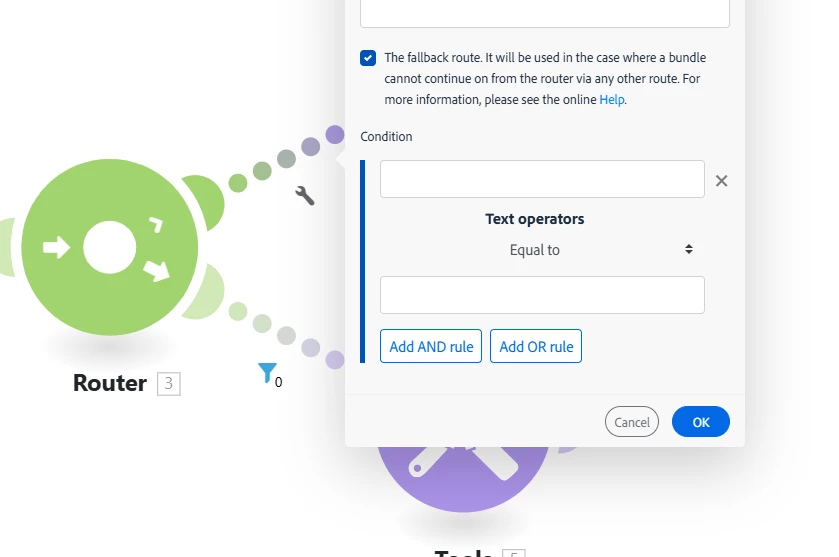
change filter to "Numeric Operators: Not Equal to 1". This will be your route with more than 1 checkbox field. Set a fallback, this will be your route with only 1 checkbox field.