DateDiff Variable Not Calculating Correctly | Community
Skip to main content
Level 9
March 20, 2023
Solved

DateDiff Variable Not Calculating Correctly

  • March 20, 2023
  • 1 reply
  • 891 views

Hi Fusion folks,

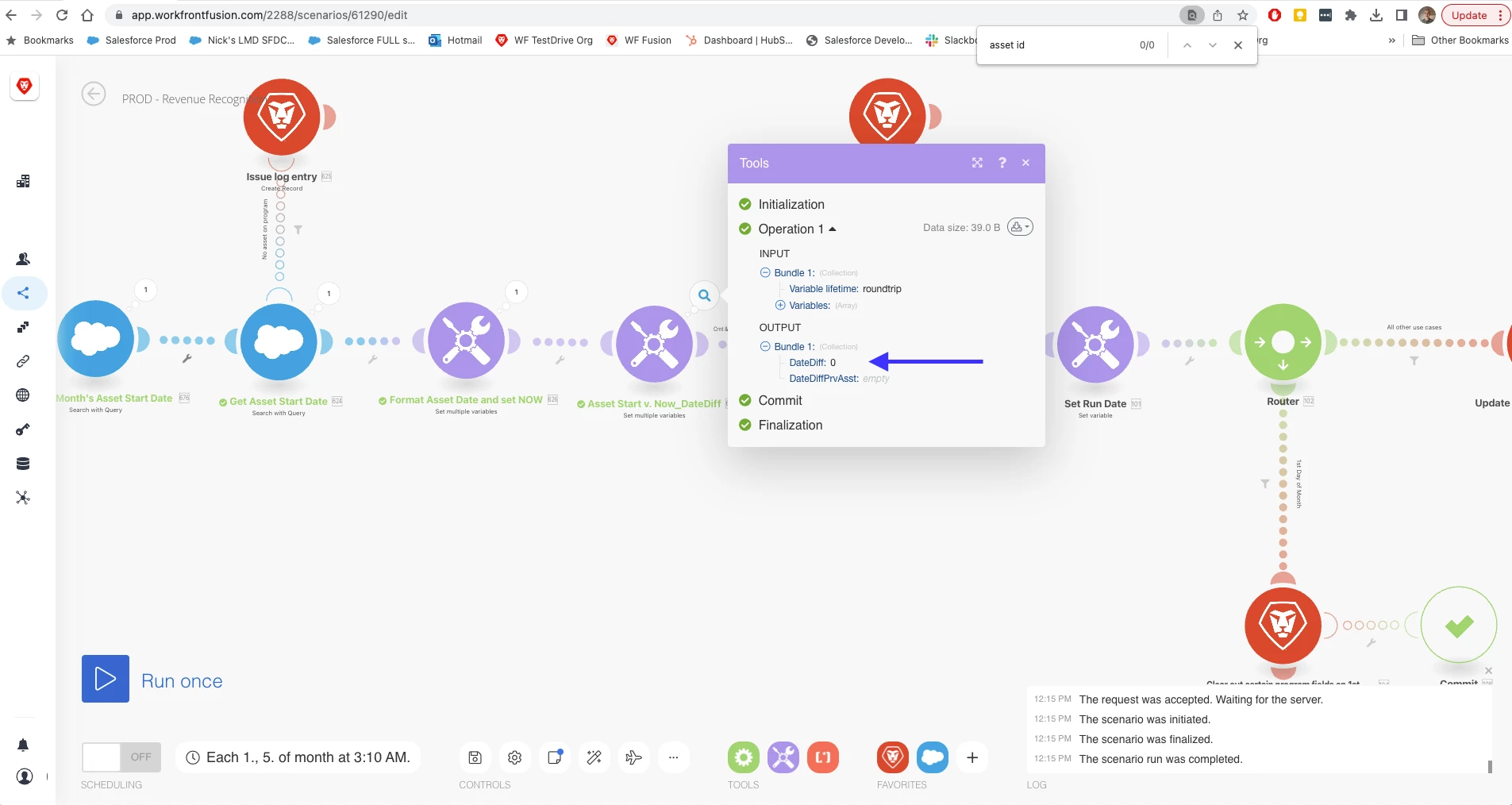
I have a filter on a Fusion scenario path that looks to see if the variable called DateDif is > 0.  If so, let'er through.  However, for some reason, I'm getting a zero when it calculates the datediff, when I would expect it to be "1".  I'm not sure why this is.  Here's the scoop:


This is the variable module responsible for formatting NOW, and a date output from a previous module
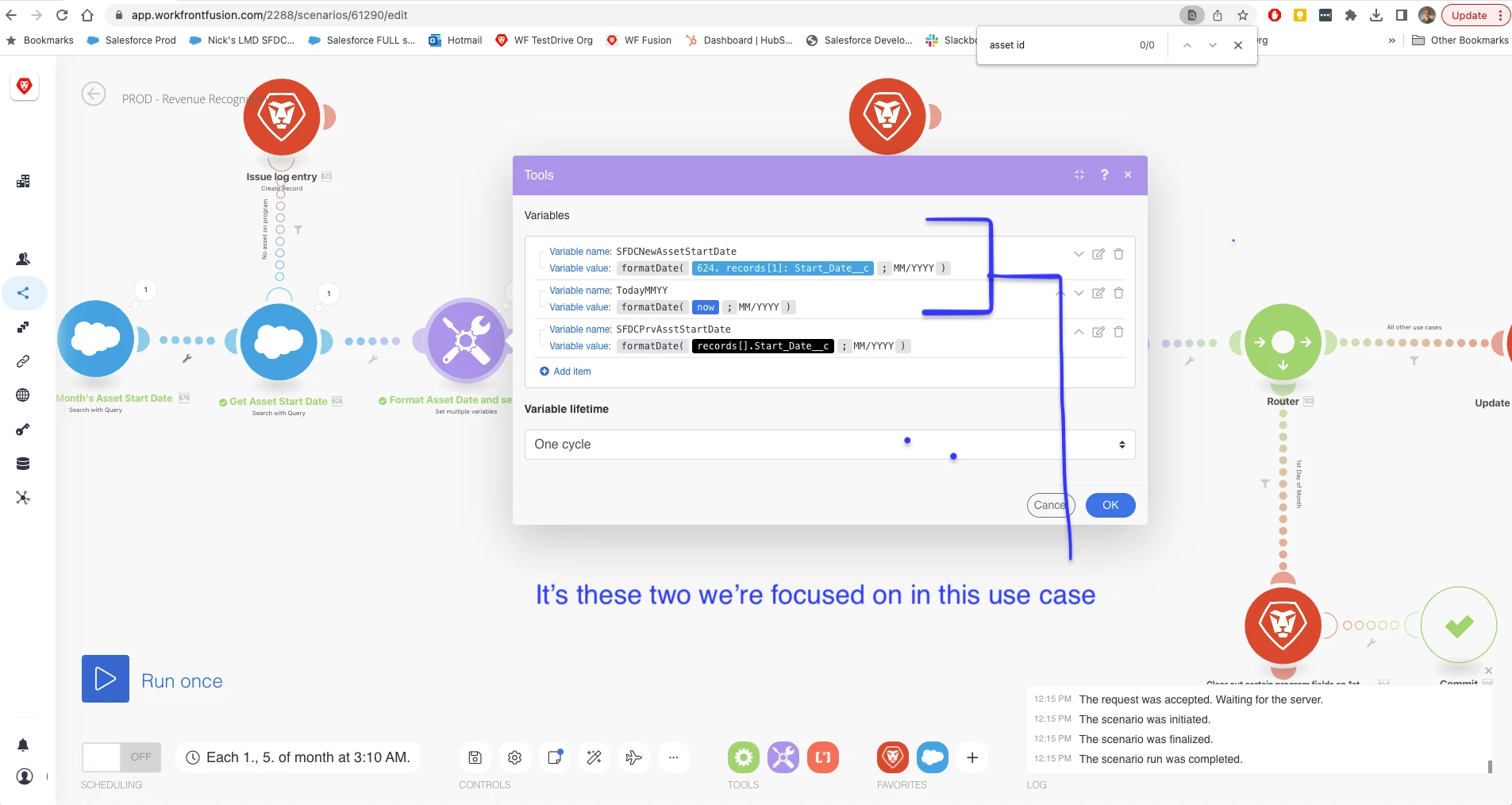
 

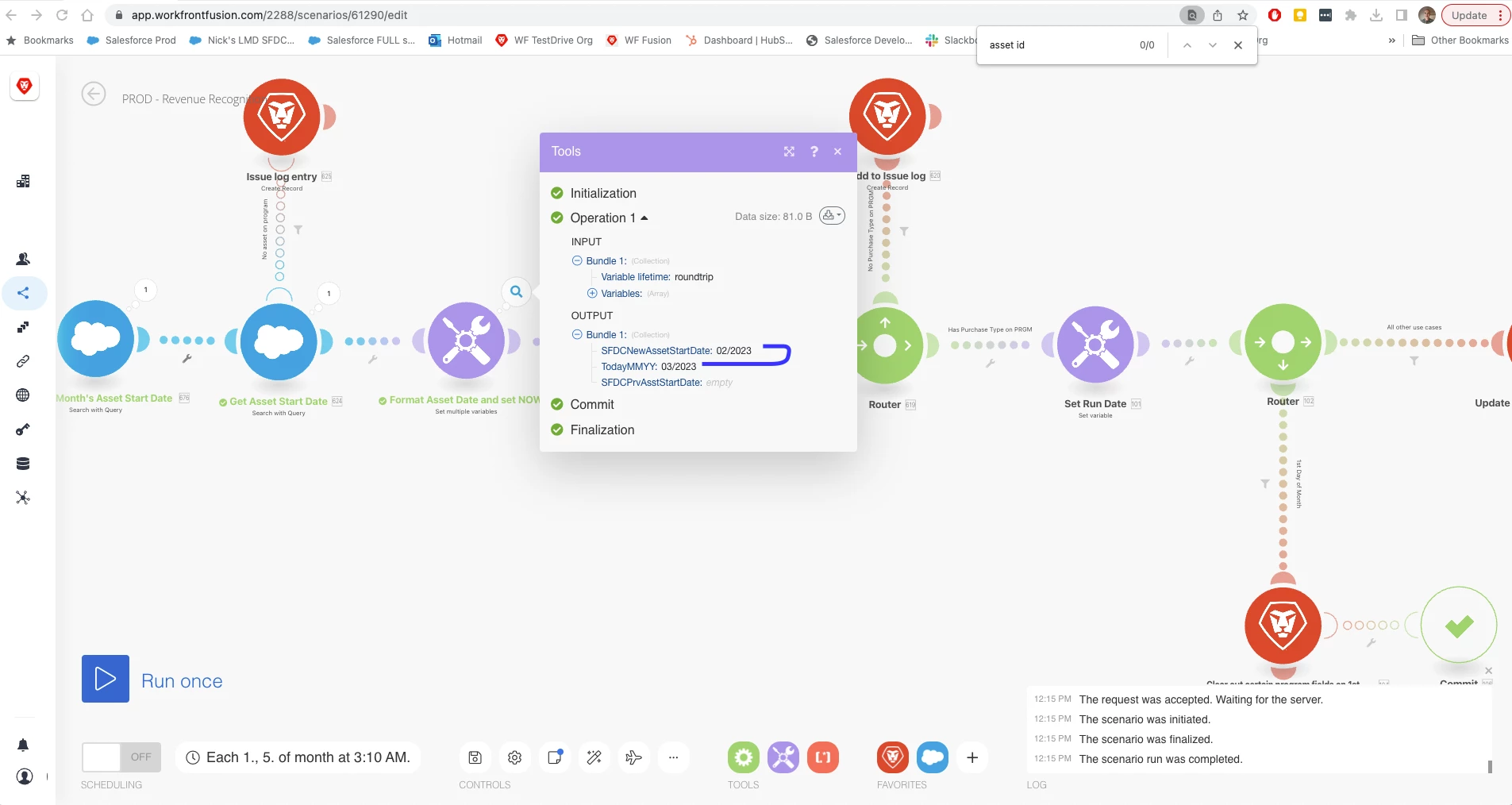
Here is the result
 

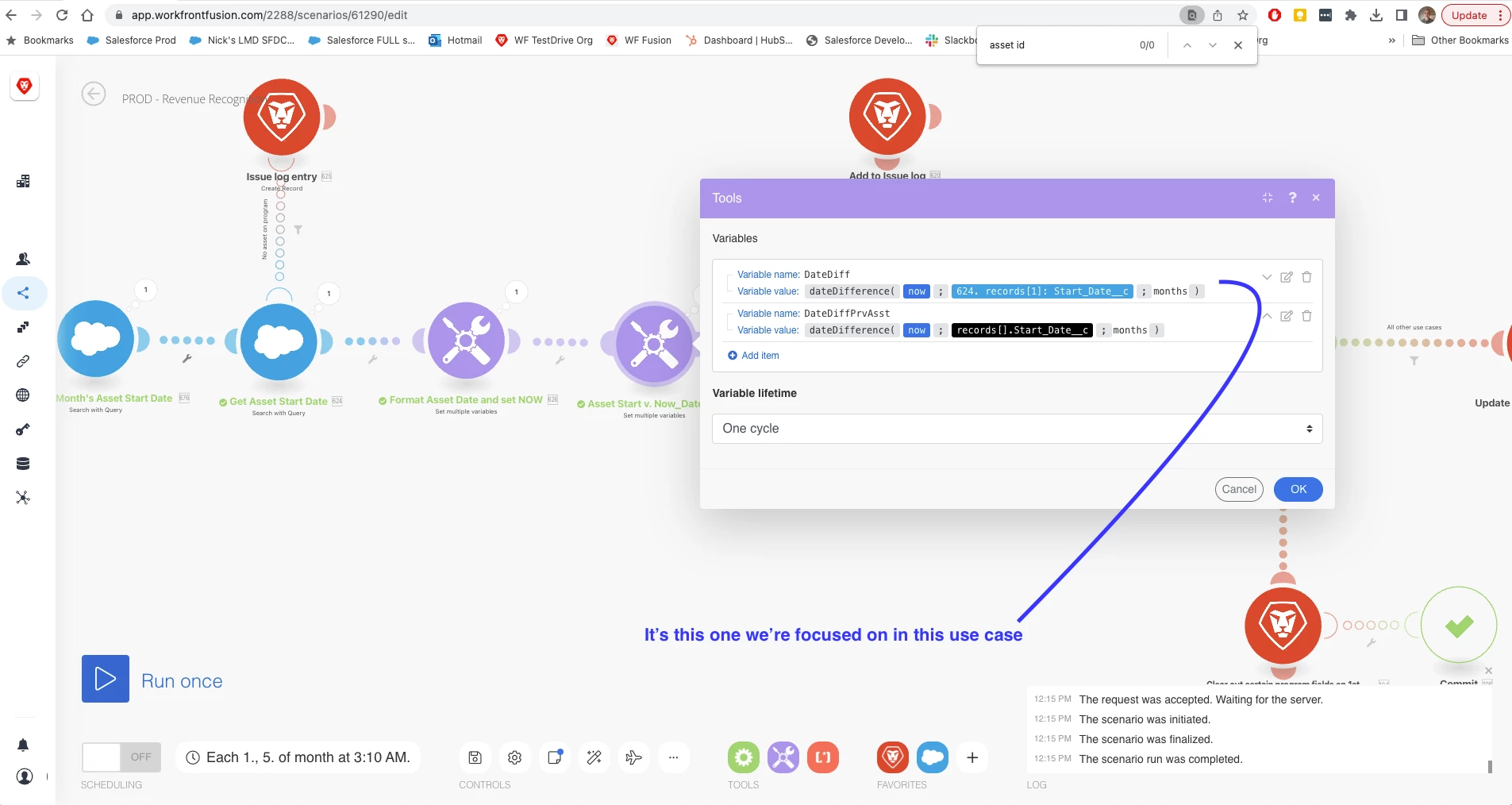
Here is the variable module responsible for doing the datediff calc
 

Here is the result:
 

The odd thing is that some records flow through fine, while others do not.
Does anyone know what I might be missing here?  

Thanks,

Nick

This post is no longer active and is closed to new replies. Need help? Start a new post to ask your question.
Best answer by NickVa7

Hi Heather!
Yeah, it appears so.


Per Support:

It looks at the full date, so it would only evaluate to true if there is at least 1 month difference between the 2 dates. 

If the 2 dates are 02/19/2023 and today, the calculation would be true
If the 2 dates are 02/21/2013 and today, the calculation would be false

Would it be a suitable option to change the comparison unit to milliseconds, seconds, minutes, hours, days, or weeks in order to satisfy the condition?

I ended up needing to change my evaluation to days, not months.
Cheers.
Nick

1 reply

NickVa7Author
Level 9
March 20, 2023

Would it matter if the date value that it's capturing from a previous module is not exactly 1 month or greater compared to NOW?


Example:

- It grabs the date 2023-02-01 from a previous API call module to Salesforce (asset)

- My first variable module converts that date into MM/YYYY (02/2023).  That same variable module also converts NOW into MM/YYYY (03/2023)

- My next variable module does the date difference between these two values: 03/2023 - 02/2023 = 1

- My next filter says ok, this is greater than 0, so you can move through to the subsequent modules


My question is whether the date dif function is really just looking at the formatted dates (MM/YYYY), or if it's looking at the full dates (2023-02-01 and 2023-03-20)?  If it's looking at the full dates when doing the datdiff comparison, than in some cases, if I have a Salesforce record date of say 2023-02-25, the datediff when compared to the full date of NOW will be less than 1 (and round to 0).

Could this be my problem?

Heather_Kulbacki
Community Advisor
Community Advisor
March 21, 2023

I suspect even though you've got it formatted to output MM/YYYY, it looks at the full date for the calculation. And may even look at the time associated with the date as well. 

NickVa7AuthorAccepted solution
Level 9
March 21, 2023

Hi Heather!
Yeah, it appears so.


Per Support:

It looks at the full date, so it would only evaluate to true if there is at least 1 month difference between the 2 dates. 

If the 2 dates are 02/19/2023 and today, the calculation would be true
If the 2 dates are 02/21/2013 and today, the calculation would be false

Would it be a suitable option to change the comparison unit to milliseconds, seconds, minutes, hours, days, or weeks in order to satisfy the condition?

I ended up needing to change my evaluation to days, not months.
Cheers.
Nick