Can't get images to show on Emails - using Notes html field | Community
Skip to main content
Level 4
July 2, 2025
Solved

Can't get images to show on Emails - using Notes html field

  • July 2, 2025
  • 2 replies
  • 605 views

Hi,


I've got an image URL


Corp-Prim-CREATIVESTUDIO-RGB-PH-lr-workfront (526×151)


But when I put it in the html field when adding a Note
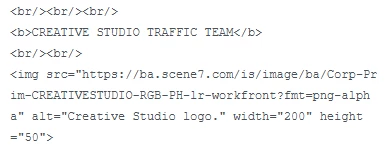


the email just shows the html



The html does work in an html editor when I preview it so I'm not sure why it's not working in the html field in FUSION.


Can anyone help ?


Thanks

Best answer by GeraintJo

Hi,


I've just been told that this is a known restriction and is NOT possible.


Image tags in this html field will not fire correctly.


Shame 😞

2 replies

Sven-iX
Community Advisor
Community Advisor
July 7, 2025

@geraintjo seems to work for me - see below - the only thing I can think of is the missing / to formally close the image tag? 


using the CreateRecord module


GeraintJoAuthor
Level 4
July 8, 2025

Thanks for that.


Can you just check it also in the html field as I'm triggering an email with it too


Thanks


geraint

Sven-iX
Community Advisor
Community Advisor
July 9, 2025

creating new note, same parameters


kautuk_sahni
Community Manager
Community Manager
July 29, 2025

@geraintjo Just checking in — were you able to resolve your issue? We’d love to hear how things worked out. If the suggestions above helped, marking a response as correct can guide others with similar questions. And if you found another solution, feel free to share it — your insights could really benefit the community. Thanks again for being part of the conversation!

Kautuk Sahni
GeraintJoAuthorAccepted solution
Level 4
July 29, 2025

Hi,


I've just been told that this is a known restriction and is NOT possible.


Image tags in this html field will not fire correctly.


Shame 😞